Transmitter troubleshooting
WCDMA transmitter troubleshooting
Steps
1. Set the phone to local mode.
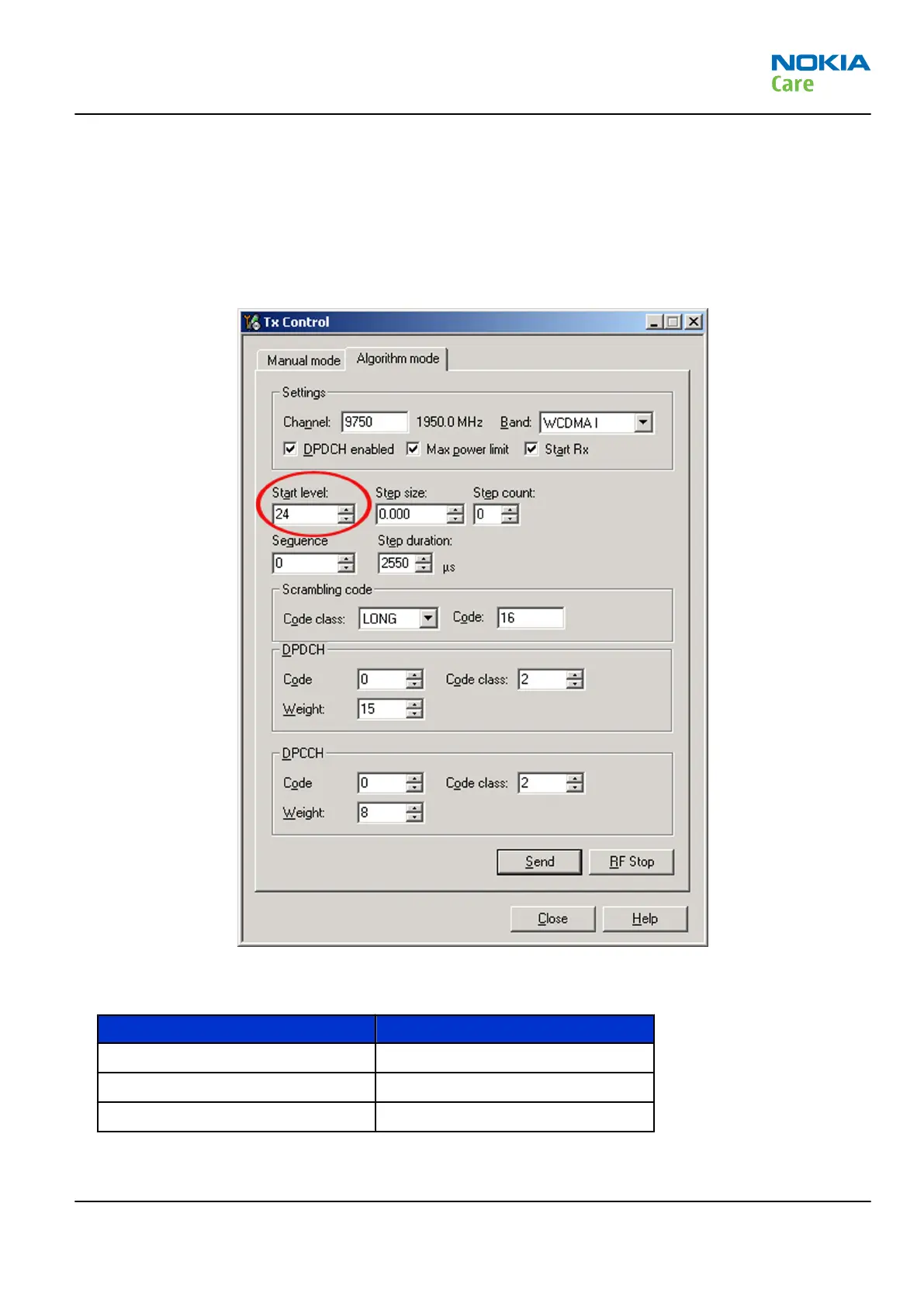
2. In Phoenix, select Testing → WCDMA → Tx control . The Tx Control window opens.
Figure 46 Phoenix WCDMA Tx control window
3. Make settings for the band to be tested, according to the following table:
Band Channel
WCDMA I 9750
WCDMA II 9400
WCDMA V 4175
4. Make the following general settings (the same values for all bands). Note that Max power limit is not
checked by default.
RM-632; RM-634; RM-699
Service information differences between RM-632 and
RM-634
Issue 3 COMPANY CONFIDENTIAL Page 6 – 11
Copyright © 2010 Nokia. All rights reserved.


 To Next Page