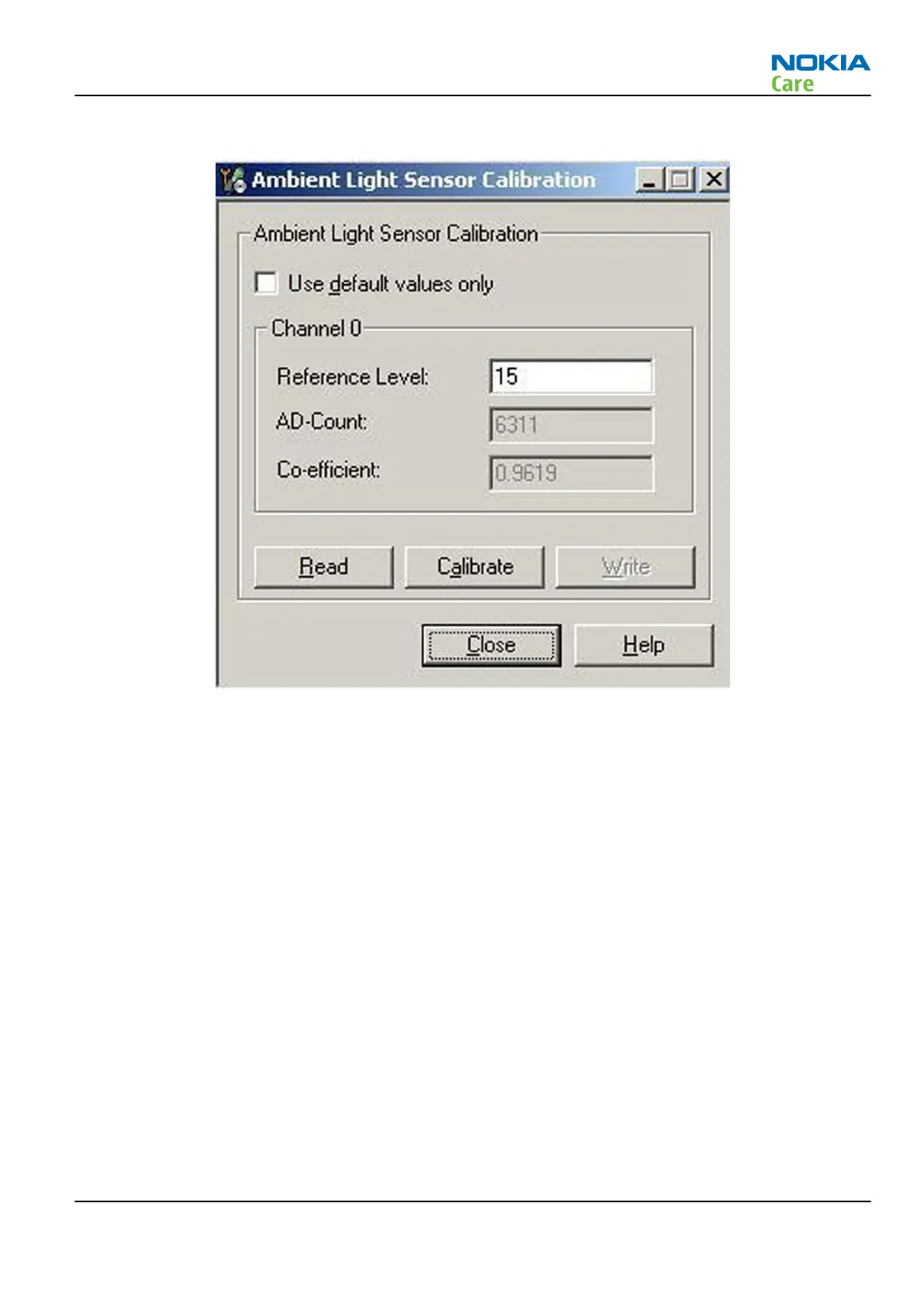
4. Choose Tuning -> Ambient Light Sensor Calibration. You should see the following window
5. Read AD-count values for Channel 0 by click Read button and write them down.
6. Repeat 1-5 for the phone to be calibrated and make sure the phone to be calibrated is located in the
same place as reference phone was when luminance reading was taken.
7. Calculate co-efficient from reference phone and phone to be calibrated AD-count values by division: Co-
efficient = AD-count(reference phone) / AD-count(phone to be calibrated), write down the calculated co-
efficient values.
8. -> Iterate by changing Channel 0 (reference level) value (remove cross from ‘Use default values only’).
After writing some value to Channel 0 (reference value), calibrate button must be pressed. Stop iterating
when Co-efficient is equal to Co-efficient calculated in bullet 7. Note that decimal numbers should be
used in the iteration in order to achieve enough precision (e.g. 200.2455)
9. After having same Co-efficient value in “Co-efficient” textbox as the calculated value, make sure that
ambient light values (read using Testing → Display Test → “Luminance” textbox) are almost the same
in reference phone and calibrated phone. Remember that illuminance readings for reference and
calibrated phones must be done in the same ambient light conditions. If illuminance values differs a lot
(difference max. +- 10%), repeat whole ALS re-tuning procedure.
10. To end the calibration, click Close.
RM-632; RM-634; RM-699
BB Troubleshooting and Manual Tuning Guide
Issue 3 COMPANY CONFIDENTIAL Page 3 – 33
Copyright © 2010 Nokia. All rights reserved.


 To Next Page