7 Connecting the power supply and setting the USB driver
54
If connecting the scanner to the PC on which the controller is not installed
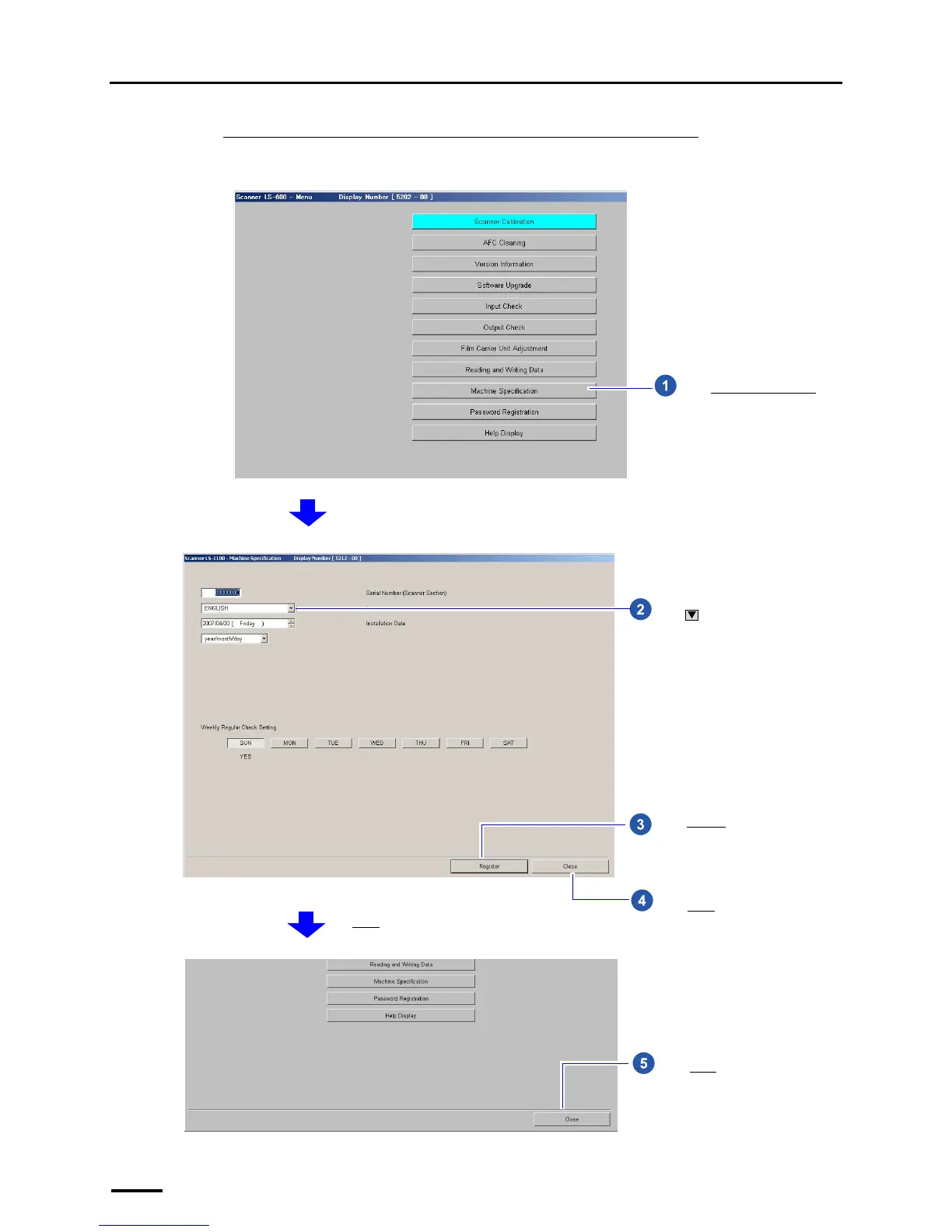
Change the language to be used as needed.
Example: Menu display
Click Machine Specification.
S5202-00-UM02
Click and select a language to be
used for software displays.
Click Register.
Click Close.
The Menu display is shown.
S5212-00-UM02
Click Close.
S5202-00-UM03


 To Next Page