10 Quick reference
71
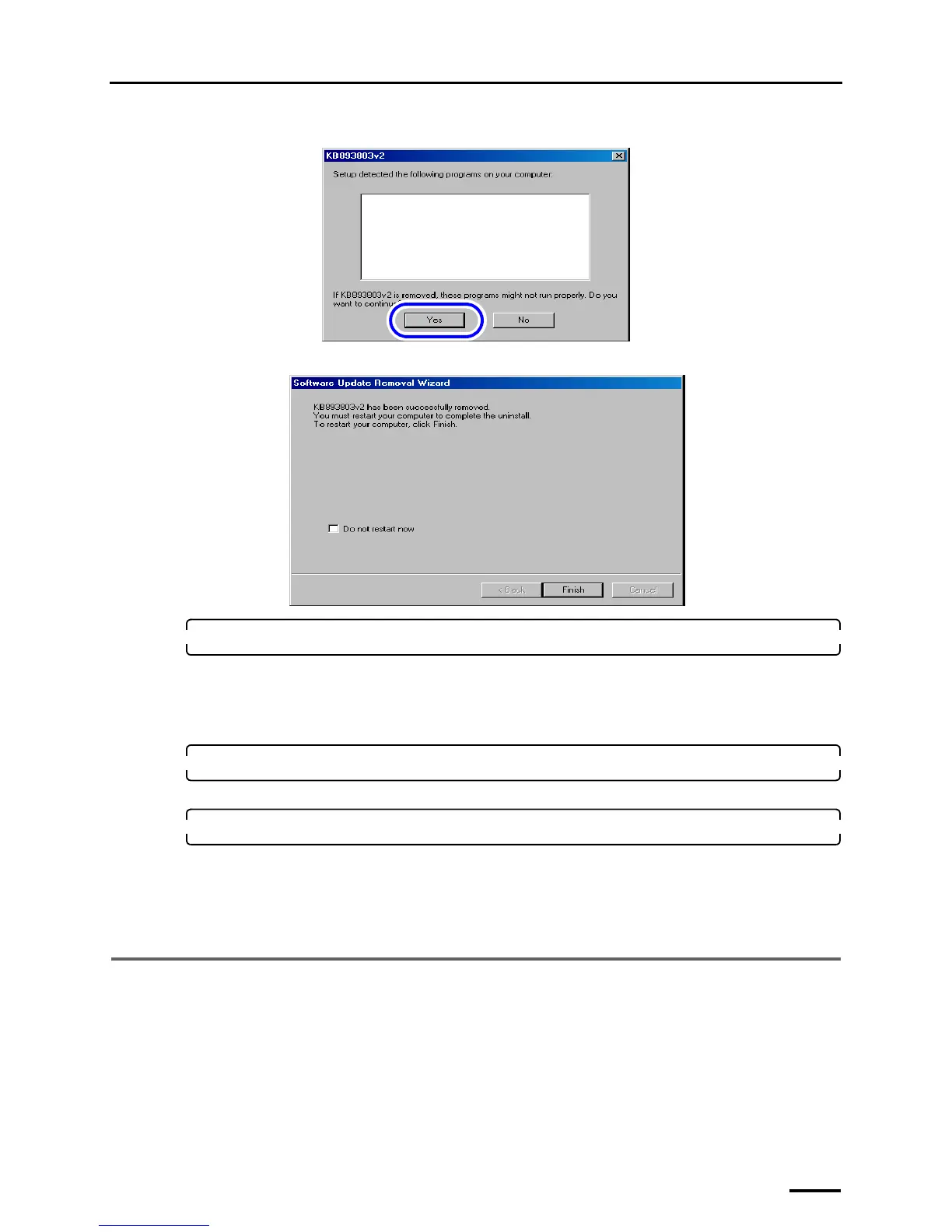
If the following display is shown, click YES.
If the following display is shown after the uninstallation is completed, click Finish, and restart the PC.
16. If there are the NoritsuSwitcher and EZLauncher folders in the Common folder, delete them.
Location of folder
C drive → Noritsukoki → Common
• NoritsuSwitcher
• EZLauncher
17. Select LS-600 or LS-1100, and click Change/Remove.
LS-600 or LS-600 is uninstalled.
18. Install the TWAIN driver or SYSTEM PROGRAM again.
• Reinstall the software following the procedure of ☞5 Installing the TWAIN driver.
If the Menu display is normally shown after the reinstallation, this completes installing the software.
Bringing up the display
On the Windows desktop display, click Start. → All Programs → Click LS-600 or LS-1100.
10.2 If connecting the USB cable and starting the PC before installing
the scanner software
This operation is necessary only for Windows XP.
If the USB cable is connected and the PC is started before TWAIN driver or SYSTEM PROGRAM is installed, the USB
scanner cannot be recognized. In such case, uninstall it.
The display below is shown after the PC starts up.
Program name
S089542
S089543



 To Next Page