10 Quick reference
70
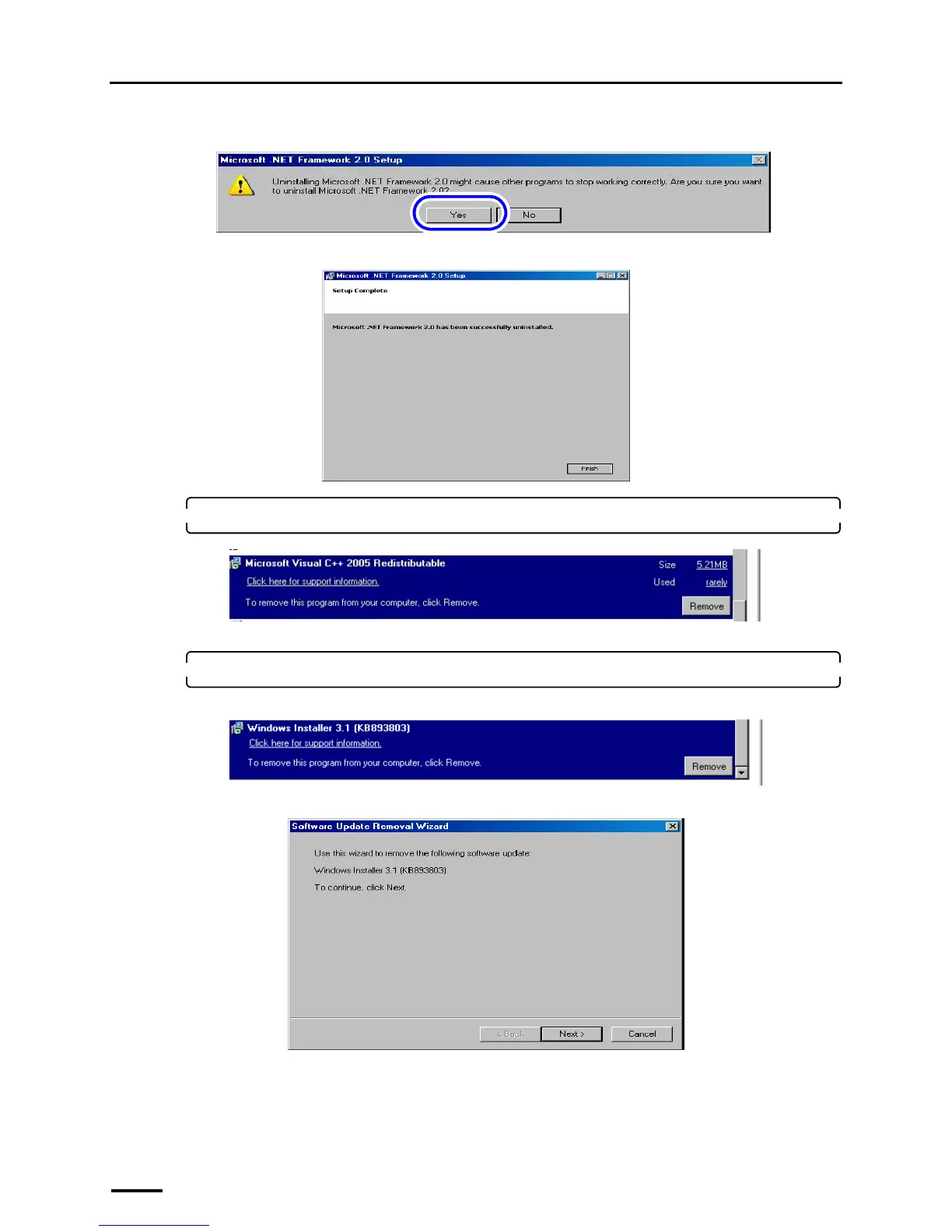
If the following display is shown, click YES.
If the following display is shown after the uninstallation is completed, click Finish.
14. Select Microsoft Visual C++ 2005 SP1 Redistributable and click Remove or Uninstall.
Uninstallation of Microsoft Visual C++ 2005 SP1 Redistributable starts.
15. Select Windows Installer 3.1(KB893803) and click Remove.
For Windows Vista, skip this step because this software is not installed on Windows Vista.
If the following display is shown, click Next.
S089537
S089538
S089539
S089540
S089541



 To Next Page