10 Quick reference
69
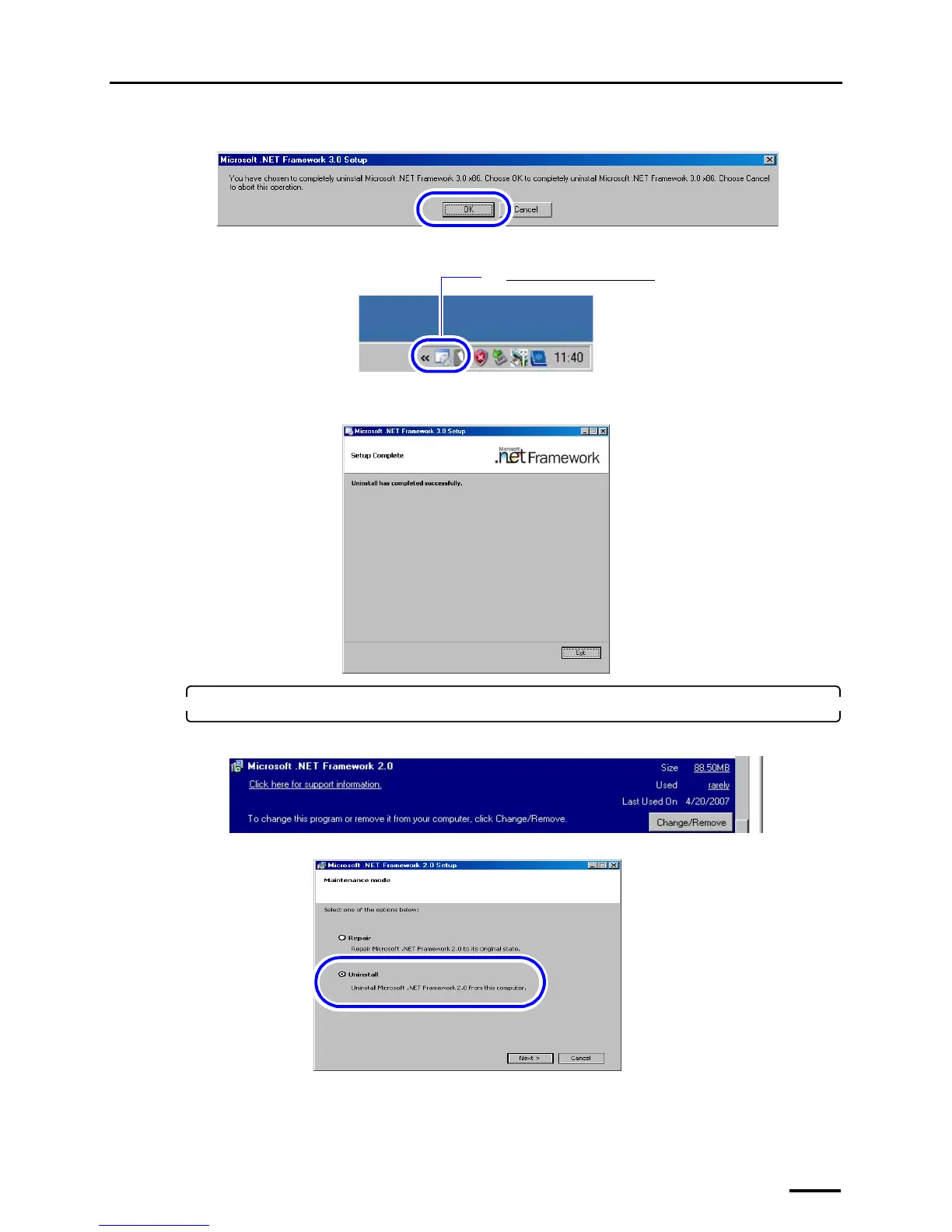
When the following display is shown, click OK.
Double-click the Microsoft .NET Framework 3.0 icon on the taskbar at the lower-right of the screen.
The confirmation display of processing status of the uninstallation is shown.
If the following screen is shown after the uninstallation is completed, click End.
13. Select Microsoft .NET Framework 2.0 and click Change/Remove.
For Windows Vista, skip this step because this software is not installed on Windows Vista.
S091125
The Microsoft .NET Framework 3.0 icon
G091230
S091127
S089535
S089536



 To Next Page