15
9.1 “Probe Calibration”, °C - Temperature
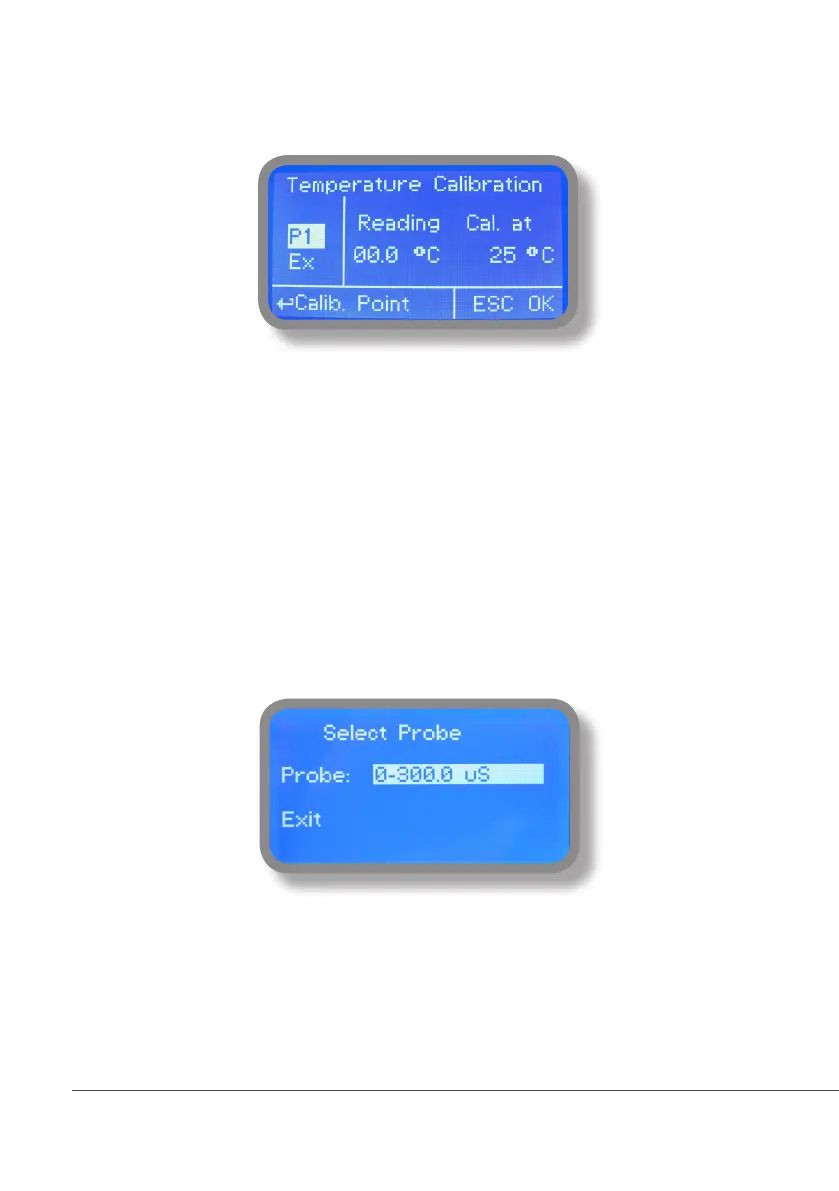
A professioanl thermometer is required to obtain a reliable calibration. From “Menu Calibration” choose “Temp probe”.
Note: This procedure assumes that instrument is correctly installed and congured, connected to a working
PT100.. Calibrate using plant’s temperature otherwise unattended results may occur.
Using an external thermometer read actual temperature and edit related eld “Cal. at”. Conrm by pressing wheel.
9.2 “Menu Calibration”, Scale Setup
Instrument can operate according to uS, mS or PPM reading values and scale range. Move cursor on “Probe” press and
rotate the wheel to change it within 3000uS --> 30.00mS --> 300.0mS or PPM (K1, K 0.1, K10).
Special x1000 scale version can be set choosing “SALINITY” as probe’s model name.
Note: these changes must be set according to probe reading capacity. See probe’s datasheet to choose correct values.



 To Next Page