14
9.1 “Menu Calibration”, Probe CD
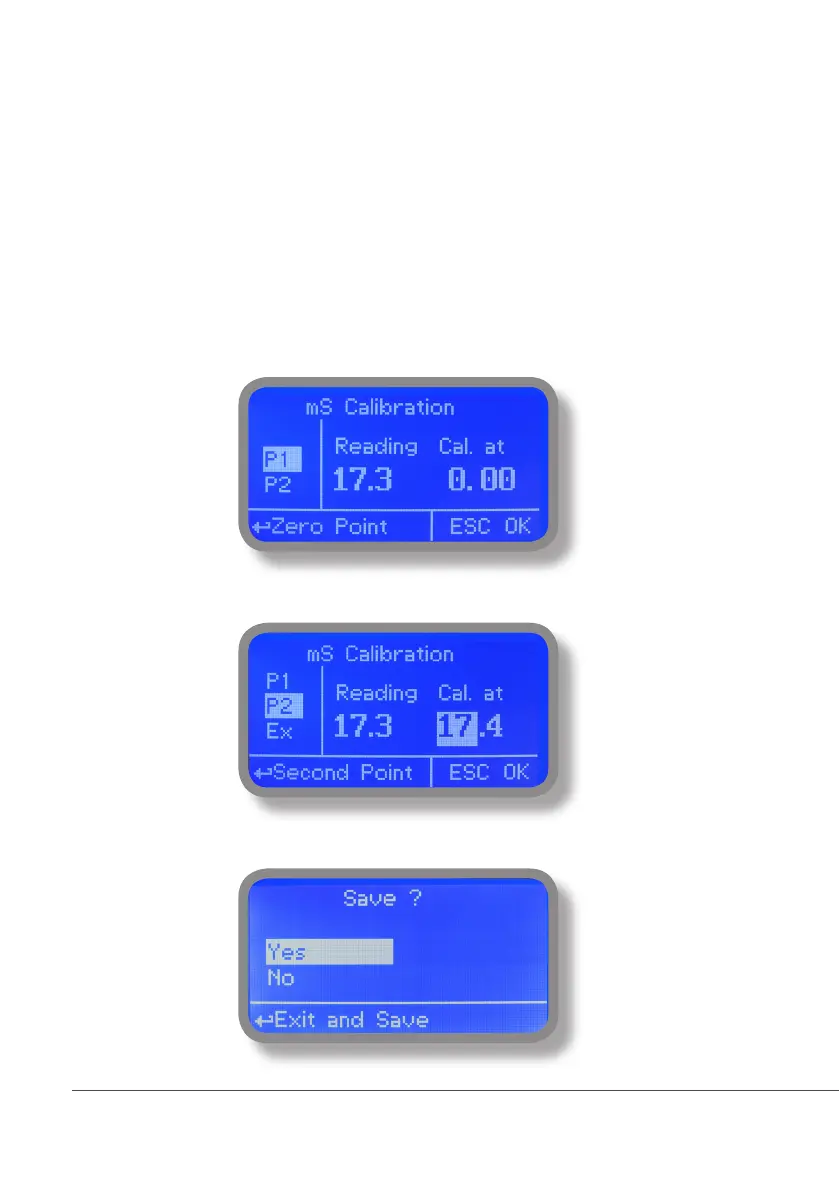
Conductivity calibration procedure involves a zero calibration (P1) and a 2nd calibration point (P2) that requires a
buffer solution with value near working range. Note: This procedure assumes that instrument is correctly installed
and congured, connected to a working probe. Calibrate using plant’s temperature otherwise unattended
results may occur. Verify probe selection into “MENU CALIBRATION”, “SELECT PROBE” pag. 15 before to start
calibration procedure.
P1 & P2
During this procedure probe must be dry and clean and not installed in plant. Move wheel on “P1” then press wheel,
move cursor on “OK” and press wheel again. Move wheel on “P2” then press wheel to enter into second point calibration
submenu. Prepare buffer solution and dip probe’s sensor on it. Wait until reading value is stable and according to buffer
solution value move wheel until it is the same on display (“uS default” eld). End procedure moving cursor on “OK”.



 To Next Page