24
19. “Out of range alarm”
“Out of range alarm” menu defines the minimum and maximum Conductivity probe read value before to stop dosing
activity and to show an alarm message.
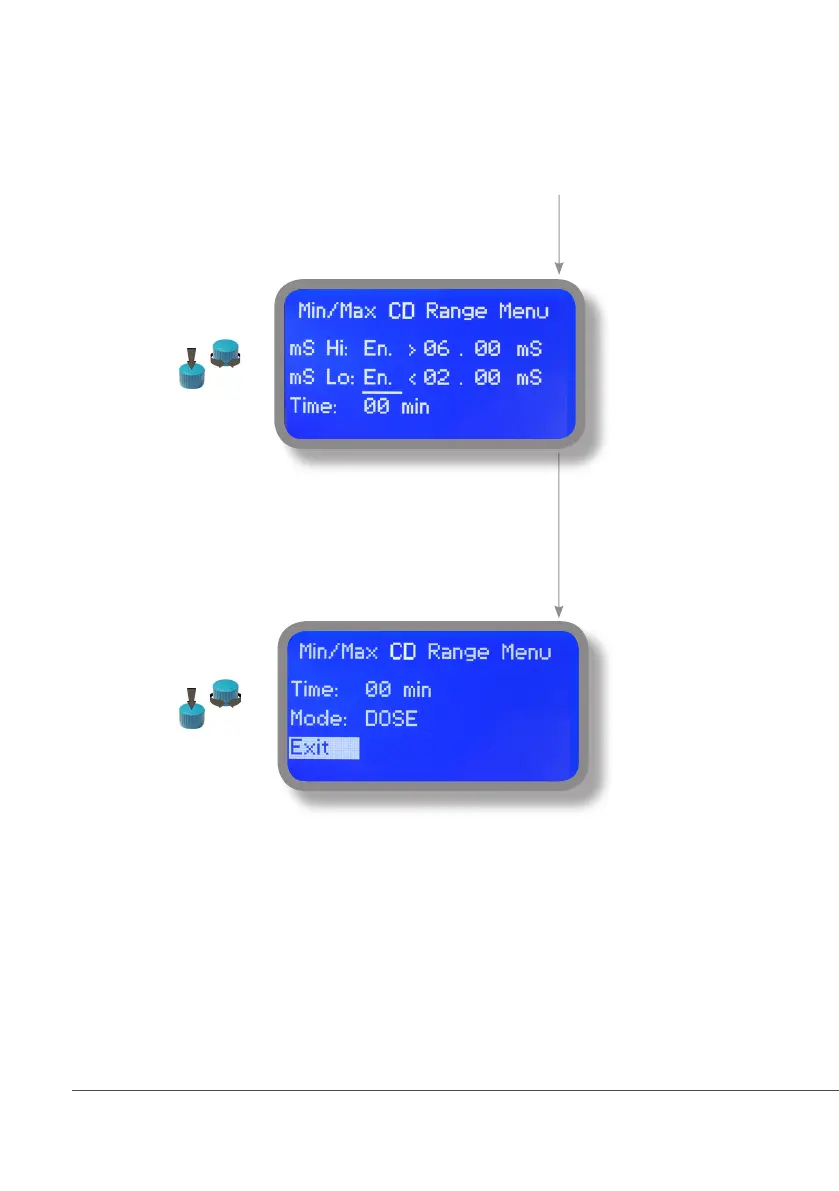
Move wheel on “Min/Max mS Range” to set
“out of range” condition for Conductivity
probe then click on wheel to enter into
“Min/Max Range menu”.
Move wheel on “mS Hi: Dis.” and change
status from “Dis.” (option disabled) to “En.”
(option enabled) by clicking on wheel and
rotating it. Press wheel again and move on
next field. Press wheel and enter a value for
HIGH alarm.
Repeat procedure for “mS Lo: Dis.” and
enter a value for LOW alarm.
As last option enter “Time” (max 99
minutes) after which if lower or higher read
value condition stays then the alarm occurs
(to set into mode field).
To change alarm mode move wheel on
“Mode”, press it and choose between
“DOSE” (connected pumps will not stop
dosing activity when read value is out
of range) or “STOP” (connected pumps
will stop dosing activity when read value
is out of range and an alarm message is
displayed).



 To Next Page