Installing and configuring a Voice Gateway Media Card Page 341 of 488
Communication Server 1000E Installation and Configuration
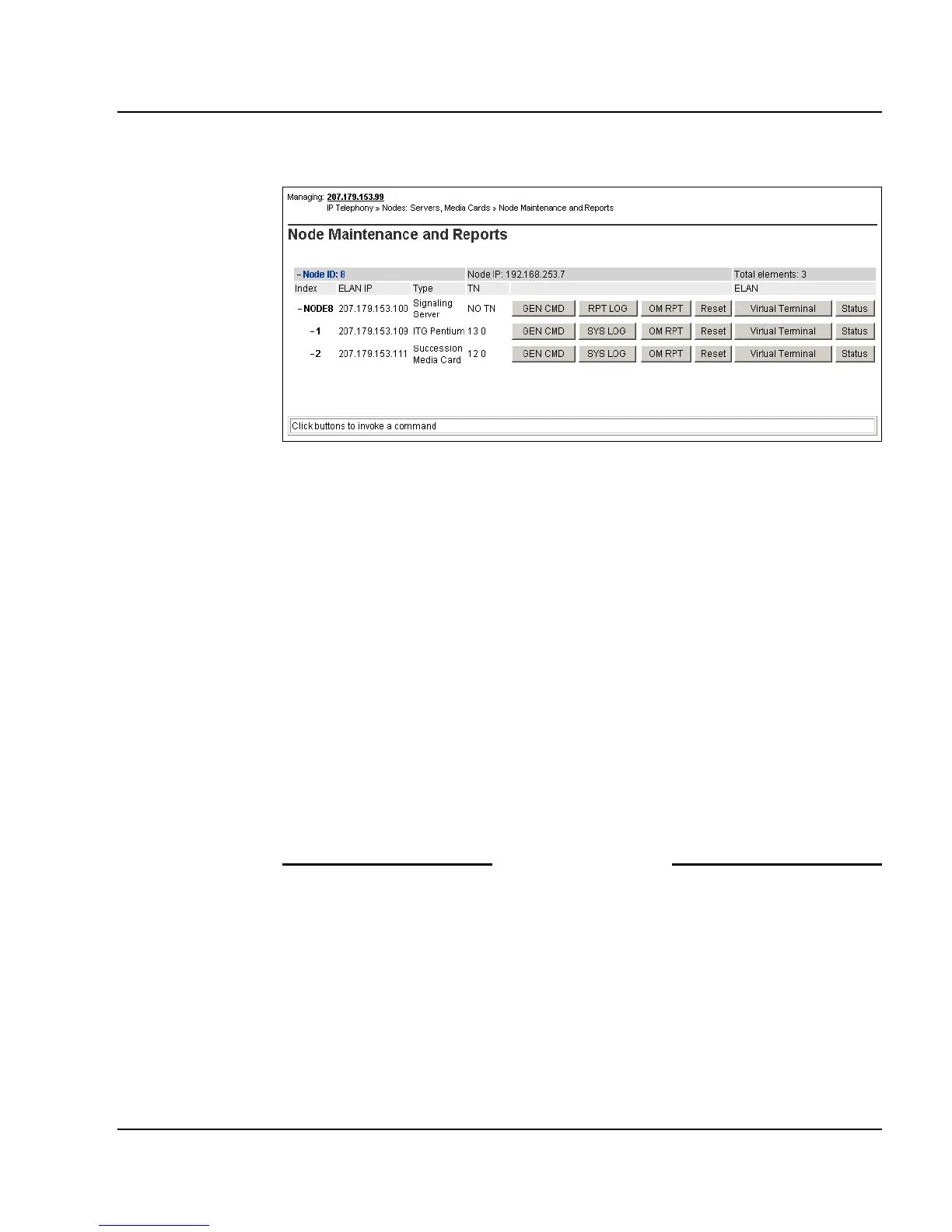
Figure 116
Node Maintenance and Reports – expanded node
3 Click Status for the desired Voice Gateway Media Card.
The output from this command is displayed in the window pane
(result box).
The output can be one of the following:
xx.xxx.xxx.xxx : Disabled
xx.xxx.xxx.xxx : Enabled
xx.xxx.xxx.xxx : Unequipped
Where xx.xxx.xxx.xxx is the ELAN IP address of the Voice Gateway
Media Card and the meaning of the status is:
• Disabled – The card is configured but out-of-service.
• Enabled – The card is configured and operational.
• Unequipped – The card is not configured in the Call Server.
End of Procedure
Procedure 82
Displaying the Voice Gateway status for all voice gateway channels
1 In Element Manager, select IP Telephony > Nodes: Servers, Media
Cards > Maintenance and Reports from the navigator.
The Node Maintenance and Reports web page opens, as shown in
Figure 115 on page 340.



 To Next Page