MX2000 LED Display Controller User Manual
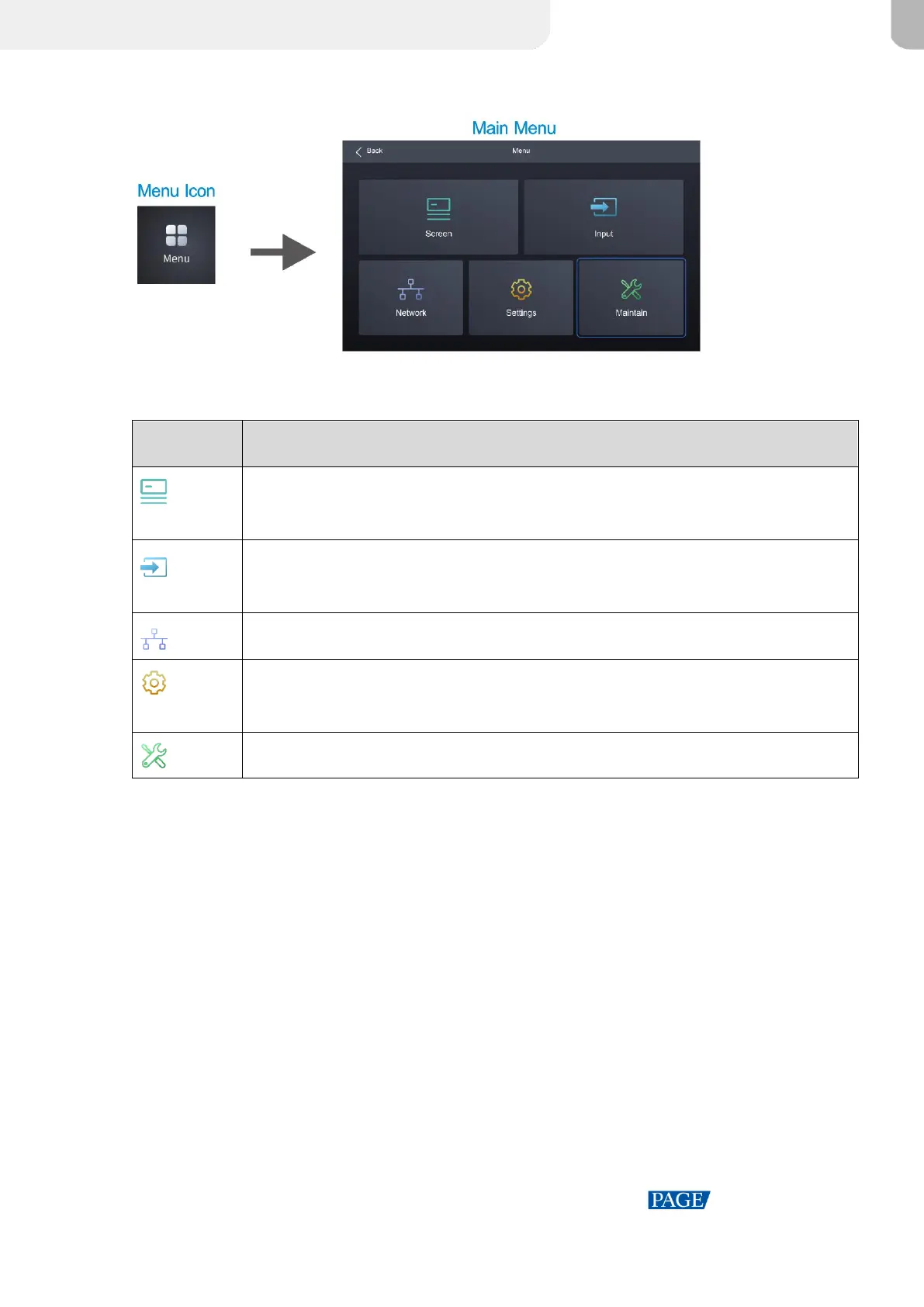
Figure 4-3 Main menu
Table 4-2 Main menu description
Show screen name, sync signal source, and brightness; Set brightness, color
temperature, gamma; Enable/Disable black screen or freeze screen.
Set internal source, check external input source information, and configure EDID and
HDR parameters for external input sources.
Configure network settings and third party protocol.
Set LCD screen timeout and brightness; Set system language and temperature scale;
Check firmware information, and restore factory settings.
Perform device diagnostics, view and export logs, and check device status.



 To Next Page