MX2000 LED Display Controller User Manual
Appearance
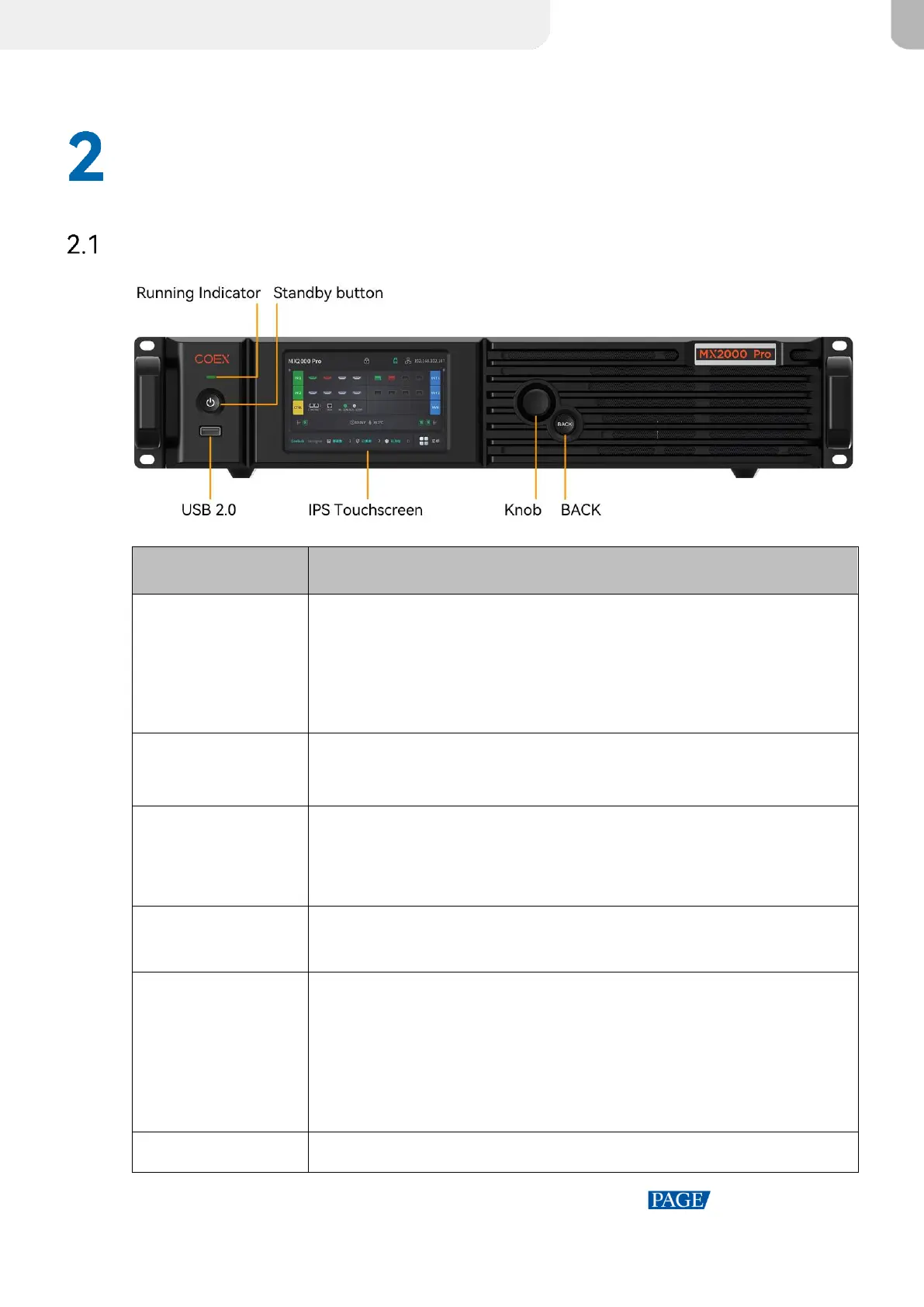
Front Panel
Solid red: The device is in standby mode.
Solid blue: The device is being powered on.
Solid green: The device is running normally.
Flashing red: The device is running abnormally.
Press the button to power on or power off the device.
Hold down the button for 5s to 10s to restart the device.
For exporting the device diagnostic result to a USB drive only.
Only the NTFS and FAT32 file systems are supported. Others are not
supported.
A 5-inch screen that is for displaying the device status, configuring
settings, and sending commands.
On the home screen, press the knob to enter the main menu screen.
On the main menu screen, rotate the knob to select a menu item or
adjust the parameter value. Press the knob to confirm the operation.
Hold down the knob and BACK button simultaneously for 5s or longer
to lock or unlock the buttons and screen.
Go back to the previous menu or cancel the current operation.



 To Next Page