MX2000 LED Display Controller User Manual
Step 5 For HDR10, please set the relevant parameters.
PQ Mode: The mapping method of video source brightness.
− ST2084 (PQ): This mode 1:1 maps the brightness of the video source. The part that
exceeds the maximum screen brightness will still be displayed as the maximum
brightness.
− ST2086 (Linear mapping): This mode linearly maps the brightness of the video source. It
globally adjust the video source brightness according to the maximum screen brightness
to ensure that the ratio of the brightness of the entire source content remains
unchanged.
Max CLL Override: Enable or disable Max CLL override.
Max CLL: The max content light level.
Communication
Network
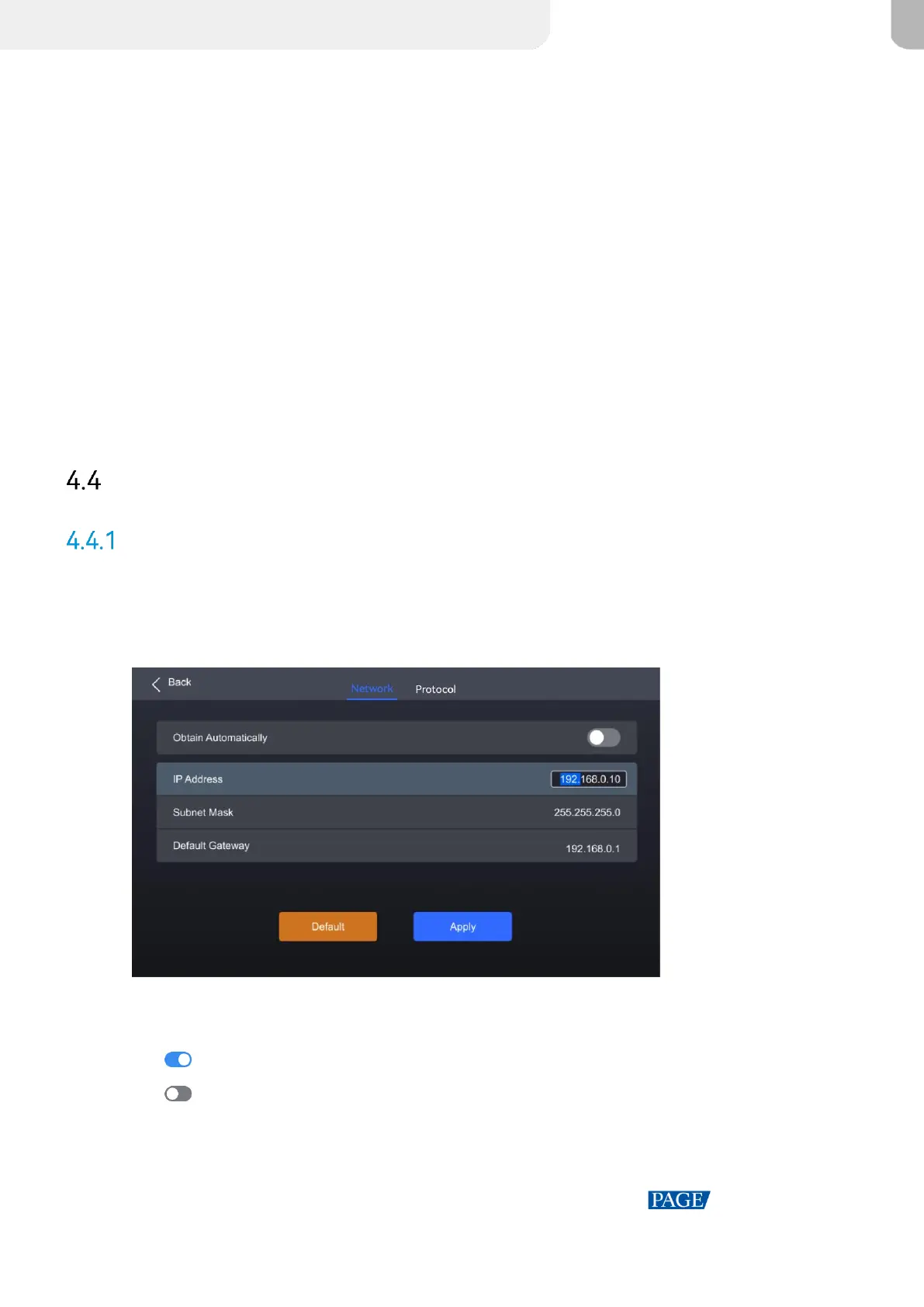
Step 1 Select Communication > Network from the main menu to access the network settings interface.
Figure 4-10 Network
Step 2 Toggle on or off Obtain Automatically.
: The device automatically obtain an IP address.
: You need to manually set an IP address for the device.
Step 3 If Obtain Automatically is disabled, you need to set an IP Address, Subnet Mask and Default
Gateway and. If it is enabled, this step is not required.



 To Next Page