VX600 All-in-One Controller User Manual
4 Home Screen
Home Screen
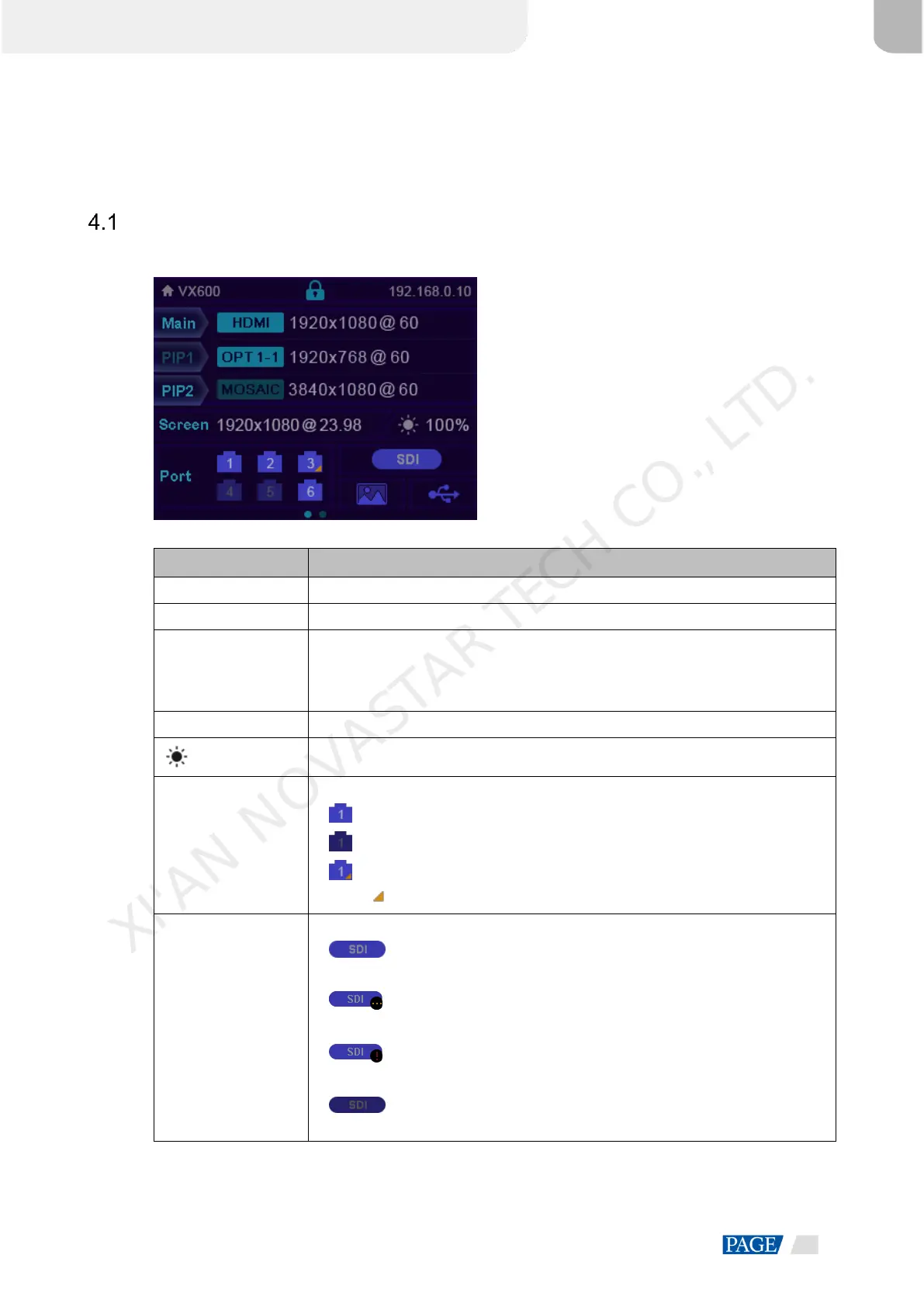
Figure 4-1 Home screen
The layer input source and resolution
The current screen resolution
The screen brightness, 0% (black) to 100% (brightest)
The Ethernet port number and port status
: The Ethernet port is connected and serves as the primary output port.
: The Ethernet port is not connected.
: The Ethernet port is connected and serves as the backup output port.
When at the bottom right flashes, there is data transmission on the port.
The sync status and sync source
: The sync function is enabled and the synchronization succeeded.
Sync source: SDI
: The sync function is enabled and the synchronization is in progress.
Sync source: SDI
: The sync function is enabled but the synchronization failed.
Sync source: SDI
: The sync function is not enabled. SDI indicates the sync source you
used last time.
XI'AN NOVASTAR TECH CO., LTD.



 To Next Page