VX600 All-in-One Controller User Manual
1920×1080@23.98/24/25/29.97/30/48/50/59.94/60Hz
1920×1200@50/59.94/60Hz
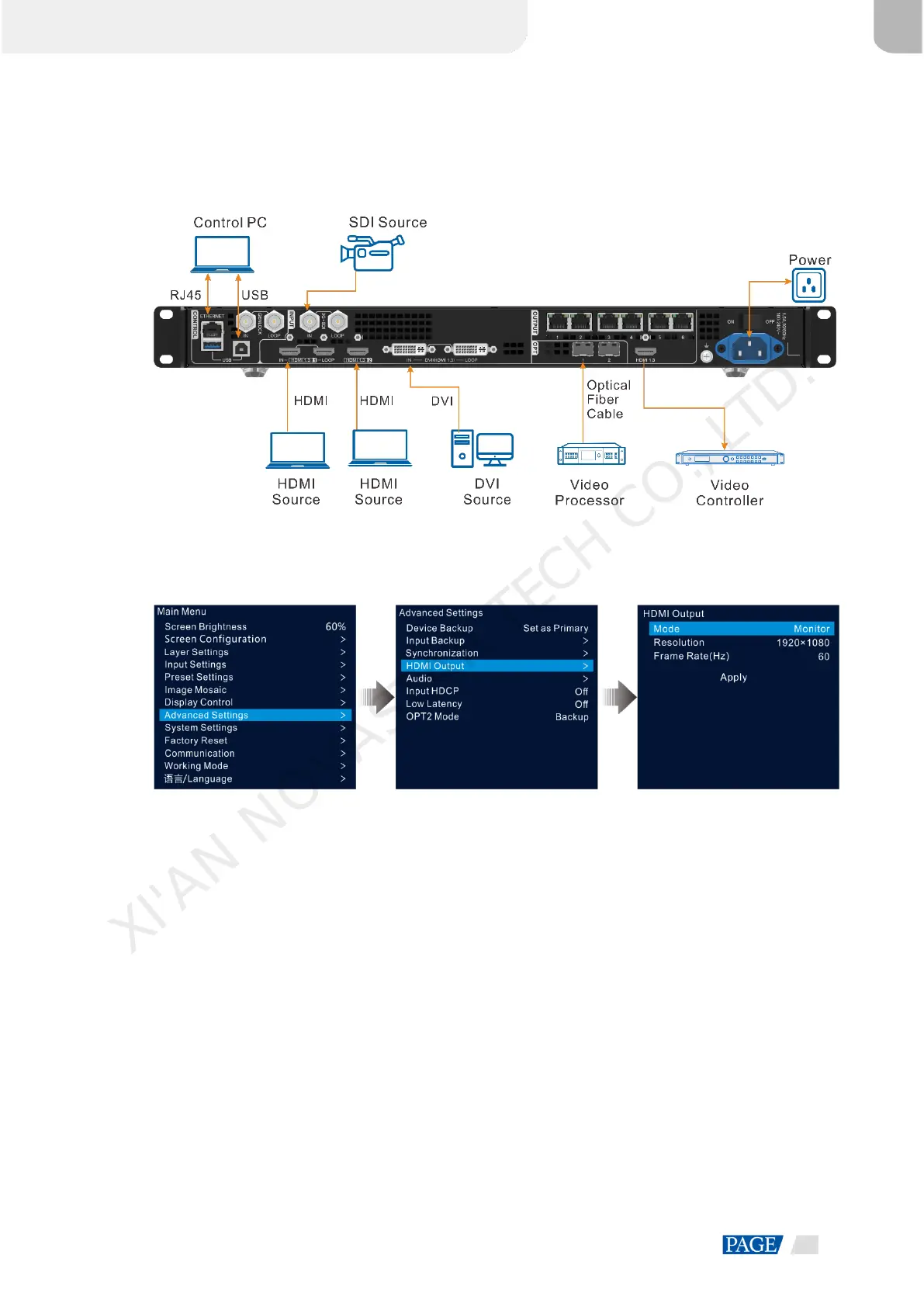
Figure 5-33 HDMI output
Step 1 On the main menu screen, go to Advanced Settings > HDMI Output to enter the HDMI output settings
screen.
Figure 5-34 HDMI output
Step 2 Rotate the knob to select Mode to set the HDMI output connector mode.
HDMI output connector supports Monitor and Video Output modes.
Monitor: The image displayed on the LED screen will be appropriately processed based on the resolution
and frame rate of the HDMI output connector, so that the device connected to the VX600 can properly
receive the image.
Video Output: Process and output the received image directly.
Step 3 Rotate the knob to select Resolution to set the desired resolution for the connector.
Step 4 Rotate the knob to select Frame Rate (Hz) to set the desired frame rate for the connector.
Step 5 Rotate the knob to select Apply to make the settings take effect.
5.8.5 Audio
This function allows you to set the audio output, audio volume and input audio.
The VX600 supports audio connection via a multifunction card. Connect the Ethernet port 1 or 2 to a
multifunction card, and then connect the multifunction card to an external speaker.
XI'AN NOVASTAR TECH CO., LTD.



 To Next Page