VX600 All-in-One Controller User Manual
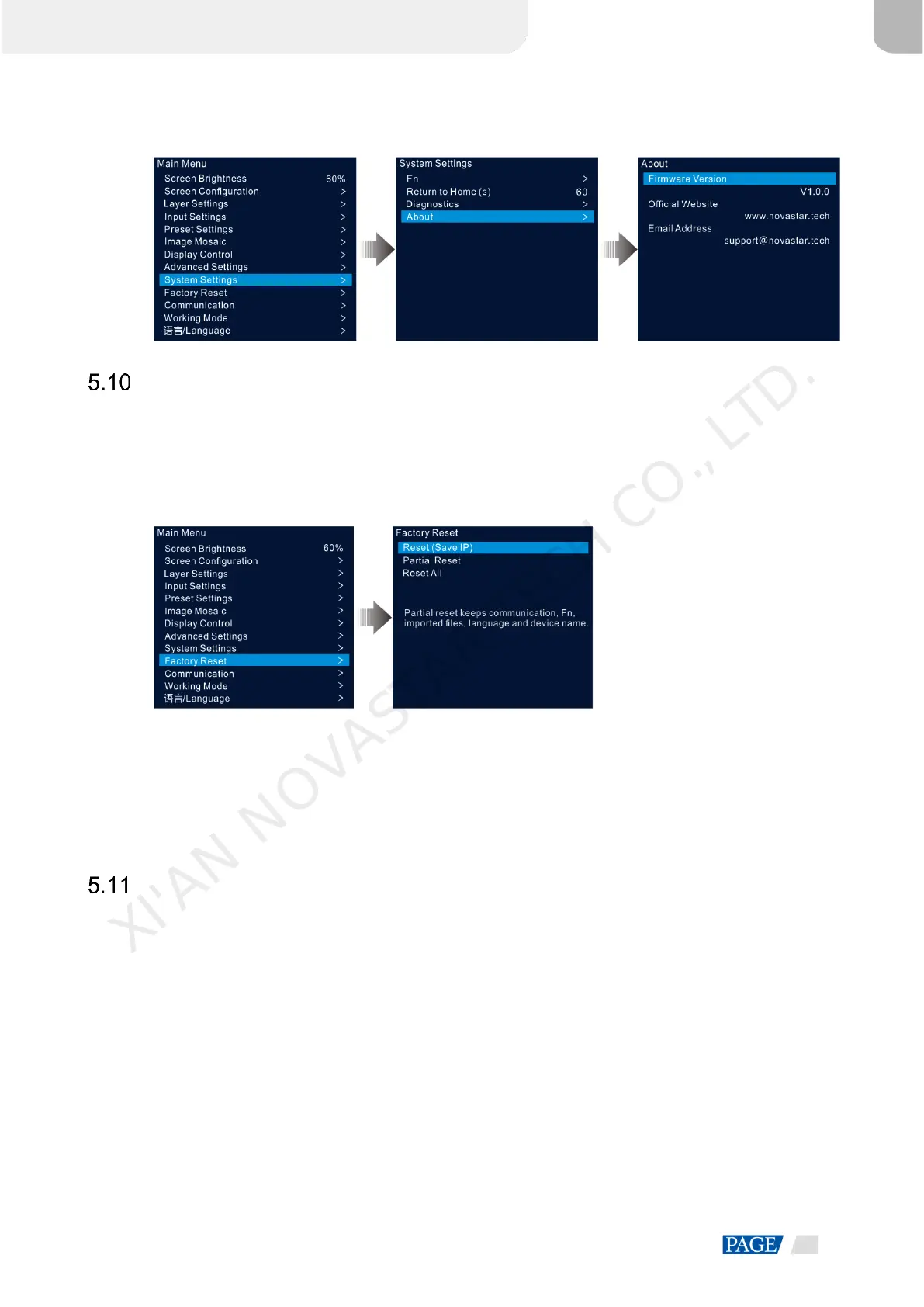
Figure 5-42 About
Factory Reset
Factory reset function allows you to reset all the parameter settings of the device to factory defaults after the
device update or when you think the parameters are improperly set.
On the main menu screen, rotate the knob to select Factory Reset and press the knob to enter the factory
reset screen.
Figure 5-43 Factory reset
Reset (Save IP): Reset the parameter settings to factory defaults, except for the communication parameter
settings.
Partial Reset: Reset the parameter settings to factory defaults, except for the communication, Fn and
language settings, imported files and device name.
Reset All: Reset all the parameter settings to factory defaults.
Communication Settings
You can set the communication and network information to enable the device to communicate with the control
PC smoothly.
5.11.1 Set Communication Mode
The VX600 can communicate with the control PC via either the Ethernet cable or USB cable. If the device is
connected to the control PC via both the Ethernet cable and USB cable, you can select your preferred
communication channel.
Step 1 On the main menu screen, rotate the knob to select Communication and press the knob to enter the
communication settings screen.
XI'AN NOVASTAR TECH CO., LTD.



 To Next Page