VX600 All-in-One Controller User Manual
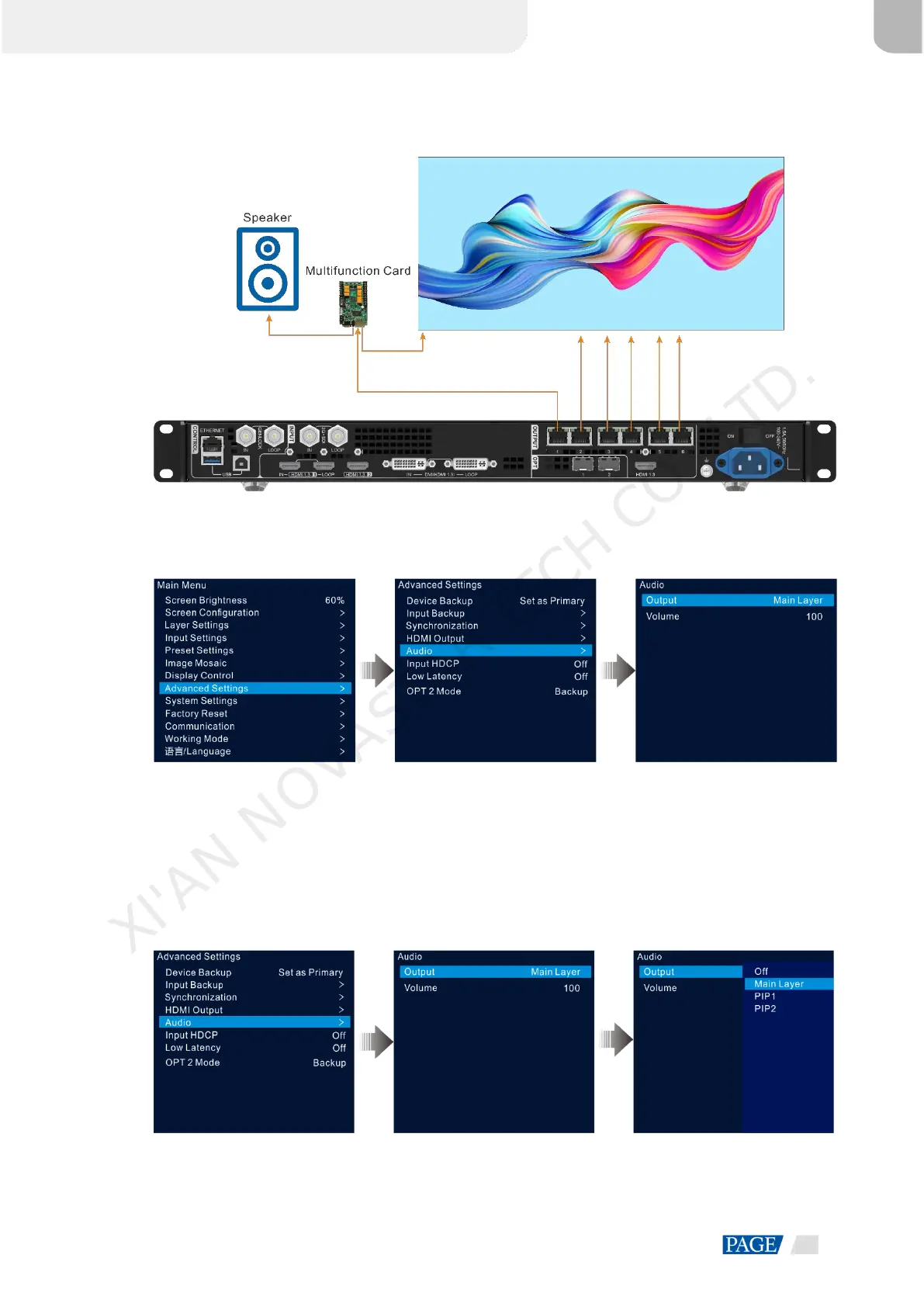
Figure 5-35 Audio output connection
On the main menu screen, go to Advanced Settings > Audio to enter the audio settings screen.
Figure 5-36 Audio settings
5.8.5.1 Output
Set to play which audio on the external speaker.
Step 1 On the audio settings screen, rotate the knob to select Output.
Step 2 Press the knob to open the available output list and rotate the knob to select where the output audio is from.
Figure 5-37 Audio output
Off: Turn off the audio.
XI'AN NOVASTAR TECH CO., LTD.



 To Next Page