VX600 All-in-One Controller User Manual
The layer input source is switched to HDMI 2 automatically. When HDMI 1 resumes and HDMI 2 still
has a signal, the layer input source will not be changed.
− Input A: No signal. Input B: Signal
The layer input source is switched to HDMI 2 automatically. When HDMI 1 resumes, but HDMI 2 does
not have a signal, the layer input source will be changed to HDMI 1.
− Input A: No signal. Input B: No signal
The layer input source will not be changed.
− Input A: Signal. Input B: No signal
If you manually switch the layer input source to HDMI 2, the source will automatically switch to HDMI 1.
5.8.3 Synchronization
This function allows you to select a synchronization signal to synchronize all the cascaded device units or
synchronize the primary and backup devices to display the output images of all the units in sync.
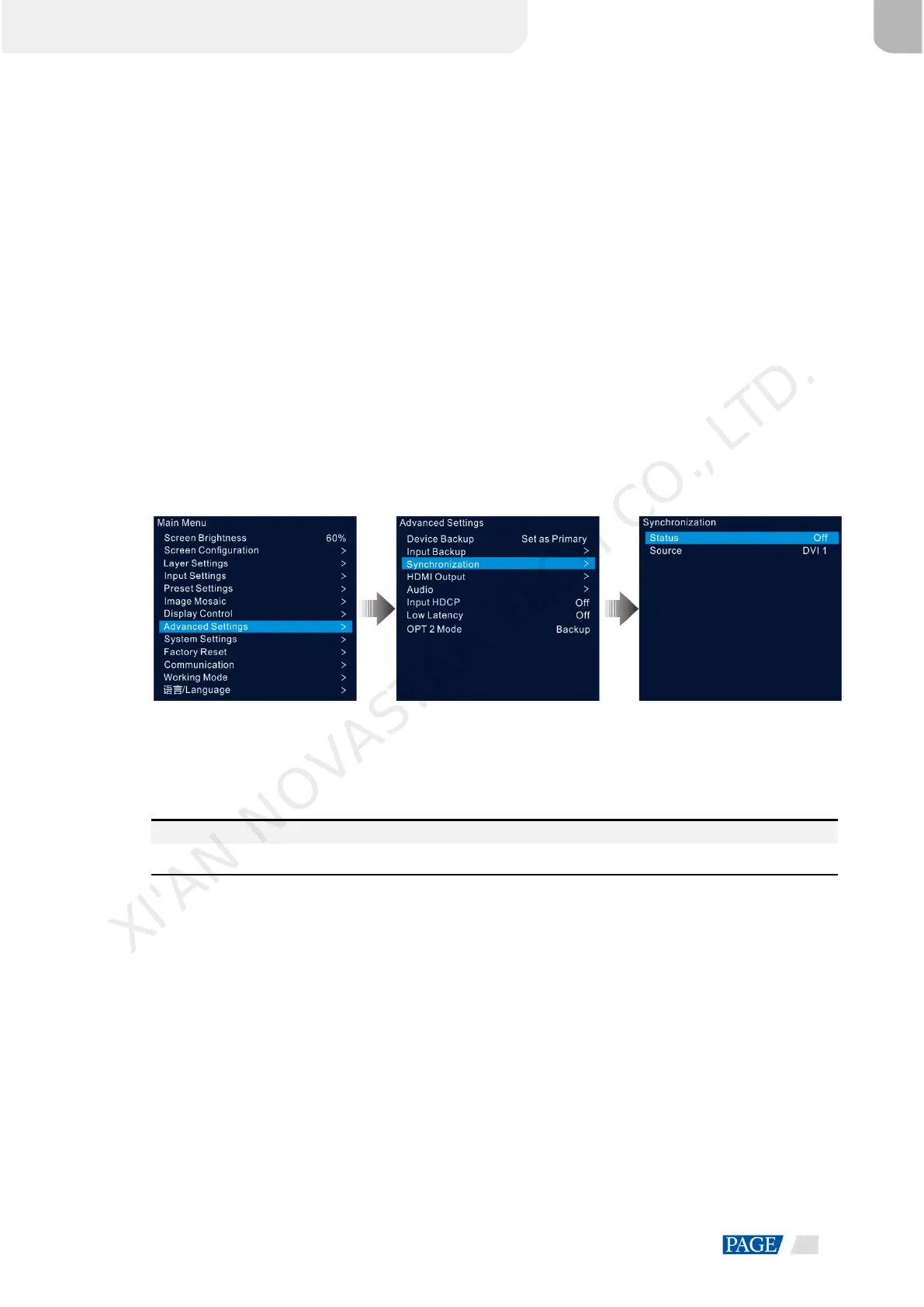
Step 1 On the main menu screen, go to Advanced Settings > Synchronization to enter the synchronization settings
screen.
Figure 5-32 Synchronization
Step 2 Rotate the knob to select Status and press the knob to confirm. Rotate the knob again to select On and press
the knob to confirm.
Step 3 Rotate the knob to select Source and press the knob to confirm. Then rotate the knob again to select the
desired sync source.
Note:
If two or more VX600 units load an LED screen, the sync sources used by each device must be the same.
5.8.4 HDMI Output
The HDMI output connector can be used for output. When the HDMI connector is used for output, its output
resolution can be adjusted, but the Ethernet output will be affected.
The following resolutions are supported on the HDMI output connector.
1024×768@48/50/59.94/60/75/85Hz
1280×720@23.98/24/25/29.97/30/48/50/59.94/60Hz
1280×1024@48/50/59.94/60/75/85Hz
1366×768@50/59.94/60Hz
1440×900@60/75/85Hz
1600×1200@48/50/59.94/60Hz
1680×1050@60Hz
XI'AN NOVASTAR TECH CO., LTD.



 To Next Page