VX600 All-in-One Controller User Manual
6 Device Update
The VX600 allows you to update the firmware in V-Can.
Obtain Firmware Update Package
Visit NovaStar’s official website at www.novastar.tech, and then go to DOWNLOADS > Processors >
VX600 > Firmware. Click Download to download and save the latest software package to your local hard
drive.
Firmware Update
Device Connection
You can update the VX600 in V-Can only.
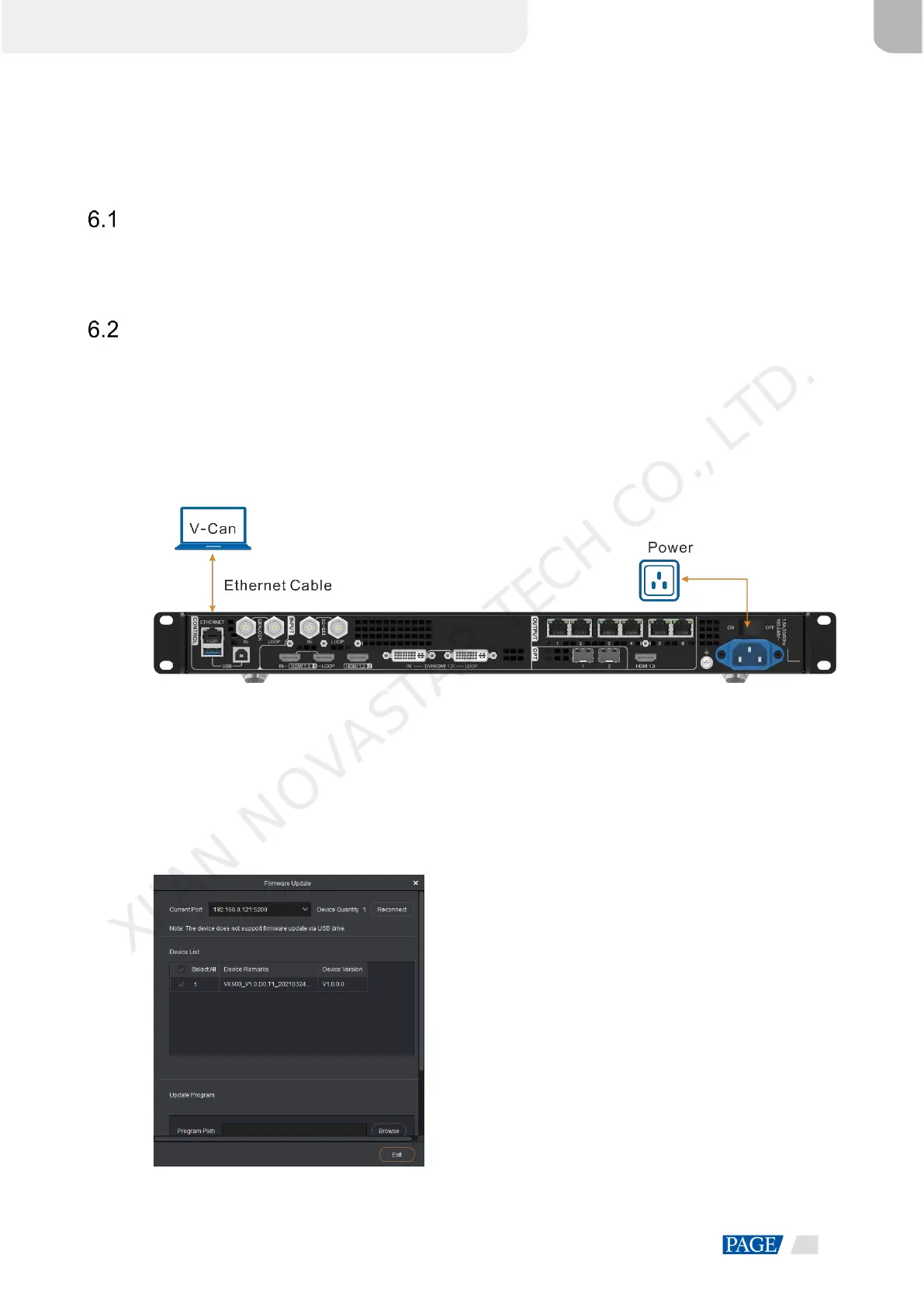
Before the update, use an Ethernet cable to connect the device to the control PC with V-Can installed, as
shown in the below figure.
Figure 6-1 Hardware connection
Firmware Update
Step 1 Decompress the downloaded firmware package.
Step 2 Start the V-Can software.
Step 3 Go to System > Firmware Update to enter the update page.
Figure 6-2 Firmware update
XI'AN NOVASTAR TECH CO., LTD.



 To Next Page