VX600 All-in-One Controller User Manual
System Settings
The system settings allow you to set the Fn shortcut button, return to home time, diagnose the device, and
view other related information.
5.9.1 Fn
This function allows you to set a shortcut button for an assigned function. By using the Fn button, you can
quickly navigate to the target menu screen and never need to access a specified menu item by entering the
menus level by level.
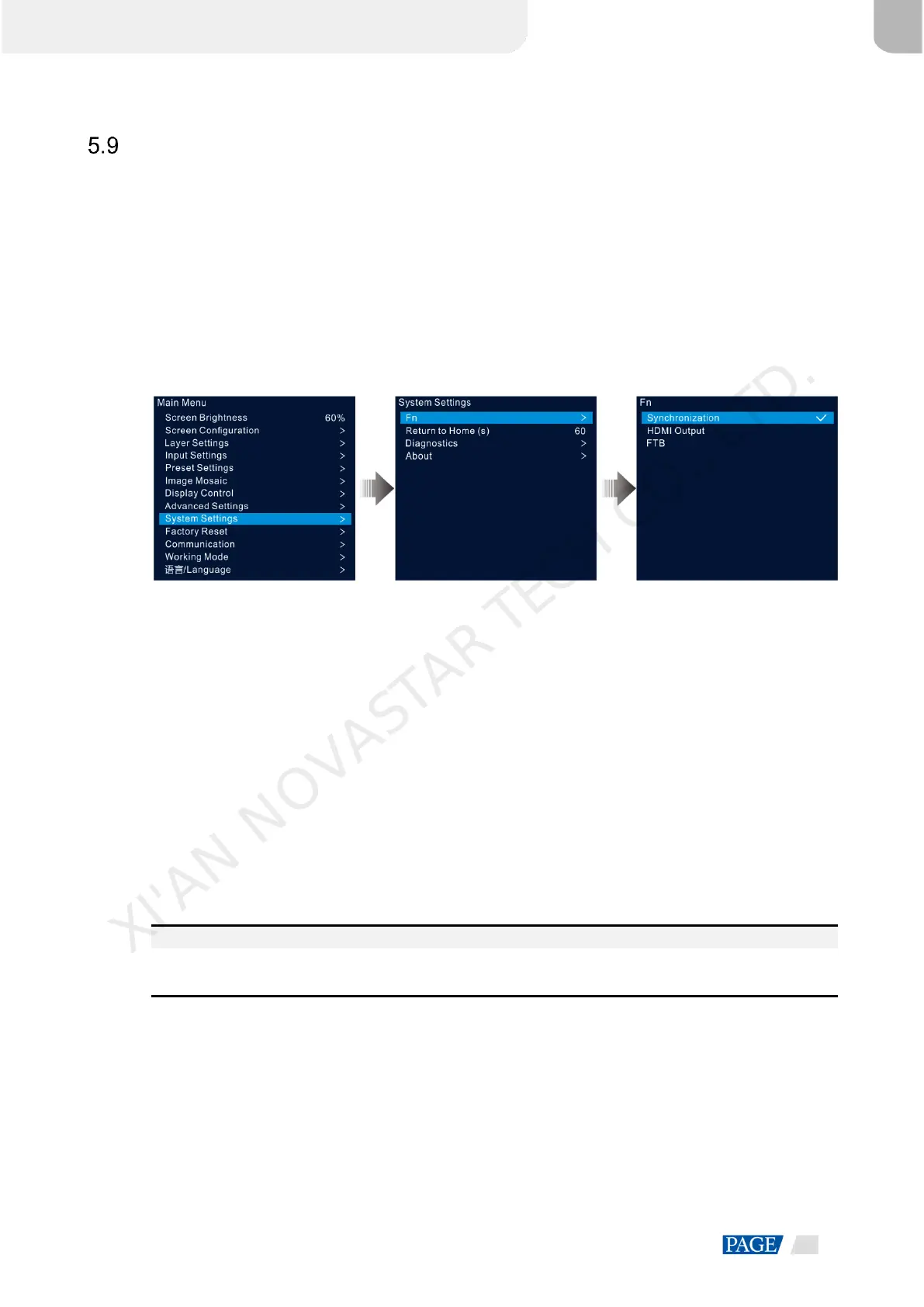
On the main menu screen, go to System Settings > Fn and press the knob to enter the Fn button settings
screen. Rotate the knob to select the desired function and press the knob to confirm.
Figure 5-41 Fn button settings
5.9.2 Return to Home (s)
You can set the period when the system stays at the current screen before returning to the homepage
automatically when no operation is performed. The value ranges from 60s to 3600s.
On the main menu screen, go to System Settings > Return to Home (s) and press the knob to confirm.
Rotate the knob to select the desired time value and press the knob to confirm.
5.9.3 Diagnostics
The diagnostics function helps you to diagnose the system and troubleshoot the malfunctioned device
components.
When the device fails, you can run the diagnostics function to test the device. You can send your test to
our technical support staff for problem locating and processing.
For daily maintenance, you can run the diagnostics function to do the routine health check for the system.
On the main menu screen, go to System Settings > Diagnostics and press the knob to open the
confirmation window. Rotate the knob to select Yes and press the knob to confirm.
Note:
Running diagnostics will transiently disrupt the output, and the output will resume after the diagnostics are
completed.
5.9.4 About
Under this menu item, you can view the firmware version, official website and email address. On our official
website, you can check the latest device information and the updates for this device. You can also send your
feedback or suggestion to us for improvements via the supplied email address.
On the main menu screen, go to System Settings > About and press the knob to show all the information.
XI'AN NOVASTAR TECH CO., LTD.



 To Next Page