VX600 All-in-One Controller User Manual
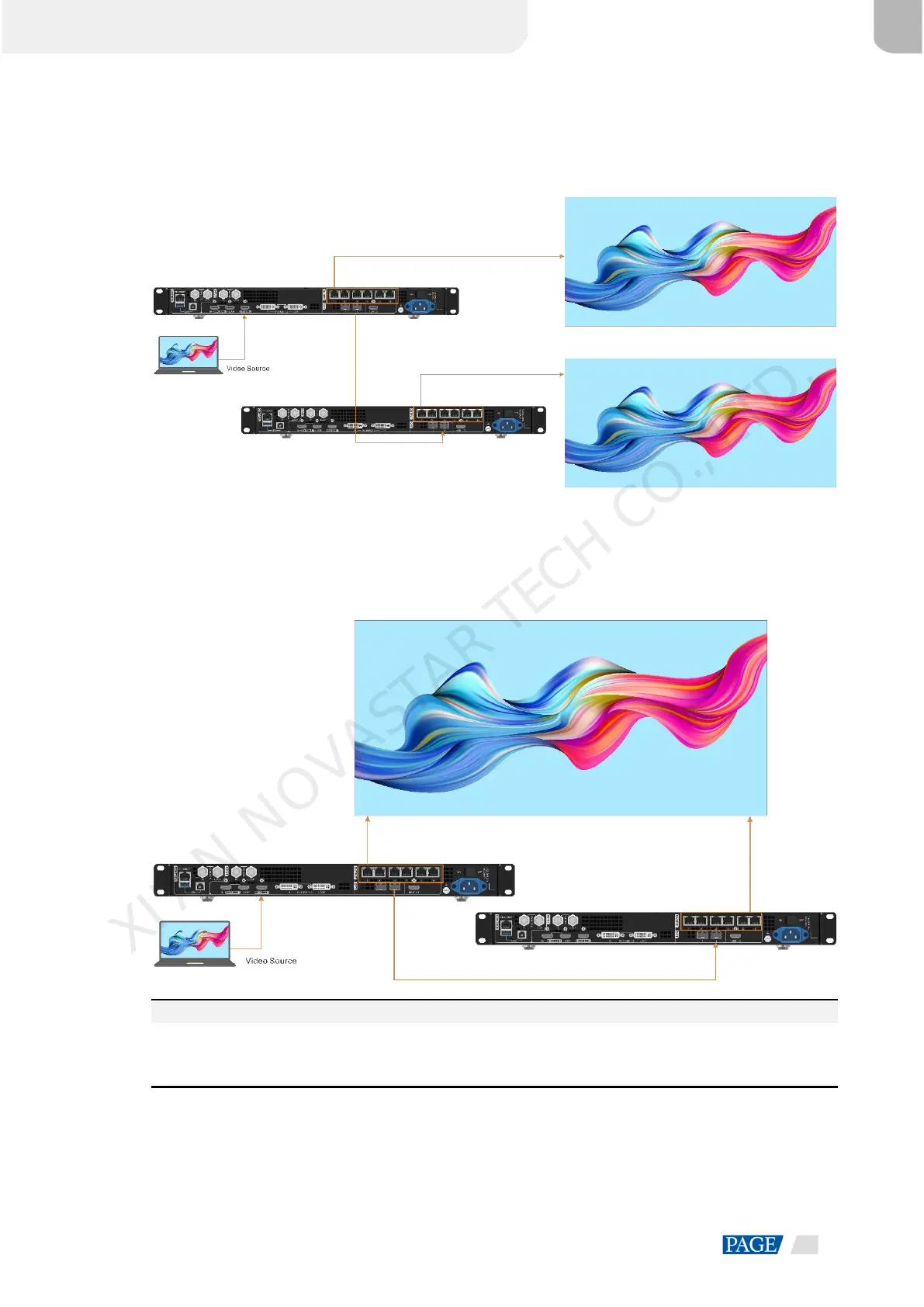
In this mode, the data flow of the connected fiber converter is the same as that of the VX600.
Figure 5-39 Copy
Backup
The connections in the Backup mode are shown below.
Figure 5-40 Backup
Note:
When the OPT port works as the backup output port, OPT 2 is used for the connection. Firstly set the OPT 2
mode to Backup, and then make all the connections as shown above. Please pay attention to the Ethernet
port backup relations between the backup device and the primary device.
XI'AN NOVASTAR TECH CO., LTD.



 To Next Page