VX600 All-in-One Controller User Manual
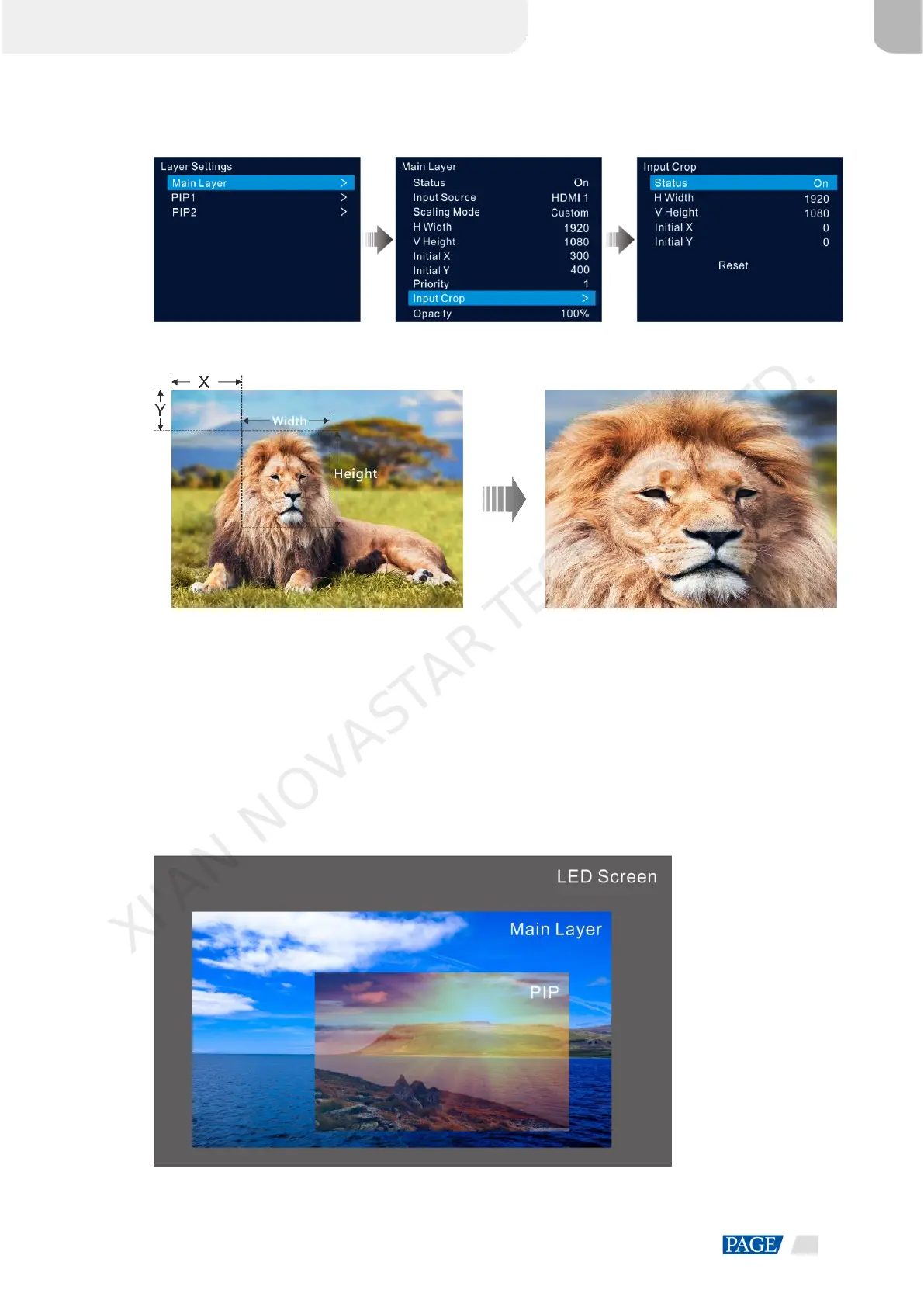
Figure 5-13 Input crop
Figure 5-14 Input crop effect
Input Source: 1920×1080@60Hz Layer Size: 1920×1080
5.3.4 Adjust Layer Opacity
Adjust the layer opacity according to your own needs.
Step 1 On the main menu screen, go to Layer Settings > Main Layer/PIP 1/PIP 2 > Opacity.
Step 2 Rotate the knob to adjust the opacity percentage and press the knob to confirm.
When the opacity percentage is adjusted, the output image shows the opaque effect in real-time. The PIP
layer opacity is 60% in Figure 5-15.
Figure 5-15 Opacity
XI'AN NOVASTAR TECH CO., LTD.



 To Next Page