PART EDIT SECTION
In/Out - Button
This button works in Program & Performance mode.
When this button is pressed a series of pages is available on the display containing parameters relevant to this section.
In the In/Out menu there are 2 pages available. There are a maximum of 2 parameters displayed. One for each line on the display.
The “Fast Data” Knobs on the right of the display are used to alter these parameter’s values
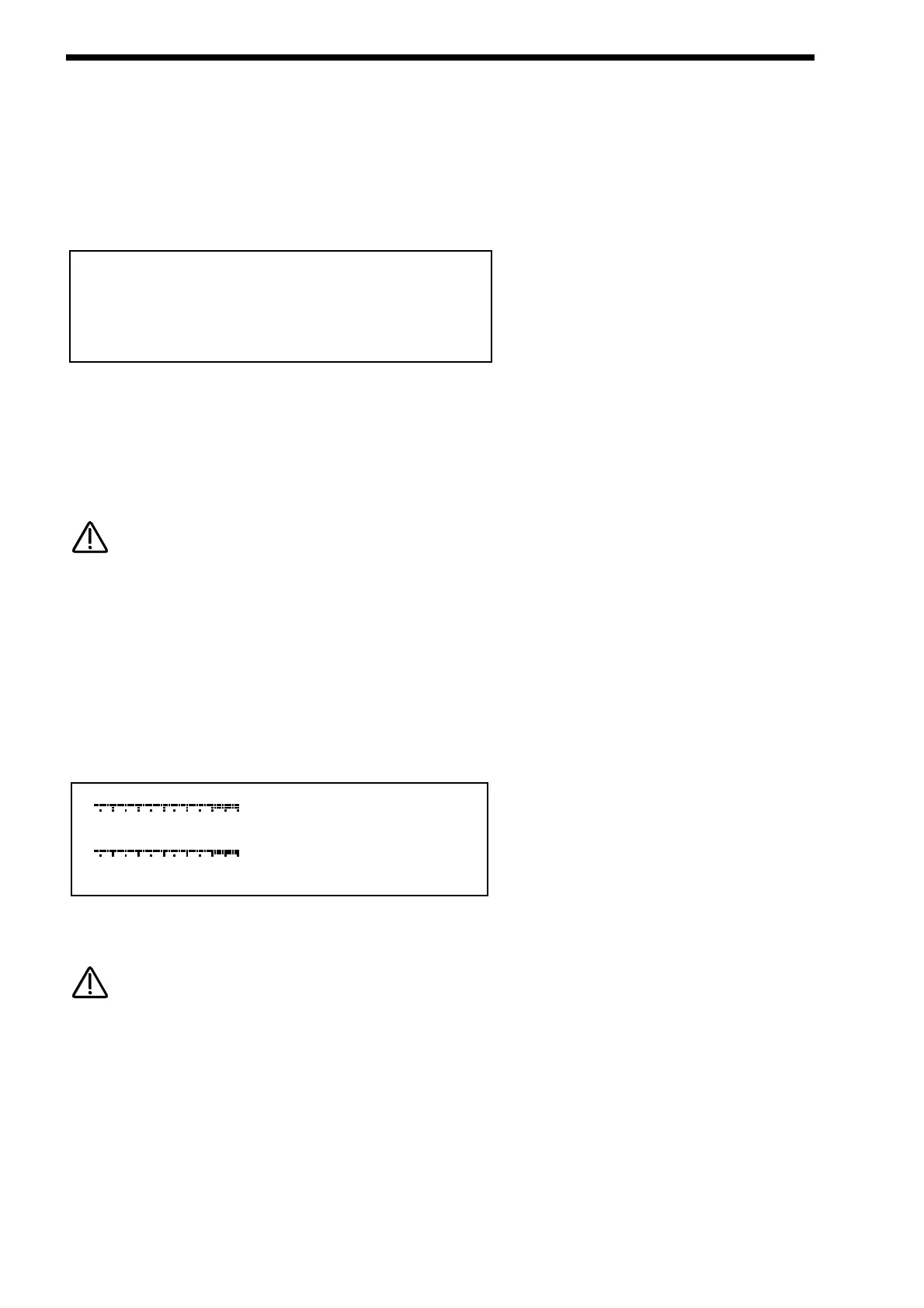
Page 1 ( Performance Mode ) looks like so:
As can be seen the higher parameter is “Part outputs”. In this case with a value of 1&2. This parameter determines which set of
outputs the currently selected Part will be output from. Use the higher Fast Data knob to adjust this parameter. It is possible to
have each Part go to an individual output ( Mono ). To do this set Part 1& 2 to go to outputs 1&2 then pan Part 1 to the Left
( output 1 ) & Part 2 ( output 2 ) to the Right with the panpot. Set Part 3&4 to go to outputs 3&4 then pan Part 3 to the Left
( output 3 ) & Part 4 ( output 4 ) to the Right with the panpot. Set Part 5&6 to go to outputs 5&6 then pan Part 5 to the Left
( output 5 ) & Part 6 ( output 6 ) to the Right with the panpot. The range of this parameter is 1&2, 3&4, 5&6 & 7&8. This parameter
is memorised with the Performance.
If the Delay, Reverb, Chorus/Flanger/Phaser or Vocoder effects are used they will produce stereo signals over an output pair. To
isolate a sound to a single mono output, it is necessary to make sure the send levels of these effects are set to 000.
As can be seen the lower parameter is “Effects used”. In this case with a value of Program. Use the lower Fast Data knob to adjust
this parameter. This parameter determines if the Effects to be used by the Part will change when a MIDI Program Change mes-
sage is received from the current settings to the settings of the new Program or not. This can be useful for dramatic changes in
Effects by setting this parameter to Program, or this parameter can be useful for retaining the effects used on this Part when a
MIDI Program Change is received by setting it to “Part”.
The range of this parameter is Program & Part. This parameter is memorised with the Performance.
Page 1 ( Program mode ) Page 2 ( Performance mode ) looks like so:
The inputs 1 & 2 can be monitored using this page. PPM meters show the level of both inputs. The levels of both of these signals
can be boosted or cut by 10 dB using the Fast Data knobs. These parameters are memorised as Global.
The setting of these parameters is saved along with all the other Global parameters when the Global parameters are saved while
in the Global menu.
MIDI - Button
This button only works in Performance mode.
When this button is pressed a series of pages is available on the display containing parameters relevant to this section.
In the MIDI menu there are 3 pages available. There are a maximum of 2 parameters displayed. One for each line on the display.
The “Fast Data” Knobs on the right of the display are used to alter these parameter’s values.




 To Next Page