Instruction Manual CON 11/110
26
6 MEMORY FUNCTION
6.1 Memory Input
CON 11/110 meter stores up to 50/100 set of data
respectively. Data sets can include both conductivity and
TDS measurement values and its temperature.
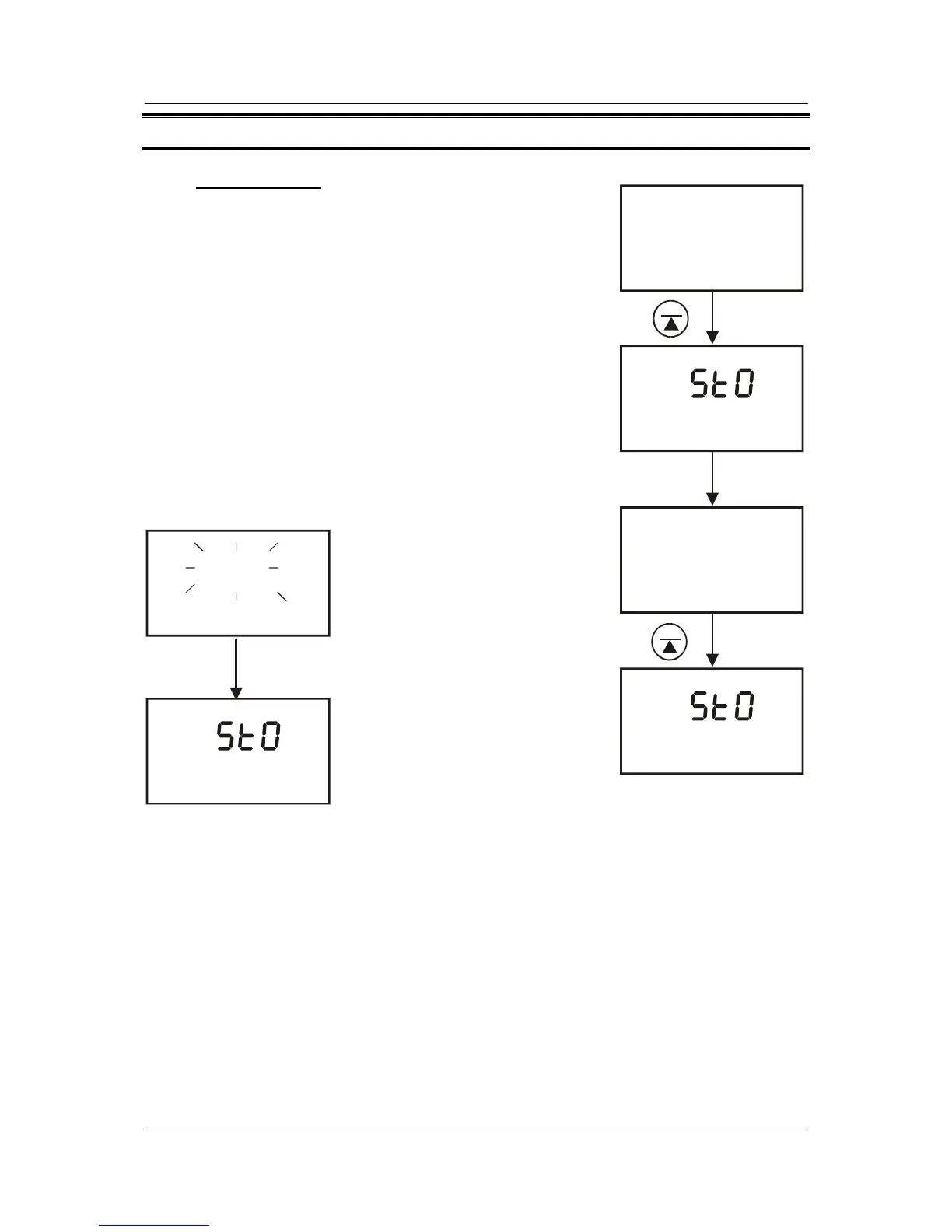
1. During any measurement function (MEAS), press
MI/▲ key to input any data into the memory. MEM,
“StO” and memory number will appear for a
moment after which the meter then returns to
measurement mode.
2. If necessary, measure the next sample solution
and press MI/▲ key to input the next data into the
memory.
NOTE: If the memory is full, the display will flash “FUL”
momentarily. The first value stored will be erased to create
space for the new value.
MEM
1
MEM
FUL
Figure 22: Data storage
in memory
Figure 23: Memory full
MEAS
READY
ATC
°C
823
823
21.3
21.3
MEAS
READY
ATC
°C
MEM
1
MEM
2



 To Next Page