Instruction Manual CON 11/110
61
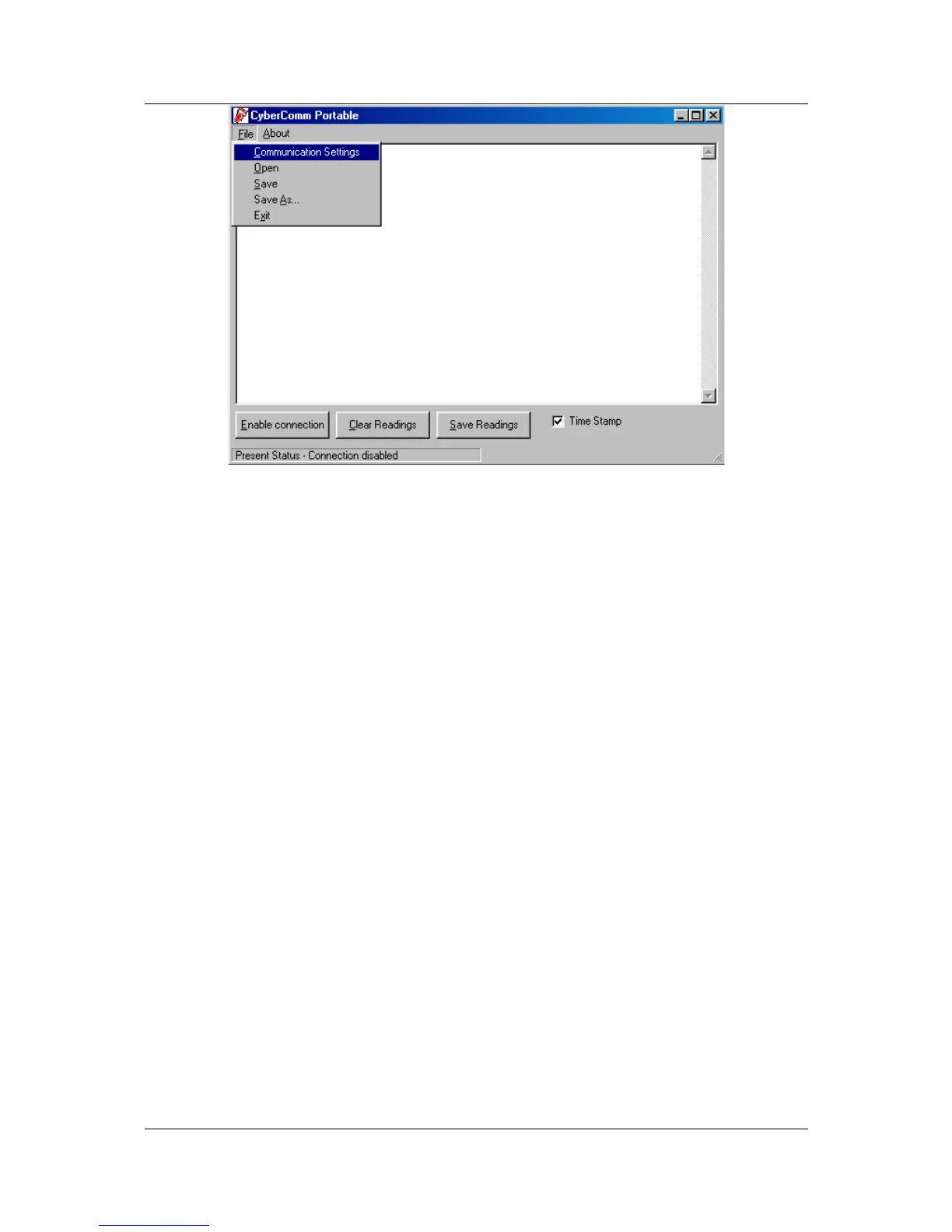
Figure 61: Under File Menu setting, you can change various parameters. Under ABOUT menu,
details of Eutech Instruments' contact information, email address and updates are shown.
9.3.2 Menu
1. Communication Settings - To set communication port number, baud rate
speed, parity and stop bits protocol.
2. Open - To open previously saved data file.
3. Save - To save current data captured.
4. Save As - To save current data set in another format such as *.dat or *.txt.
5. Exit - To exit from CyberComm Data Acquisition Software program.



 To Next Page