Instruction Manual CON 11/110
49
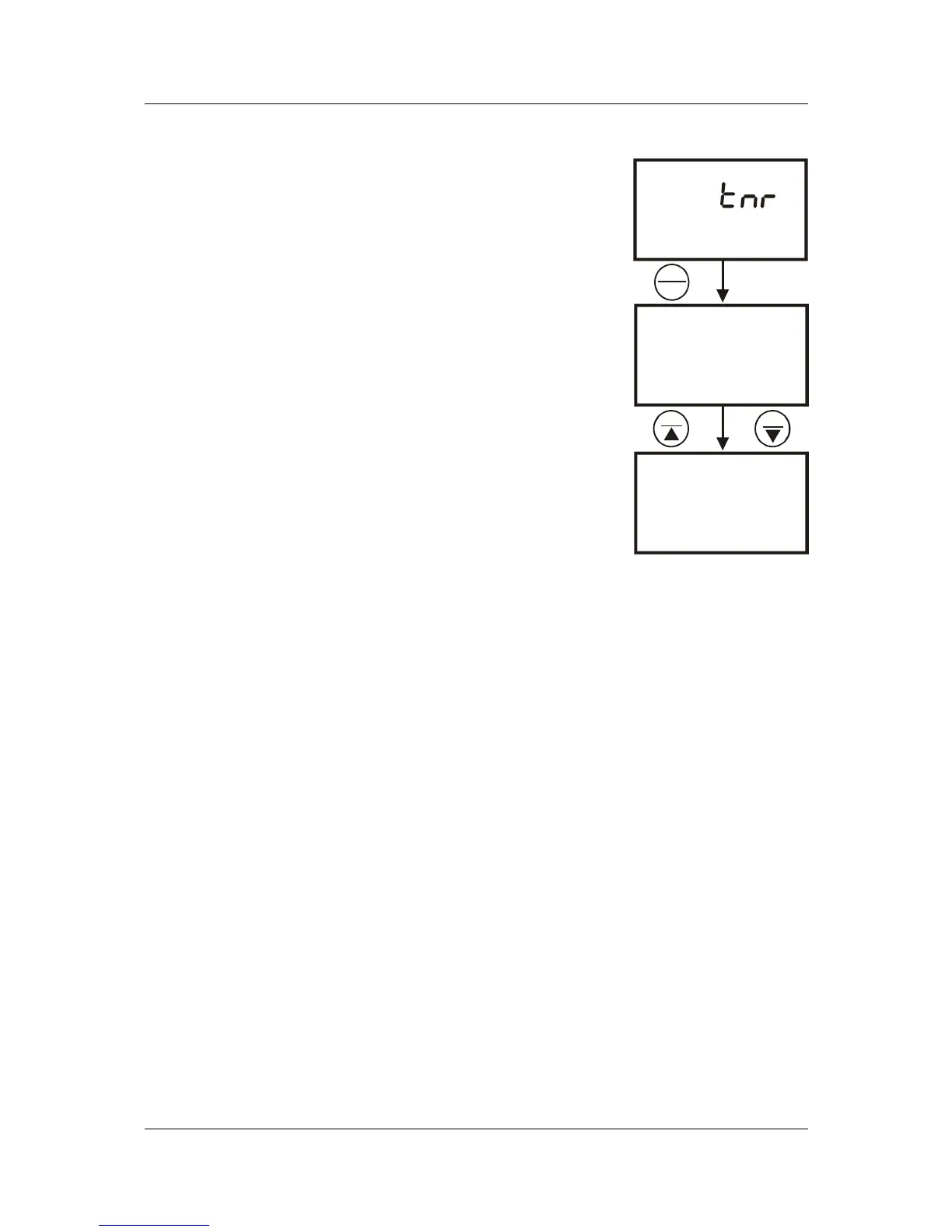
8.8.2 P7.2: Setting the normalisation temperature
Your meter will normalise its conductivity measurements to a
standard temperature that you can select. You can adjust
the normalisation temperature either at 20.0°C or 25.0°C.
Meter default is 25.0°C.
From measurement mode
1. Press SETUP key to enter Set Up menu.
2. Press the MI/▲ or MR/▼ keys until you view
parameter P7.0.
3. Press the HOLD/ENTER key three times to select
display “tnr” at parameter P7.2.
4. Press the HOLD/ENTER key again. The upper
display shows the normalisation temperature of 25.0
°C.
5. Press the MI/▲ or MR/▼ keys to select either
20.0°C or 25.0°C as the normalisation temperature.
6. Press the HOLD/ENTER key to confirm selection
and to return to the subgroup menu.
7. Press CAL/MEAS key to return to measurement
mode.
SETUP
°C °F
p 7.2
p 7.2
p 7.2
25.0
SETUP
°C
20.0
SETUP
°C
MI
MR
HOLD
ENTER
Figure 42: P7.2-Setting
Normalisation Temperature



 To Next Page