Instruction Manual CON 11/110
29
7.2 Sending Data To Computer or Printer
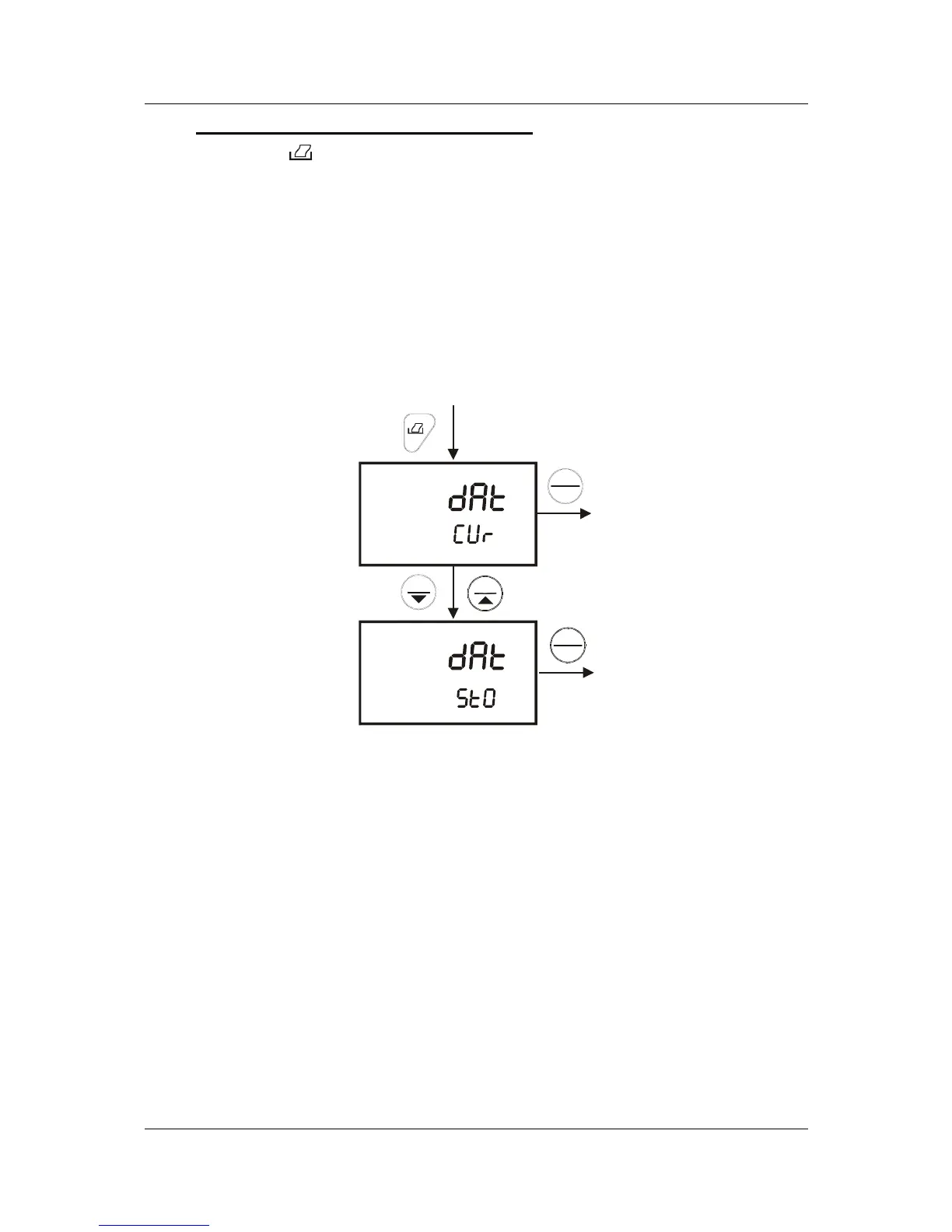
When the PRINT ( ) key is pressed, there are two options:
1. dAt / CUr: Prints current data on timed interval basis. The function enables
the meter to continuously print the current data automatically based on the
pre-set timing from 5 to 30 seconds.
2. dAt / StO: Prints stored data from memory. This function lets you print all the
memorised data from memory previously stored in the meter. Each set of
stored data will be send for printing based on preset timing from 0 to 30
seconds.
From Coductivity or TDS measurement mode.
ENTER
HOLD
ENTER
HOLD
MI
MR
Figure 25: Print data based on timed interval or from memory



 To Next Page