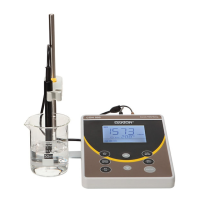
Instruction Manual CON 11/110
69
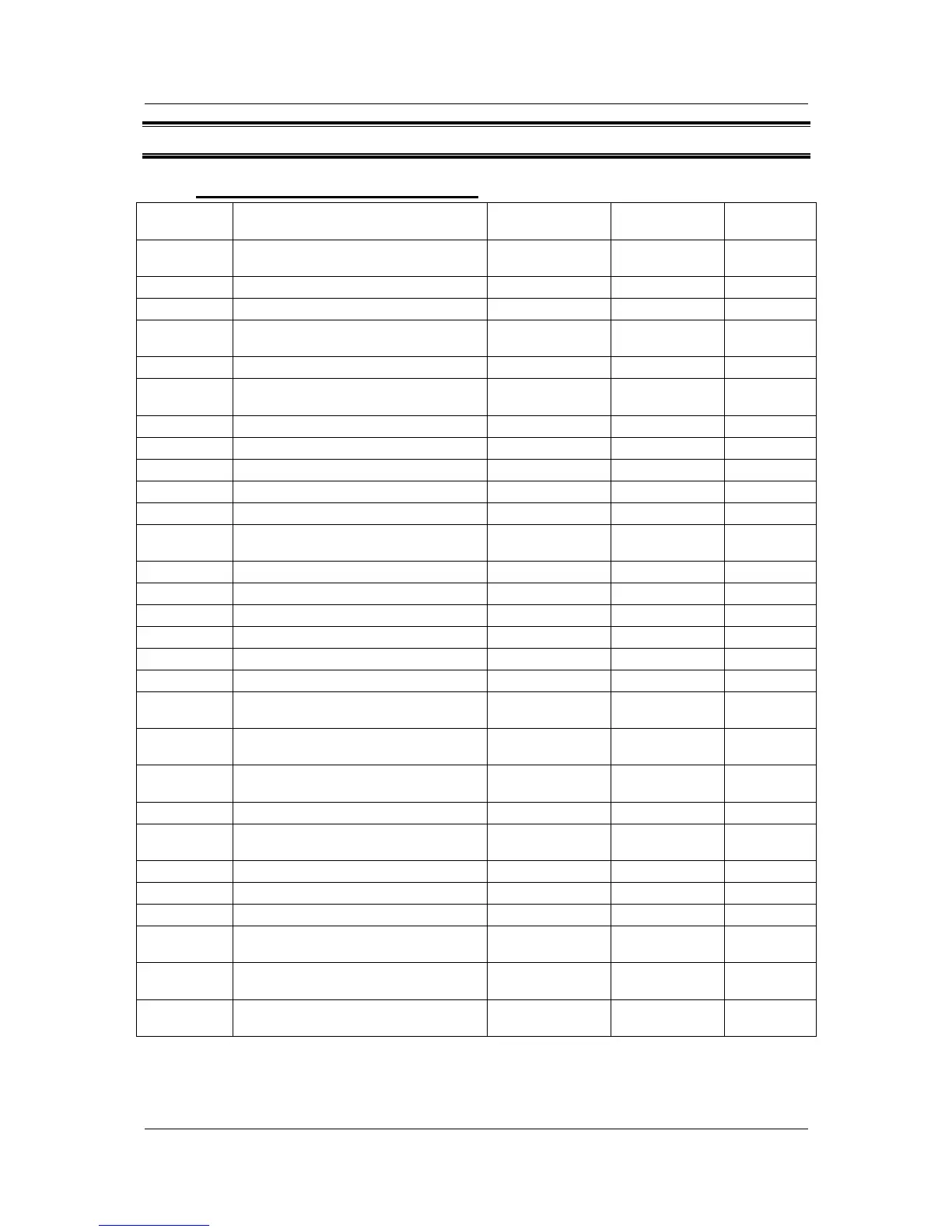
14 FACTORY DEFAULT SETTINGS
14.1 CON 11 Factory Default Setting
PROGRAM FUNCTION
PARAMETER
OPTING KEYS
PARAMETER
OPTIONS
DEFAULT
SETTING
P 1.0 Unit Configuration Parameter Title
Only
Parameter Title
Only
P 1.1 Selection of READY Indicator MI/▲; MR/▼ ON ; OFF, ON
P 1.2 °C indicator
Viewing only Viewing only
°C
P 1.3
Selection of Automatic or Manual
Temperature Compensation
MI/▲; MR/▼ YES, nO YES
P 1.4 Selection of TDS Conversion Factor MI/▲; MR/▼ 0.40 to 1.00 0.50
P 2.0 Viewing previous calibration data Parameter Title
Only
Parameter Title
Only
P 2.1 First range calibration point
Viewing Only Viewing Only
_ _ _
P 2.2 Second range calibration point
Viewing Only Viewing Only
_ _ _
P 2.3 Third range calibration point
Viewing Only Viewing Only
_ _ _
P 2.4 Fourth range calibration point
Viewing Only Viewing Only
_ _ _
P 2.5 Fifth range calibration point
Viewing Only Viewing Only
_ _ _
P3.0 Viewing electrode data Parameter Title
Only
Parameter Title
Only
P3.1 Effective cell constant for first range
Viewing Only Viewing Only
K = “1.00”
P3.2 Effective cell constant for second range
Viewing Only Viewing Only
K = “1.00”
P3.3 Effective cell constant for third range
Viewing Only Viewing Only
K = “1.00”
P3.4 Effective cell constant for fourth range
Viewing Only Viewing Only
K = “1.00”
P3.5 Effective cell constant for fifth range
Viewing Only Viewing Only
K = “1.00”
P4.0: Auto Power OFF MI/▲; MR/▼ YES, nO YES
P5.0 Reset to factory defaults Parameter Title
Only
Parameter Title
Only
P5.1
Resetting of all calibration and clear all
calibration data
MI/▲; MR/▼ nO, YES nO
P5.2
Resetting of all User settings to factory
defaults condition
MI/▲; MR/▼ nO, YES nO
P6.0 Memory clear MI/▲; MR/▼ nO, YES nO
P7.0 Temperature Parameter Title
Only
Parameter Title
Only
P7.1 Setting of temperature coefficient MI/▲; MR/▼ 0.0 to 10.0 2.1
P7.2 Setting of normalisation temperature MI/▲; MR/▼ 20.0 & 25.0 25.0
P8.0 Selection of cell constant MI/▲; MR/▼ 1.0, 10.0, 0.1 K = “1.0”
P9.0 Automatic Single Point Calibration Parameter Title
Only
Parameter Title
Only
P9.1
Selection of Automatic or Manual
Calibration
MI/▲; MR/▼ YES, nO “YES”
P9.2
Selection of Single or Multi Point
Calibration
MI/▲; MR/▼ YES, nO “YES”
NOTE: The HOLD/ENTER key is used to confirm every parameter opted. The CAL/MEAS on the other hand will
escape the set up operation to return to the measurement mode.



 To Next Page