Instruction Manual CON 11/110
30
7.2.1 Printing Current Data Manually
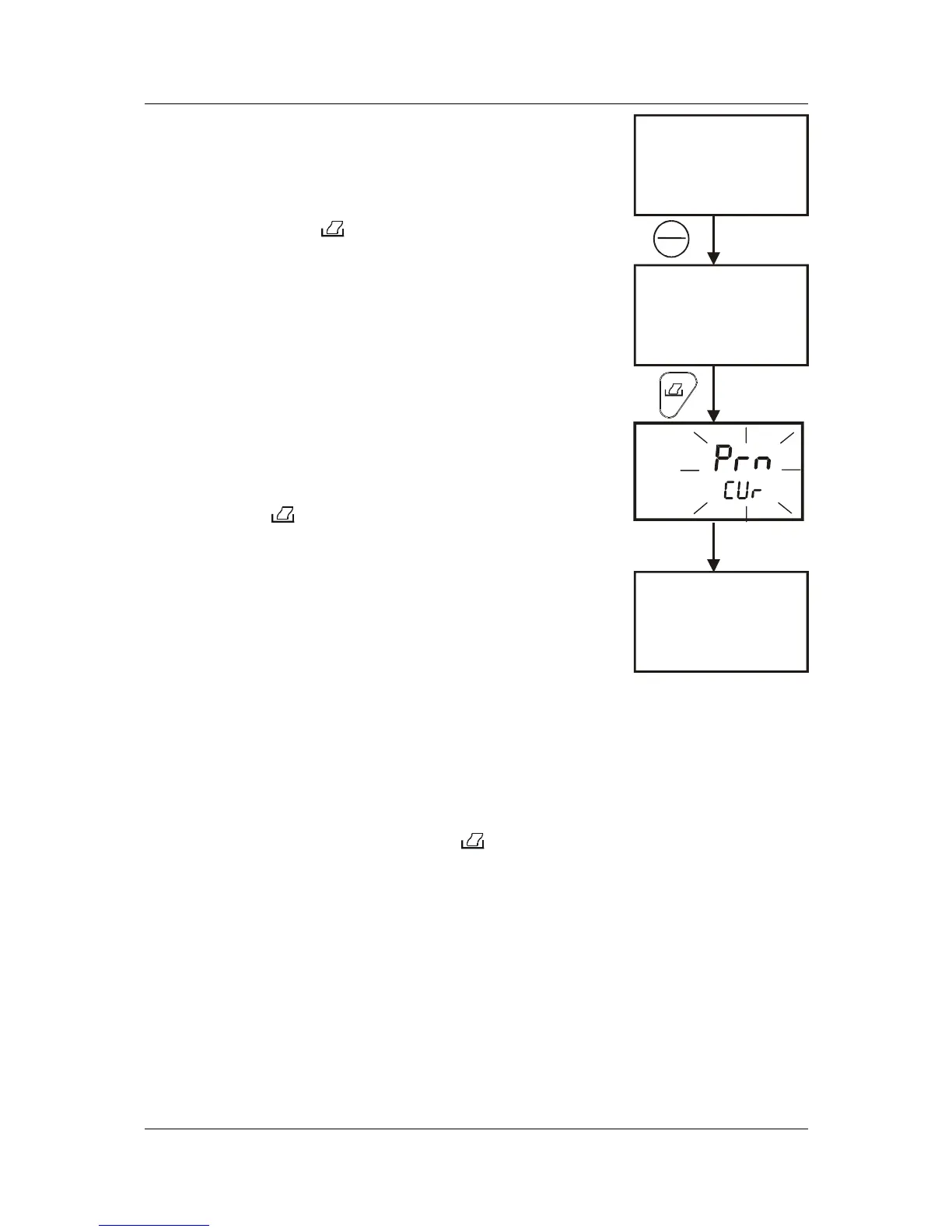
To manually print any data that is currently being measured:
1. From measurement mode, press HOLD/ENTER key
to freeze reading.
2. Press PRINT ( ) key.
3. The “Prn – CUr” annunciator will appear and flash
for about 0.5 seconds. The data is transmitted to the
printer or computer.
4. The meter returns to measurement mode.
5. Repeat steps 1 to 3 for next measurement.
7.2.2 Print Data on Timed Interval
This feature is useful to automate printing and downloading
‘live’ measurement values into computer. The time interval
setting can range from 5 to 30 seconds.
1. From conductivity or TDS measurement mode, press
PRINT ( ) key.
2. The “dAt/Cur” screen appears .Press the
HOLD/ENTER key.
3. The “SEC 5” screen appears. The default value is 5
seconds time interval.
4. Press MI/▲ or MR/▼ key to set a value suitable for
your application.
5. Press HOLD/ENTER key.
6. The meter goes into measurement mode with MEM
annunciator flashing.
7. At a pre-set time interval, the screen flashes “Prn/CUr” momentarily (printing
data) and switches back to measurement mode with MEM annunciator
flashing.
8. To stop printing, press PRINT ( ) key. The MEM annunciator disappears
and the meter is on measurement mode.
MEAS
READY
1413
ATC
°C
22.3
µ
S
MEAS
READY
1413
ATC
°C
22.3
µ
S
MEAS
READY
HOLD
1413
ATC
°C
22.3
µ
S
HOLD
ENTER
Flash for 0.5 seconds
Figure 26: Print
Current data manually



 To Next Page