Instruction Manual CON 11/110
62
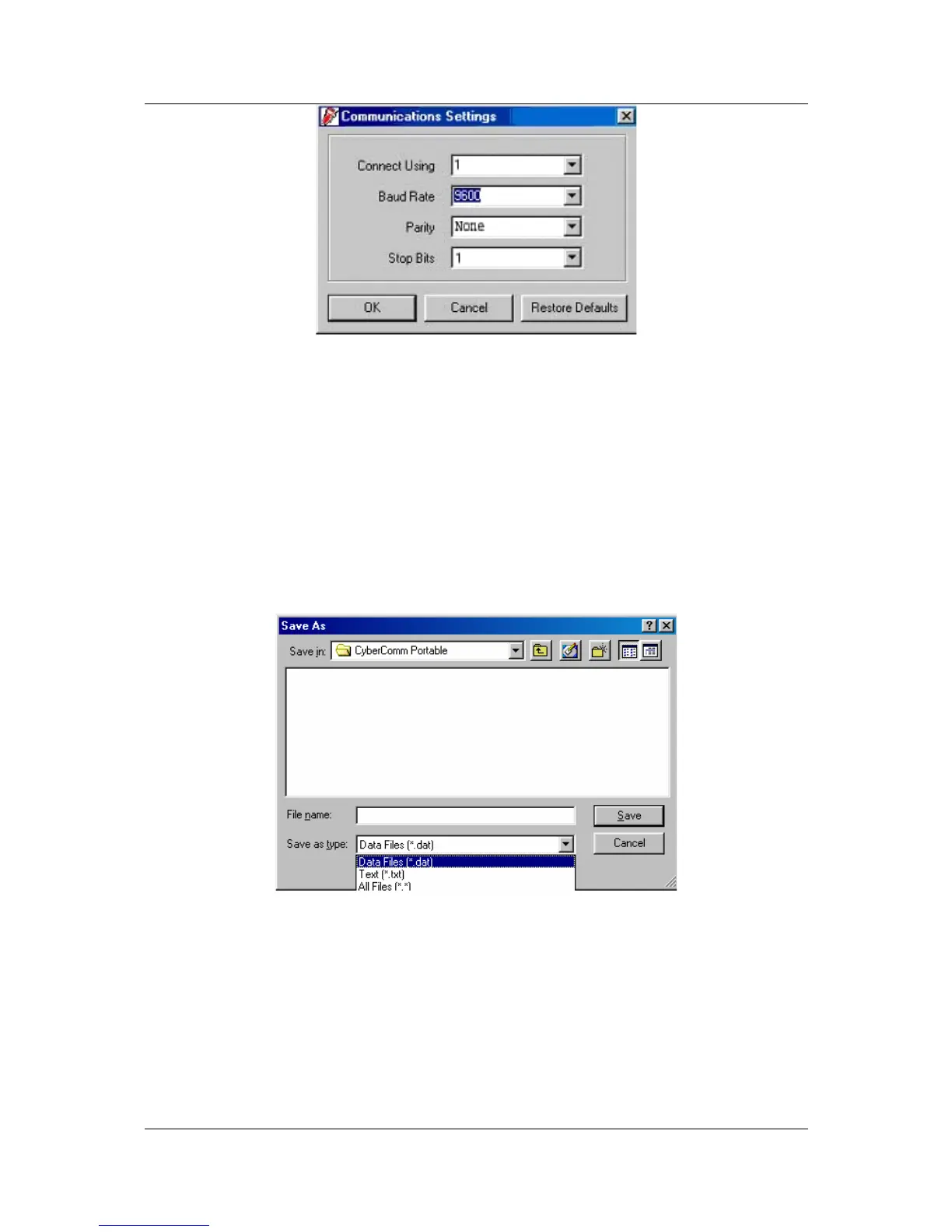
Figure 62: Communication Settings for computer's Com port. It must match with COM port
settings on CyberScan CON 110 meters. Please refer to Section7.1 “Using CON 110 Meter with
Printer or Computer”on page 28 for the settings.
9.3.3 Communication Settings
1. Connect Using - For selecting communication port. (Select ‘1’)
2. Baud Rate – For selecting baud rate. (Select ‘9600’ bps (bits per second)).
3. Parity – For selecting parity. (Select ‘None’)
4. Stop Bits – For selecting stop bits. (Select ‘1’)
Figure 63: Under SAVE AS menu, you can save your data as *.dat or *.txt formats



 To Next Page