17
START-UP AND OPERATION: THERMOSTAT / MAIN POWER SWITCH / LIGHTS SWITCH / FILTER
1. Merchandiser Start-Up
• Do not use an extension cord with this appliance.
• Do not operate this equipment with a damaged
cord, plug or outlet.
• Insure that the main power switch is off.
• Plug cord into a certified 110V electrical outlet with
ground.
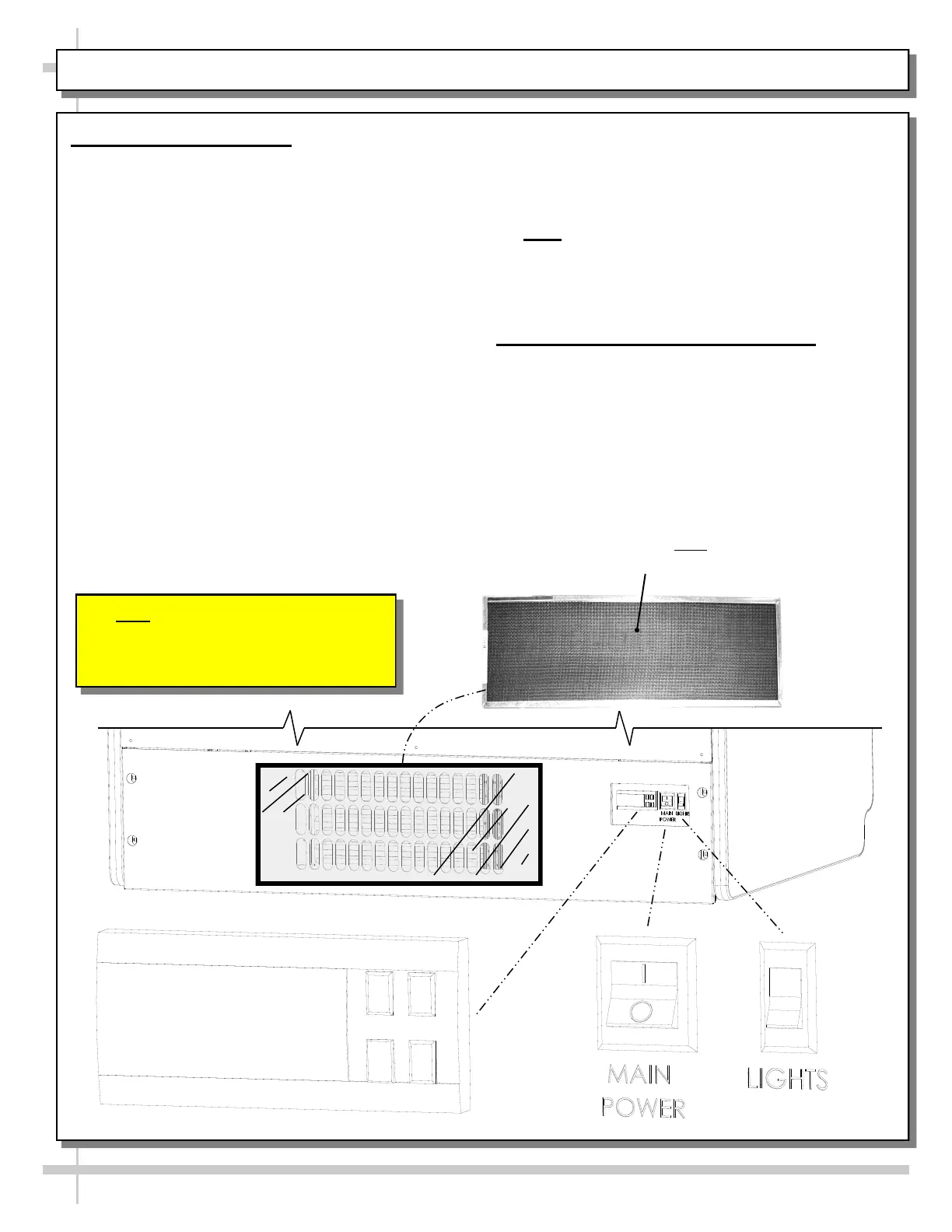
• Turn main power switch on (see location at rear of
case in illustration below)
• Coil fans should turn on.
• From inside of the case, check for discharge
air from front baffle, to confirm that the fans
are functioning properly.
• When the case is in a start-up mode or has been
idle for a long period of time, unit may require 75
minutes running time to pull-down temperature.
• Turn lights on.
• Light switch is next to main power switch.
• The lights should come on at the same time.
• Always maintain front and rear airflow clearance
of twelve inches.
• Obstruction or restriction of air can void
warranty.
• Thermometer is also at case rear (as shown
below), and controls internal case temperature.
• Interior case temperature is to be 35 °F to 41 °F.
• Note: Case temperature is determined by case
size. Temperature is controlled by a thermostat.
If a temperature setting change is required, refer
to instructions in PROGRAMMABLE
CONTROLLER sections of this manual.
2. Removable, Condenser Coil Filter
• A removable filter prevents impurities (dust, dirt
and debris) from entering condenser coil.
• Filter must be removed weekly and cleaned.
• See GENERAL CLEANING (TO BE
PERFORMED BY STORE PERSONNEL) -
EXTERIOR in this operating manual for
cleaning instructions.
Removable, Magnetized Condenser
Coil Filter (Optional). Note: Filter is
Placed over Condenser Coil Grille.
Note: Illustration Shown Reflects
REAR ACCESS Condenser Package.
Optional FRONT ACCESS Condenser
Package Has Similar Electrical Layout.



 To Next Page