124
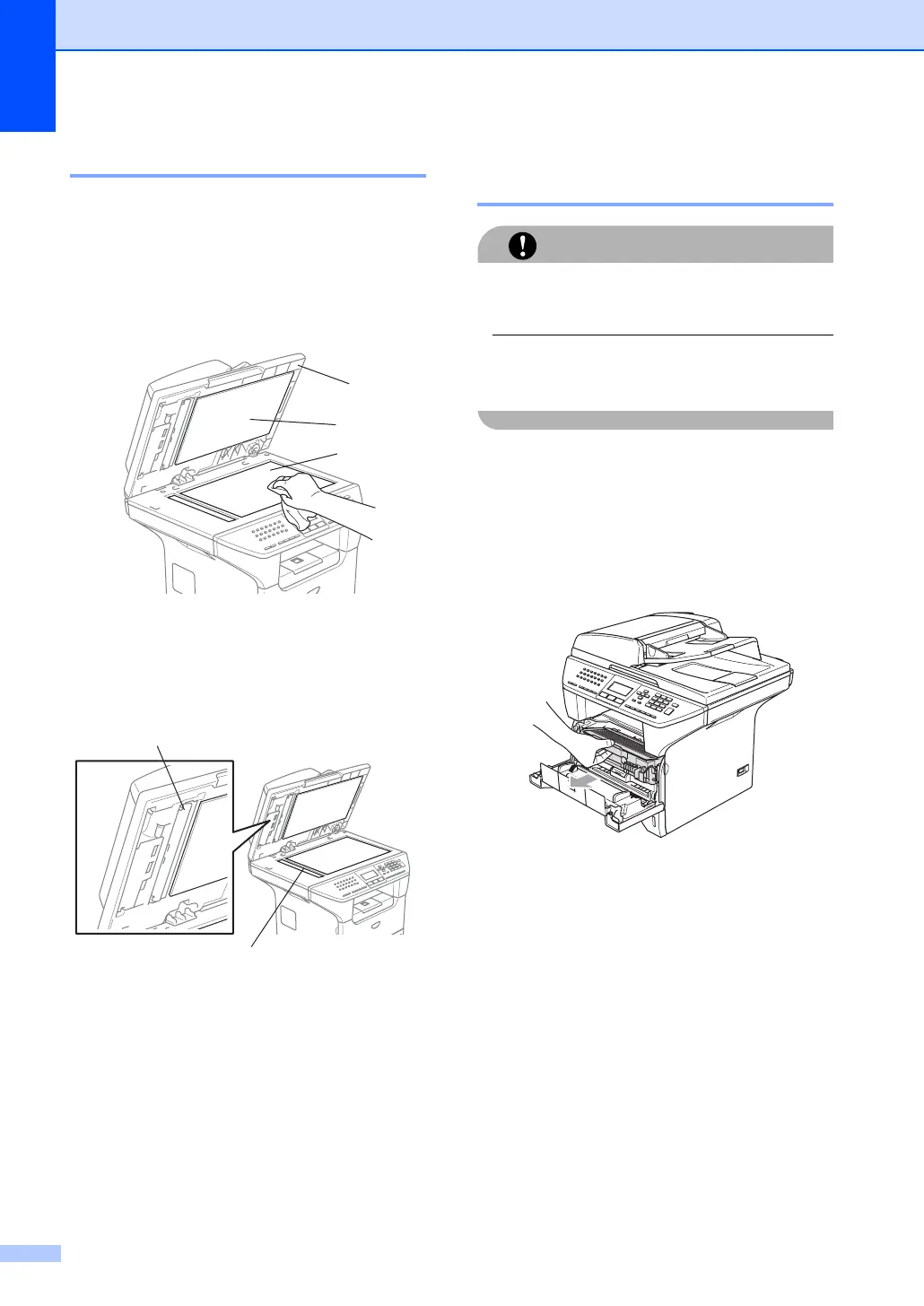
Cleaning the scanner glass C
a Turn off the machine’s power switch.
b Lift the document cover (1).
Clean the white plastic surface (2) and
scanner glass (3) underneath it with
isopropyl alcohol on a soft lint-free cloth.
c In the ADF unit, clean the white plastic
bar (1) and the scanner glass strip (2)
under it with isopropyl alcohol on a lint-
free cloth.
Cleaning the laser scanner
window C
CAUTION
DO NOT use isopropyl alcohol to clean the
laser scanner window.
DO NOT touch the laser scanner window
with your fingers.
a Turn off the machine’s power switch.
Unplug the telephone line cord first, and
then unplug the power cord from the AC
power outlet.
b Open the front cover and take out the
drum unit and toner cartridge assembly.
1
3
2
1
2



 To Next Page