Making copies
79
12
Duplex (2-sided) copying 12
If you want to automatically copy a 2-sided
document using the duplex copy feature, load
your document in the ADF.
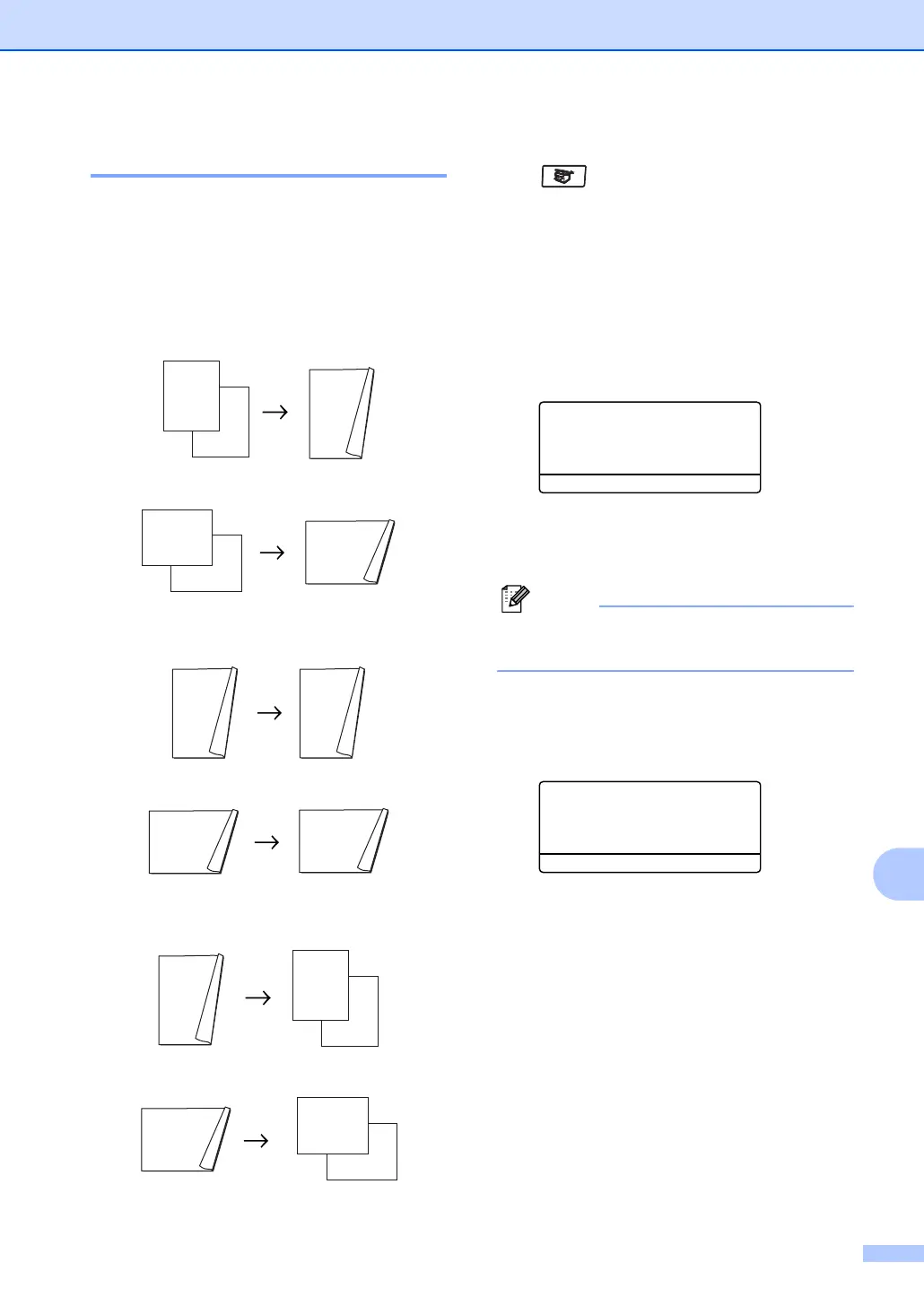
Duplex Copy 12
1 sided i 2 sided
Portrait
Landscape
2 sided i 2 sided
Portrait
Landscape
2 sided i 1 sided
Portrait
Landscape
a Make sure you are in Copy mode
.
b Load your document.
c Use the dial pad to enter the number of
copies (up to 99).
d Press Duplex and a or b to choose
1sided i 2sided,
2sided i 2sided or
2sided i 1sided.
Duplex
a1sided i 2sided
2sided
i 2sided
b2sided i 1sided
Select ab & OK
Press OK.
e Press Start to scan the document.
Note
Duplex copy using a 2-sided legal size
document is not available from the ADF.
If you are using the scanner glass:
f After the machine scans the page,
press 1 to scan the next page.
Flatbed Copy:
Next Page?
a 1.Yes
b 2.No
Select ab & OK
g Place the next page on the scanner
glass. Press OK.
Repeat f and g for each page of the
layout.
h After all the pages have been scanned,
press 2 in f to finish.
1
2
1
2
1
2
1
2
1
2
1
2
1
2
1
2
1
2
1
2
1
2
1
2



 To Next Page