PIZZAFORM
Functioning
GB - 18
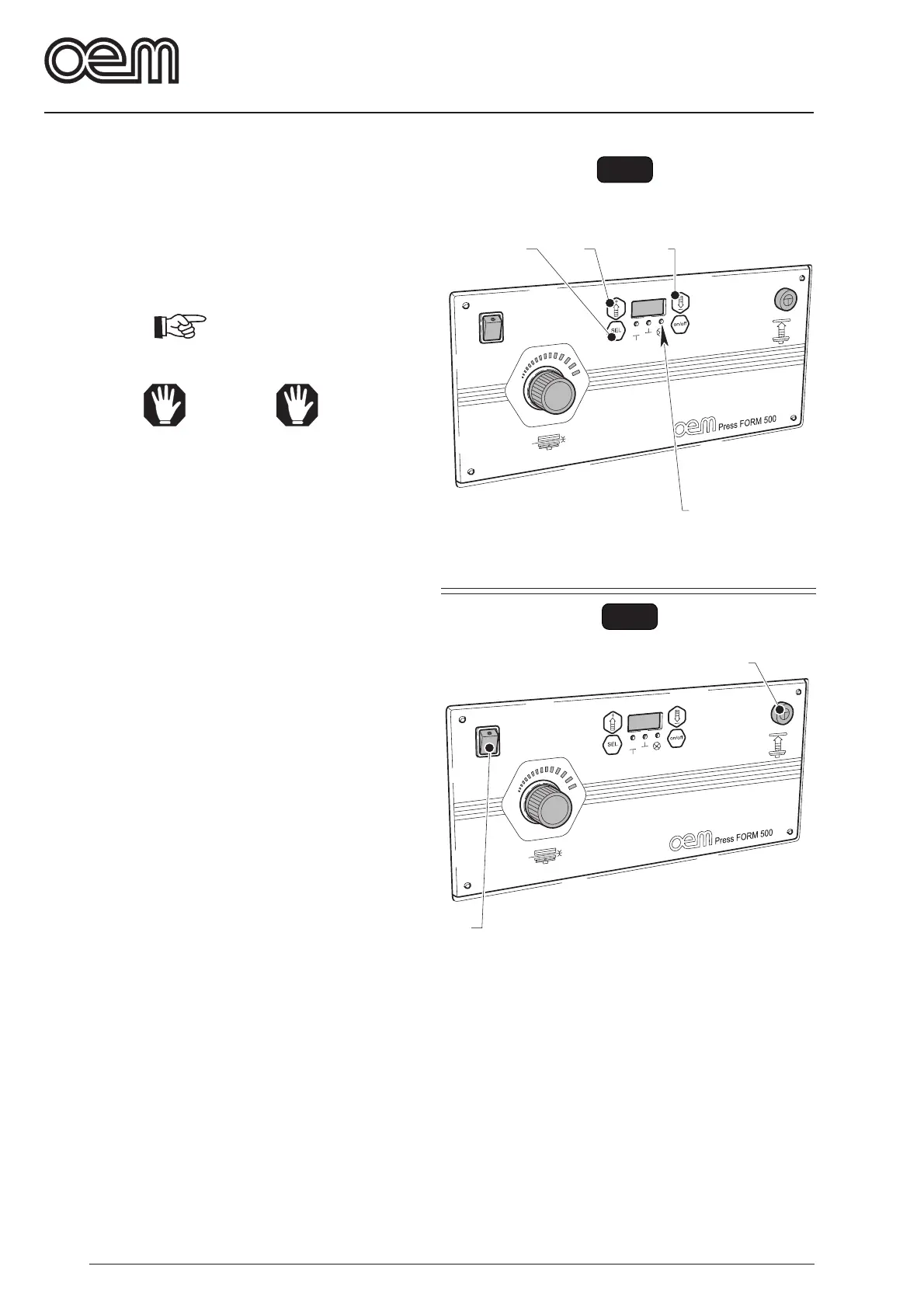
FIG. 4
2
3
4
1
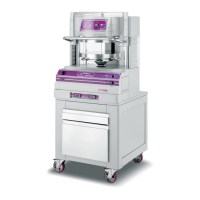
FIG. 5
2
1
5.3.b - PRESSURE TIME (Fig 4)
By pressing the push-b utton (1) three times , the LED
(2), which indicates the set pressure time of the dough,
blinks, before the lo wer dish lo wering star ts. Oper ate
the push-button (3) or (4) to change the value.
To store the set data, go out from the modification menu
by pressing the key “SEL” until ON is displayed.
IMPORTANT
Normally, the time setting shall amount 3 seconds.
WARNING
If you set a time e xceeding 3.5 seconds, a dough
baking could start.
5.3.c - ALARM CONDITIONS DURING THE
MACHINE FUNCTION
During the machine functioning, f ollowing alar m
conditions could occur and in this case the y are
displayed:
AL1 = Hand protection micro switch is not enabled.
Lower the transparent protection before pressing
the lower dish lifting push-button.
AL2-AL3 = Upper or lower micro limit switch trouble.
Contact our technical customer service
AL4 = Dish o vertemperature. It occurs when the dish
temperature exceeds 220 ° C.
Contact our technical customer service
AL5 = Inverted phase.
Invert two of the three phases placed on the cutout
switch being on the upper side of the machine.
5.3.d - MACHINE STOPPING UNDER EMERGENCY
CONDITIONS (Fig 5)
• In EMERGENCY case , press the push-b utton “1” or
release the push-button (2).
5.3.e - MACHINE DISCONNECTION (Fig. 5)
To disconnect the machine y ou shall position the light
switch (1) on “0”; the switch lamp goes out. Disable the
switch on the upper machine side.



 To Next Page