EC-compliant use and warning instructions
CHAPTER 6 – COMMANDS AND USE
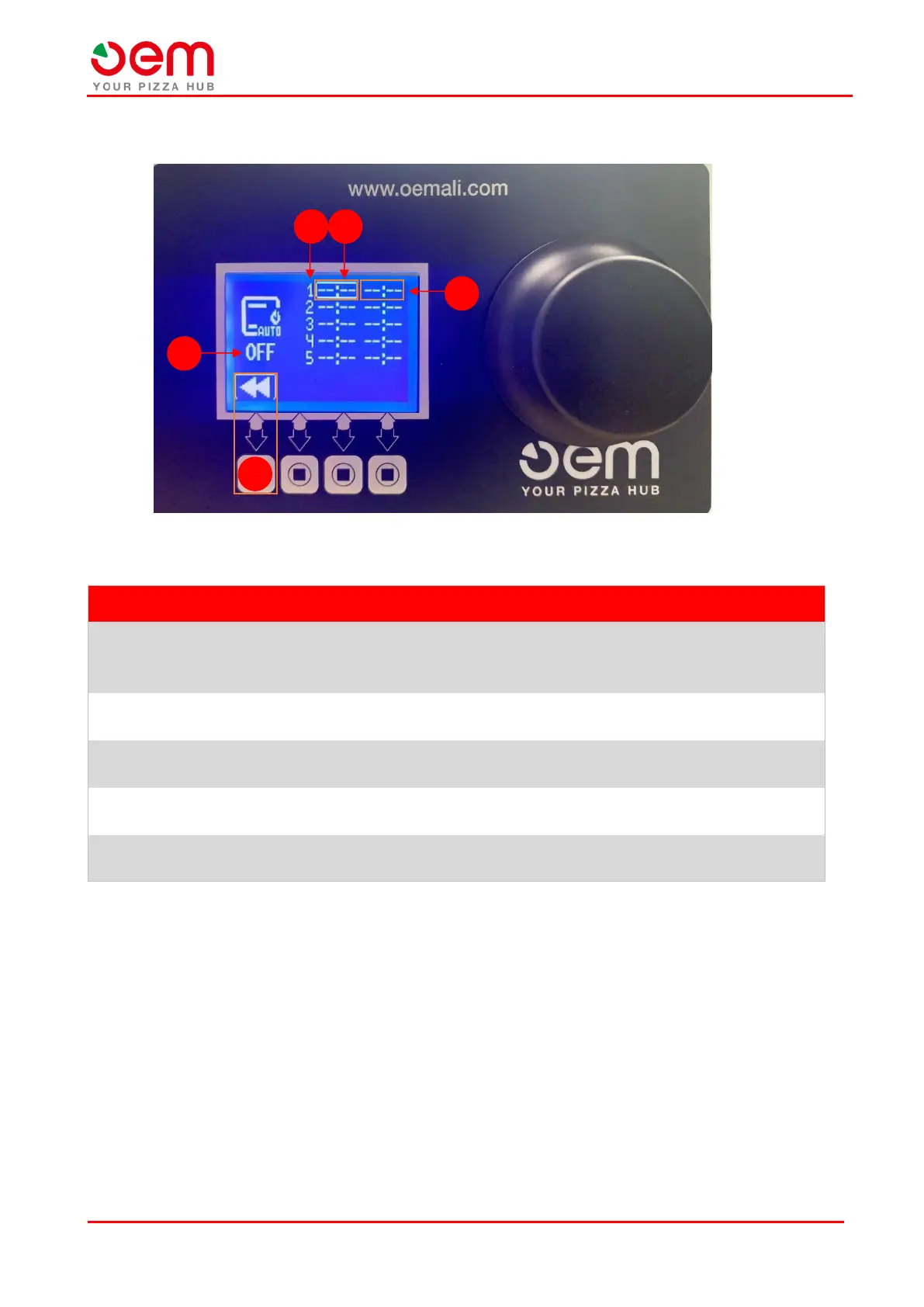
6.3.5. “SELF POWER ON” screen
It displays the day of the week when the oven is on
(1= Monday ; 7= Sunday).
Note: If the day is not specified, but you see -- : --, the day is skipped.
It allows to set the time of the 1
st
ignition of the oven using the wheel
selector.
It allows to set the time for the 2
nd
ignition of the oven using the wheel
selector.
It allows to enable/disable the self-power on function without having to
clear the daily settings by acting with the wheel selector on the icon (4).
It allows to return to the "Main Screen".


 To Next Page