EC-compliant use and warning instructions
7.2.2.3. Cleaning of cooling fans
If on the oven display you read the alarm “Overtemperature technical space/power card” it means that the fans must
be cleaned.
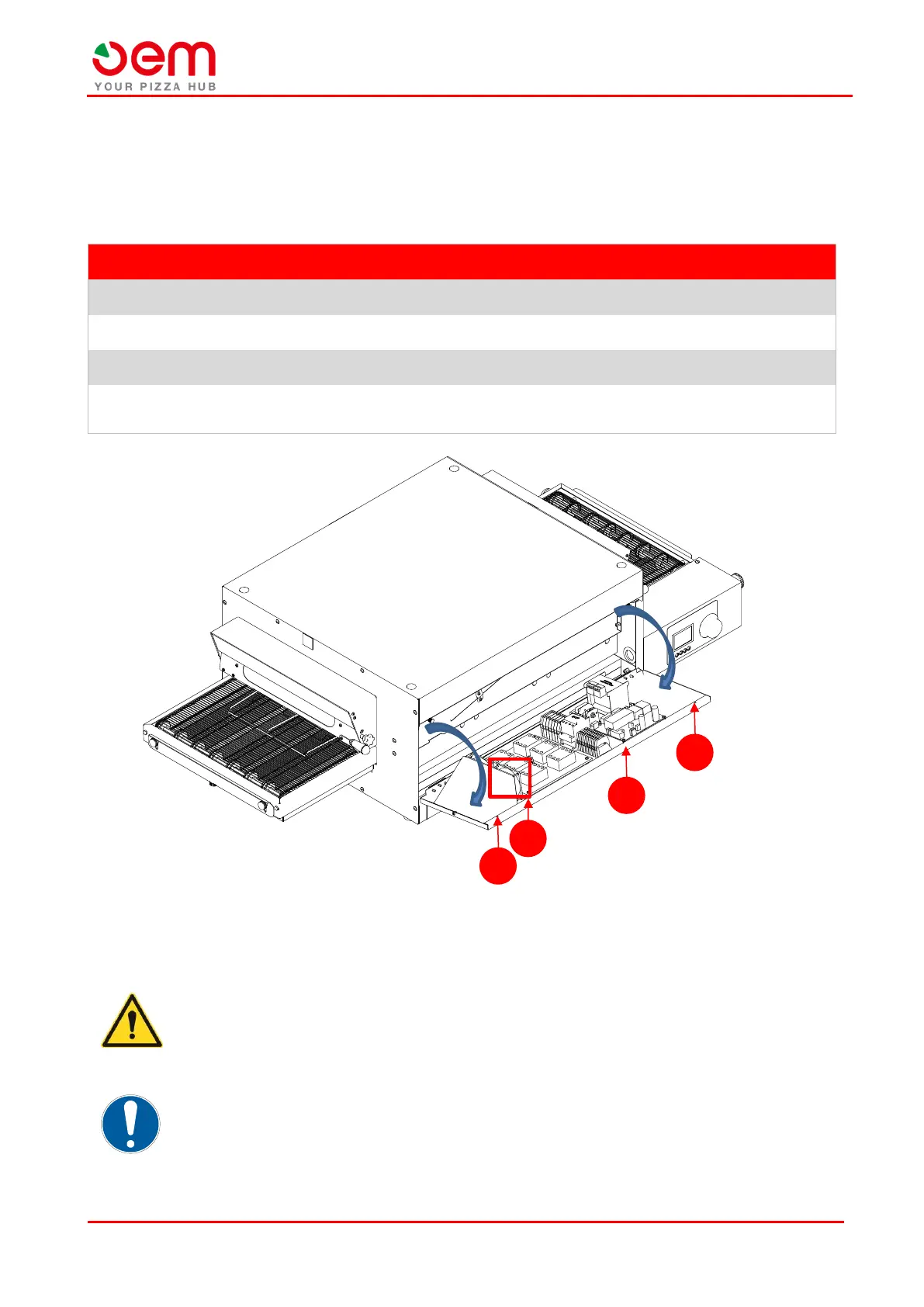
In order to clean the cooling fans, proceed as follows:
Unscrew the fixing screws (A) that block the panel (B).
Overturn the panel outwards (B). It is fixed to the base through some hinges.
Remove the dirt piled up on the cooling fans (C) by using compressed air.
Put the side panel back to its position (B), tightening the relevant fixing screws (A), once the procedure
is over.
DANGER!
Make sure there is no tension inside the electric panel.
IMPORTANT!
Contact the Technical Assistance Service if the alarm is displayed again.


 To Next Page