CHAPTER 2 SERVICE MENU
FC5706 Centrifuge Service Manual 2-5 Ohaus Corporation www.ohaus.com
2.1.7 Submenu Keyboard Test
The keyboard test is used for checking the correct function of the foil keyboard.
Activate the operation menu as described in chapter 2.1.1.
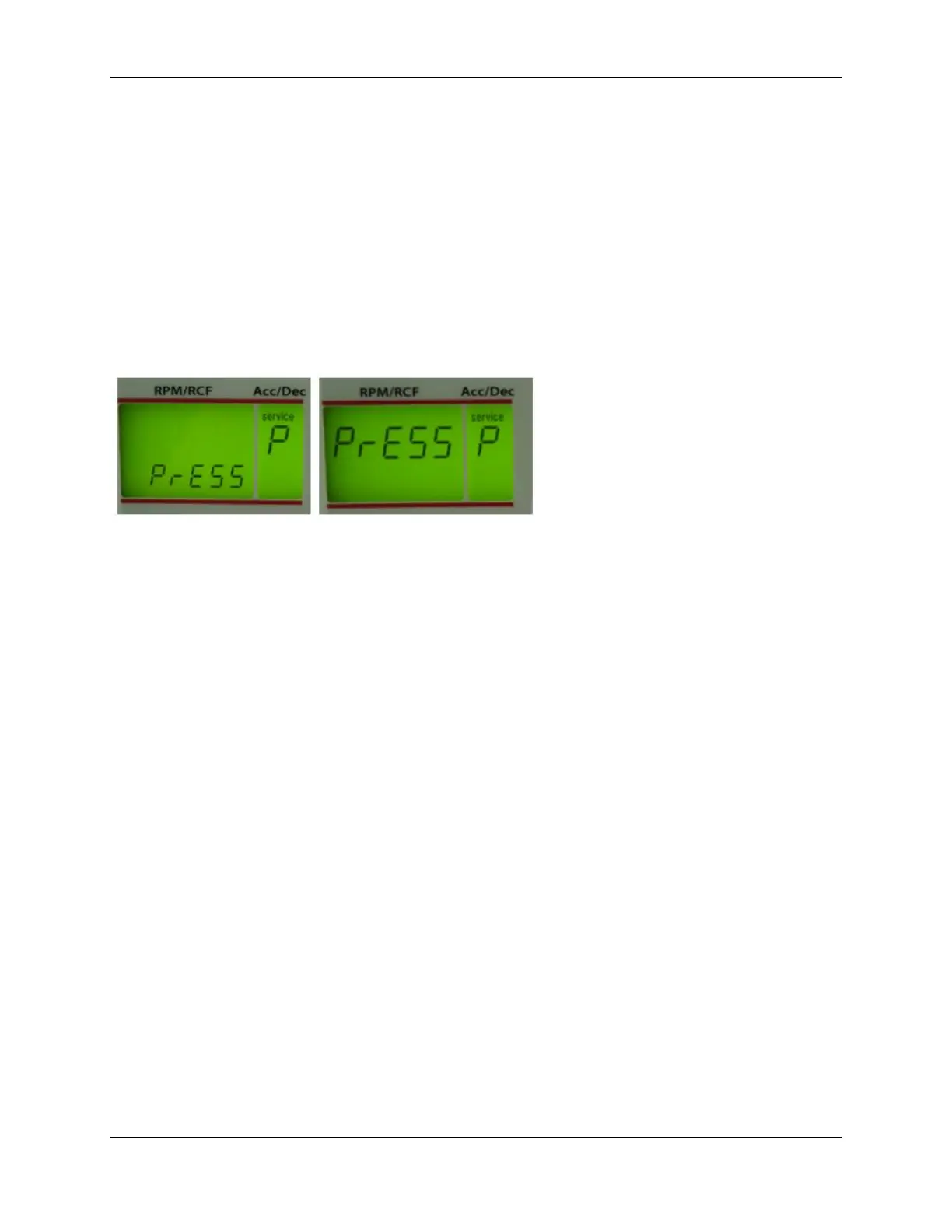
Turn the potentiometer (8) until the special digit “service P“ appears in the display
“acc/dec“ (A-2).
Figure 7
By pressing each key the word “PrESS“ switches from the bottom to the top line in the
display “rpm/rcf“ (A-1). The key accel/decel (5) excluded.
2.1.8 Subemenu Activation / Deactivation of the imbalance sensor
Activate the operation menu as described in chapter 9.3.1.
By pressing the key “accel/decel“ (5) the several sub-menus are activated.
Turn the potentiometer until the special digit "Service u" appears in the display “acc/dec“.
In the display “rpm/rcf“ (A-1) appears the word „unbAL“.
By pressing the key “RPM/RCF“ (4) the menu is activated. Turn the potentiometer until
the words „on“ or „off“ are indicated in the display “rpm/rcf“ (A-1).
on = imbalance sensor is activated
off = imbalance sensor is deactivated


 To Next Page