SERVICE INSTRUCTIONS
Ohaus Corporation www.ohaus.com 3-11 FC5706 Service Manual
3.3 Mounting Support
After performing any kind of assembling work, please make sure all the grounded
contacts are connected correctly!
3.3.1 Replacing the front housing
Begin with step 3.3.5
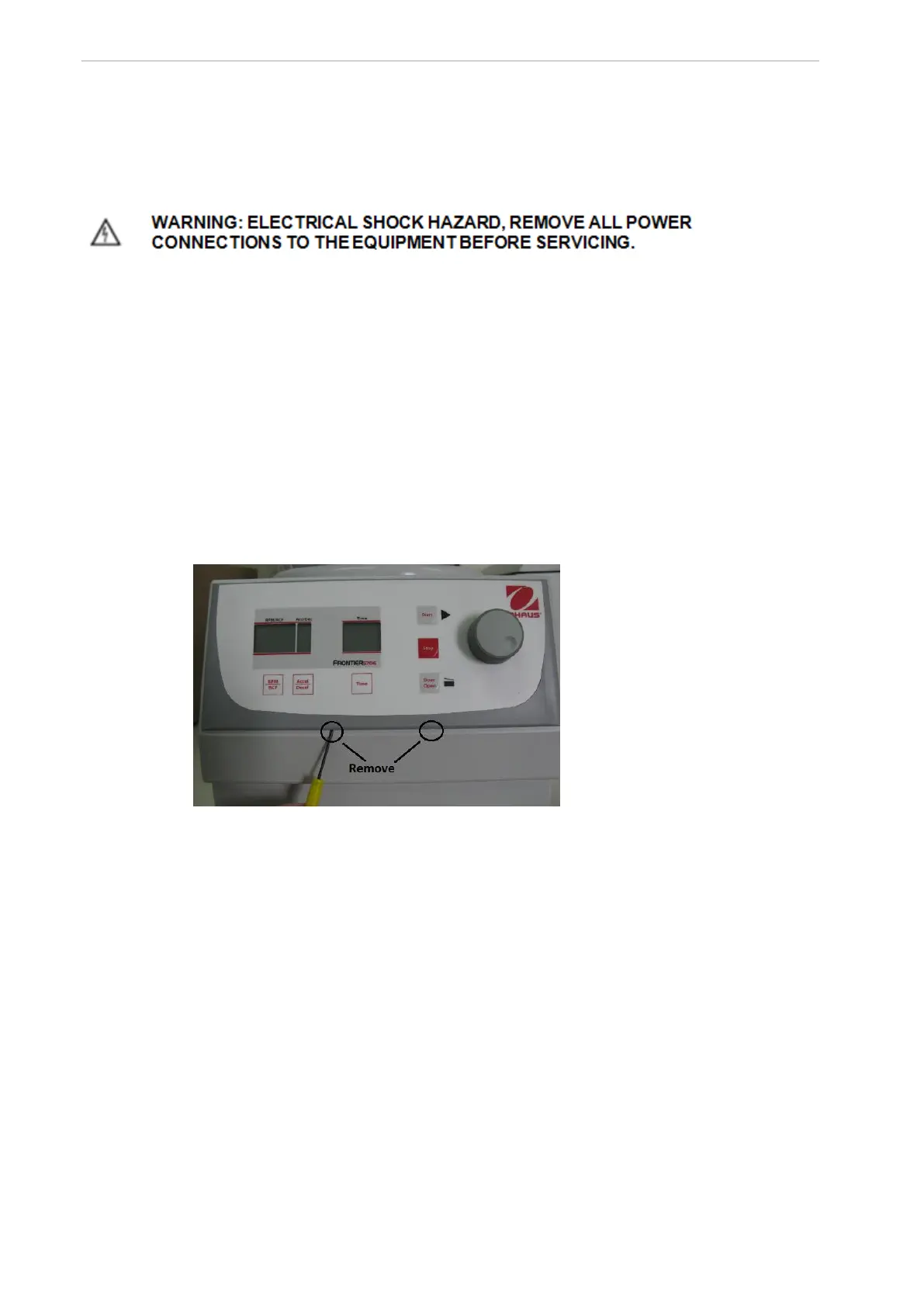
Remove the lower covering by putting a screw driver into the 2 notches and then lever the
front part out.
Pull the lower edge of the covering away from the mounting plate of the housing.
Pull the covering out of the upper guiding rails downwards.
Remove the interface cable on the control board.
Figure 1
3.3.2 Replacing the incremental shaft encoder (potentiometer)
Remove the cap on top of the incremental shaft encoder (see figure 23).
With a socket wrench you can loosen the fastening nut. (socket wrench size
10mm)


 To Next Page