20
Figure 20: Settings Page (a – b).
9.3.1 Device
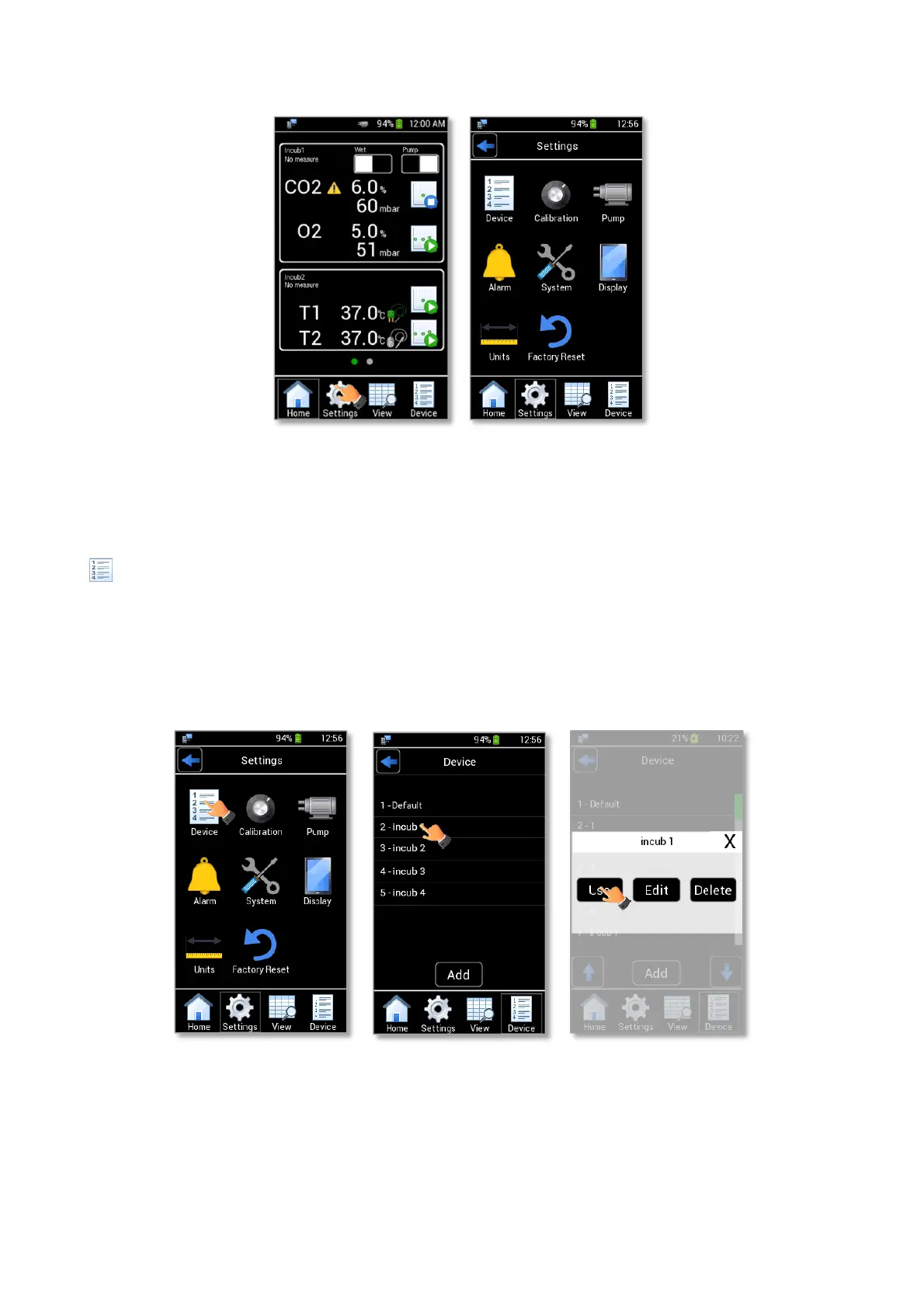
LEO allows associating a label to each device connected. To choose an existing device press the Device icon
in Settings page (see Figure 21 a) and select the device-name for which data shall be stored (see Figure 21 b).
When selecting an already existing device, a pop-up dialog box appears (see Figure 21 c) showing the three
following options:
- Use: to use the selected device.
- Edit: to change the device name.
- Delete: to delete the device.
Figure 21: Device selection (a – b - c).
Note ► When deleting a device, all its data is erased too.
Note ► Default device cannot be deleted.



 To Next Page