27
9.3.5.1 Date & Time
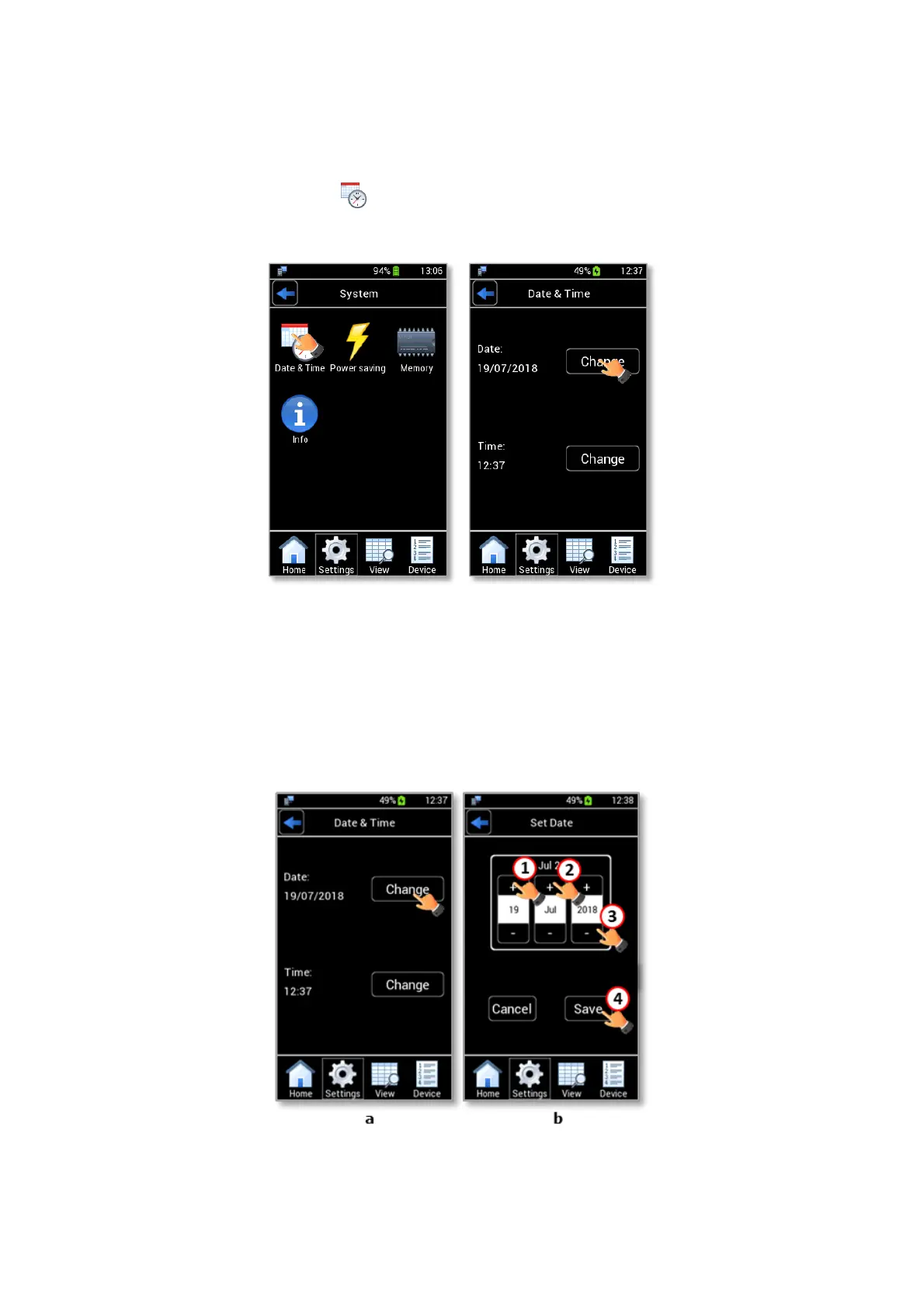
To set Date & Time, follow the instructions below:
1. Press the Date & Time icon (see Figure 33 a) to access the Date & Time page.
Figure 33. Date & Time configuration (a – b).
2. Press Change (see Figure 33 b) to enter the Set Date page.
Tip ►Okolab recommends to check the Date & Time Settings the first time you turn LEO on because the
current Date & Time values are stored with every reading.
3. Change the date using + and – (1, 2, 3 in Figure 34 b).
Figure 34. Set Date (a – b).
4. Press Save (4 in Figure 34 b) to confirm.



 To Next Page