22
9.3.3 Pump
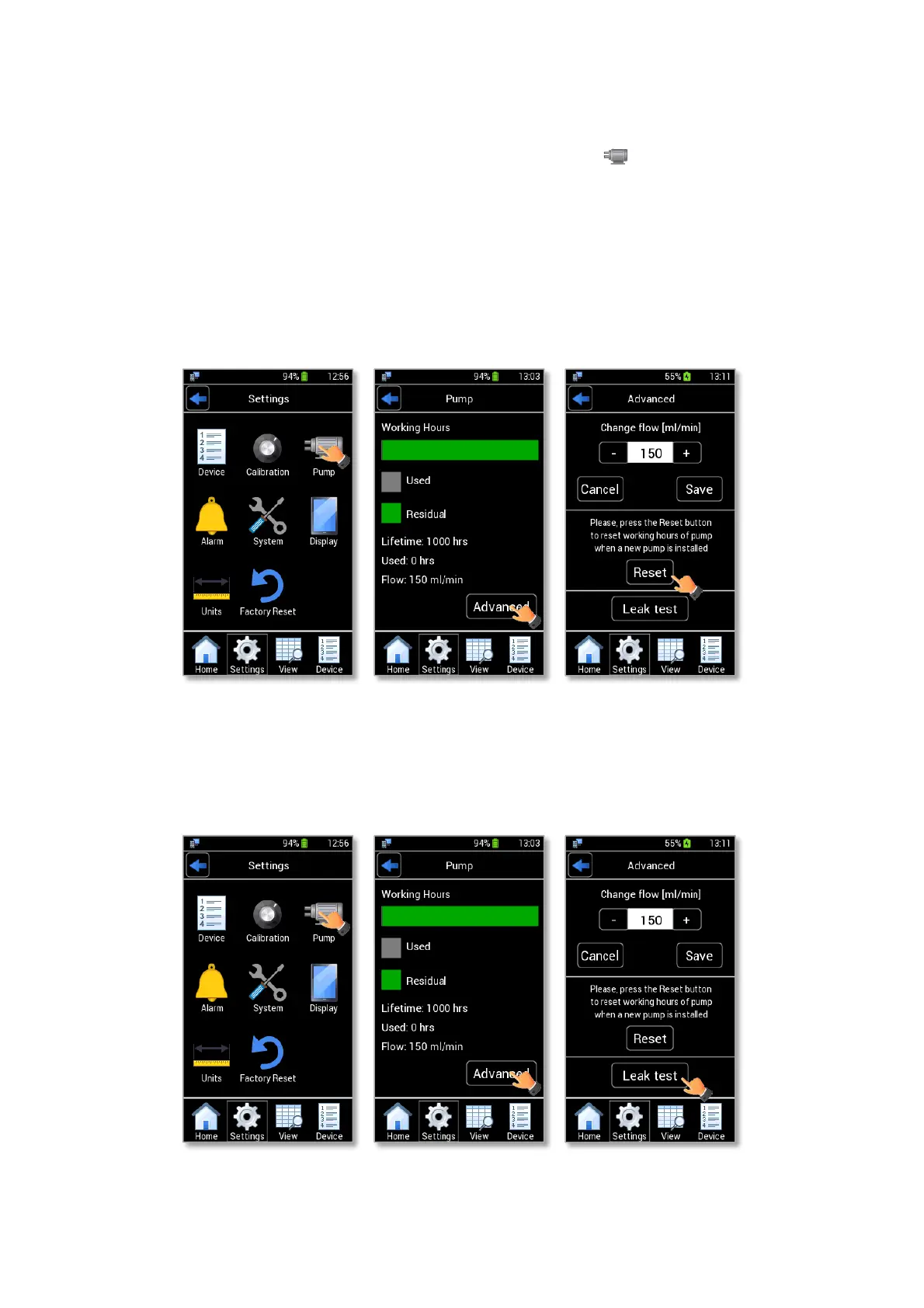
Figure 24 shows the internal pump subpages. By pressing Pump icon (see Figure 24 a), you can read
the remaining lifetime of the pump and its current flow rate.
Press Advanced (see Figure 24 b) to set a different flow rate (from 60 to 260 ml/min) (see Figure 24 c).
Tip ► The default flow rate value is 150 ml/min.
You can also reset the remaining lifetime if a new pump is installed by pressing on “Reset” (see Figure 24
c). See the paragraph 18 for the pump replacement.
Note ► The pump lifetime must be reset only if you replace the pump with a new one.
Figure 24. Pump Page (a – b - c).
9.3.3.1 Pump Leak Test
You can perform the Leak test to verify the proper functioning of the pump.



 To Next Page