32
9.3.6.3 Touchscreen
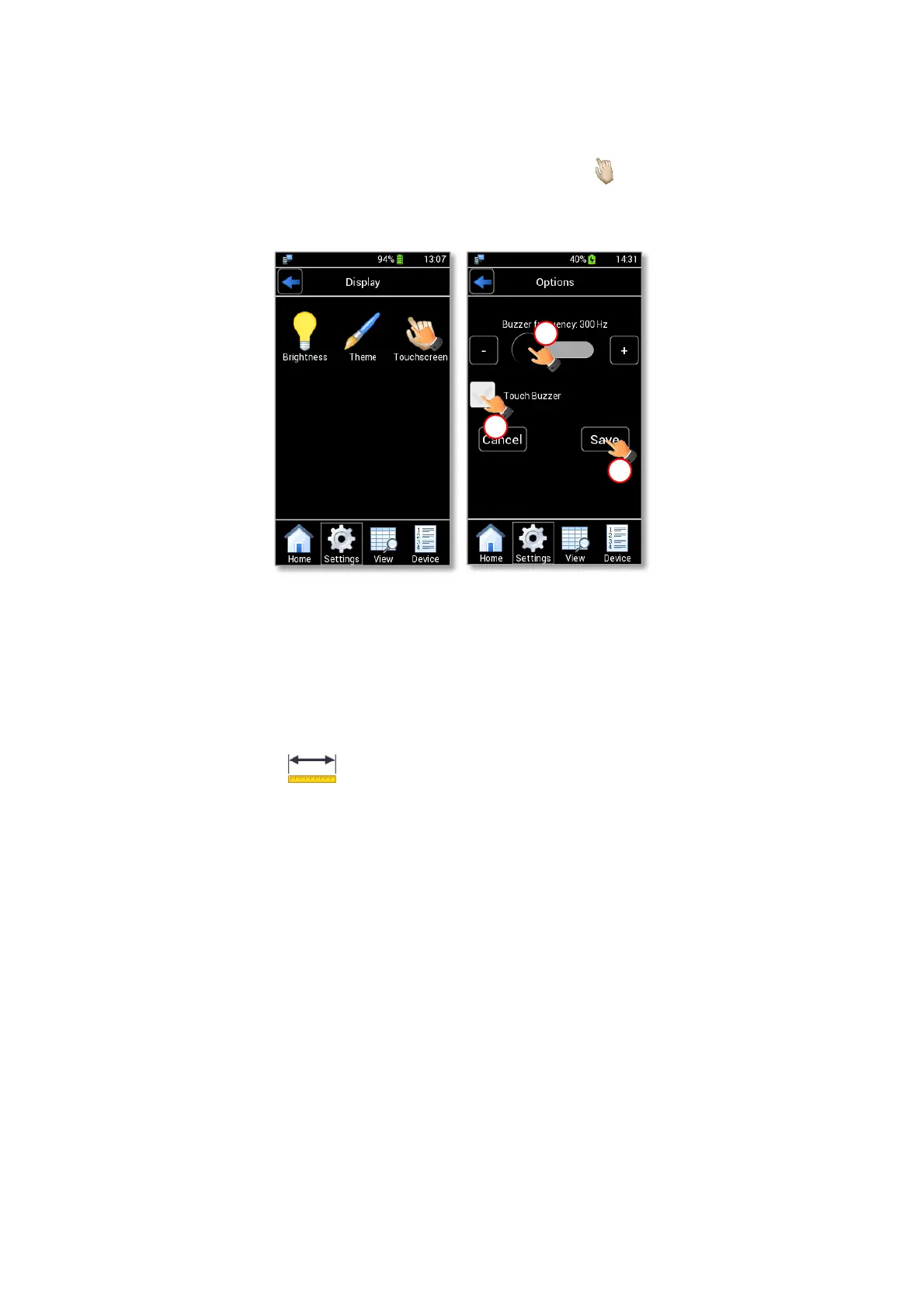
To change the touch sound frequency, press the Touchscreen icon (see Figure 42 a) and slide your
finger along the Buzzer frequency bar (1 in Figure 42 b) or simply press + and -, then press Save to confirm or Cancel
to undo.
Figure 42. Display settings: Touchscreen options (a – b).
Note ► To activate a sound at each touch, flag the Touch Buzzer checkbox (2 in Figure 42 b).
9.3.7 Units
Press the Units icon (see Figure 43 a) to change the measurement units of temperature and
pressure variables. There are three available options for both: temperature and pressure as shown in Figure 43 b.
Select the measurement unit you prefer to use and press Save to confirm (3 in Figure 43 b).
Tip ► The default measurement units are C° for temperature and mbar for pressure.



 To Next Page