21
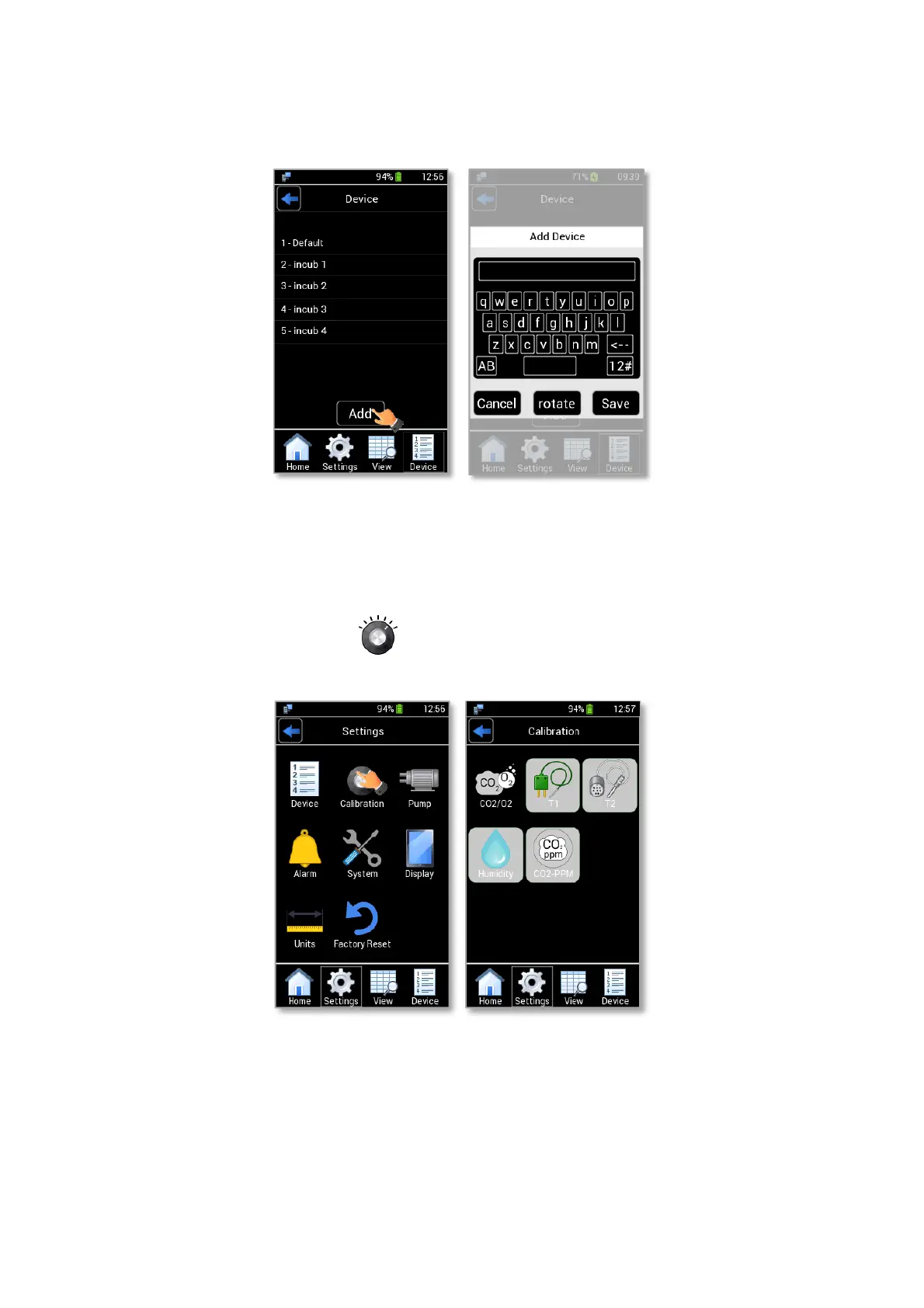
You can also add a new device by clicking on “Add”, as shown in Figure 22 a. Write the device name by
using the keyboard that will appear on the display (see Figure 22 b) then press “Save”. You can add up to 40 devices.
Figure 22: How to add a new device (a – b).
9.3.2 Calibration
By pressing the Calibration icon (as shown in Figure 23 a) you can calibrate the available sensors
and you can display stored calibration data.
Figure 23. Calibration page (a – b).
Note ► External sensor modules’ icons are automatically disabled if sensor modules are not connected to
LEO.



 To Next Page