23
After pressing on Leak test, follow the instruction below for running the test.
Tip ► LEO provides screen instructions to proceed with the test.
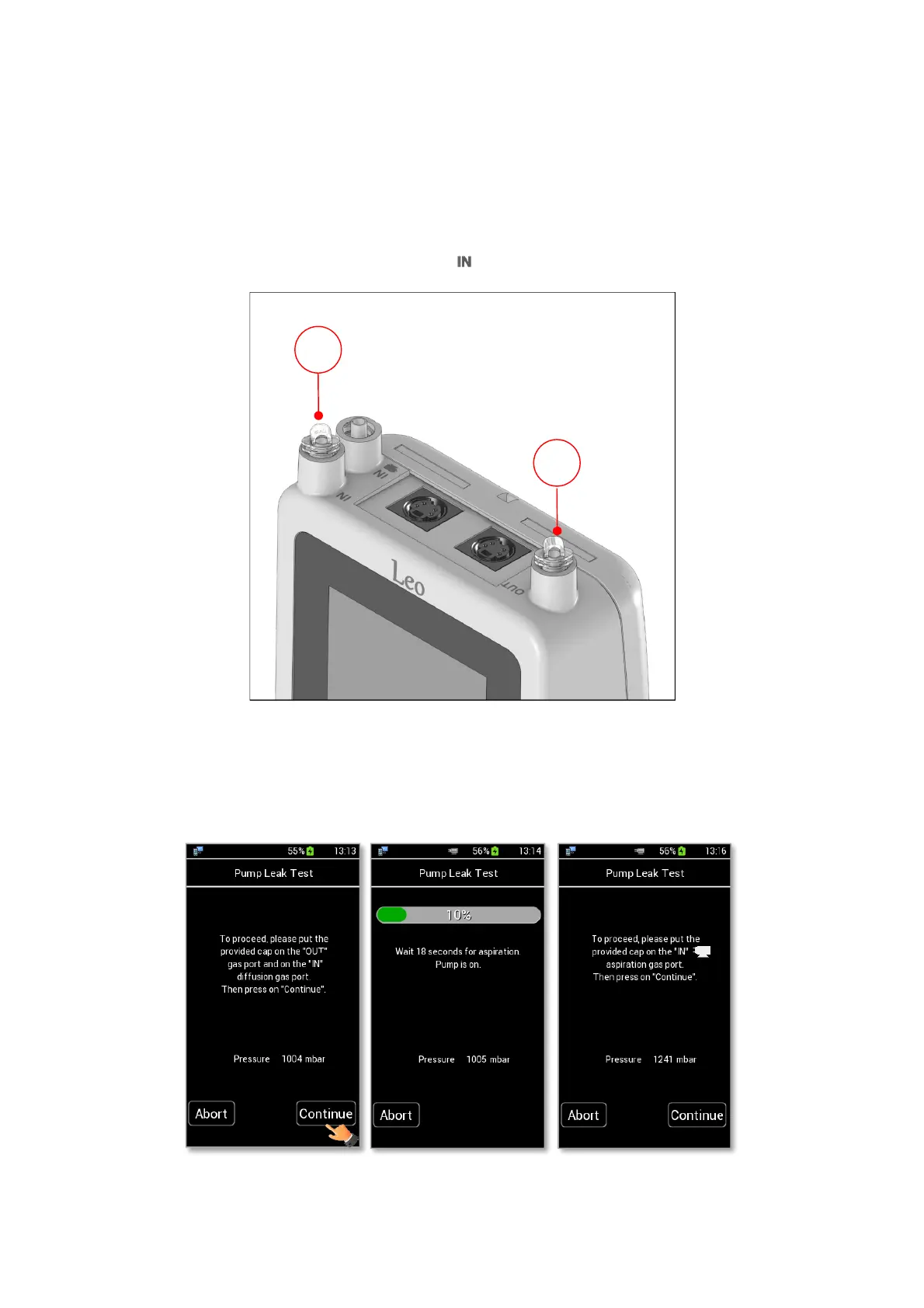
1. Put the cap on LEO gas outlet port (1 in Figure 26)
Note ►Use additional caps supplied in LEO’s Hard case.
2. Put the cap on LEO gas inlet port with icon (2 in Figure 26).
Figure 26. Put caps on LEO ports.
3. Press on Continue (see Figure 27 a). The pump starts operating and aspirating air. The pressure inside
LEO begins to rise. Wait until aspiration step is completed (see Figure 27 b). Figure 27 c appears.



 To Next Page