Installation
|
Connecting Peripherals
12
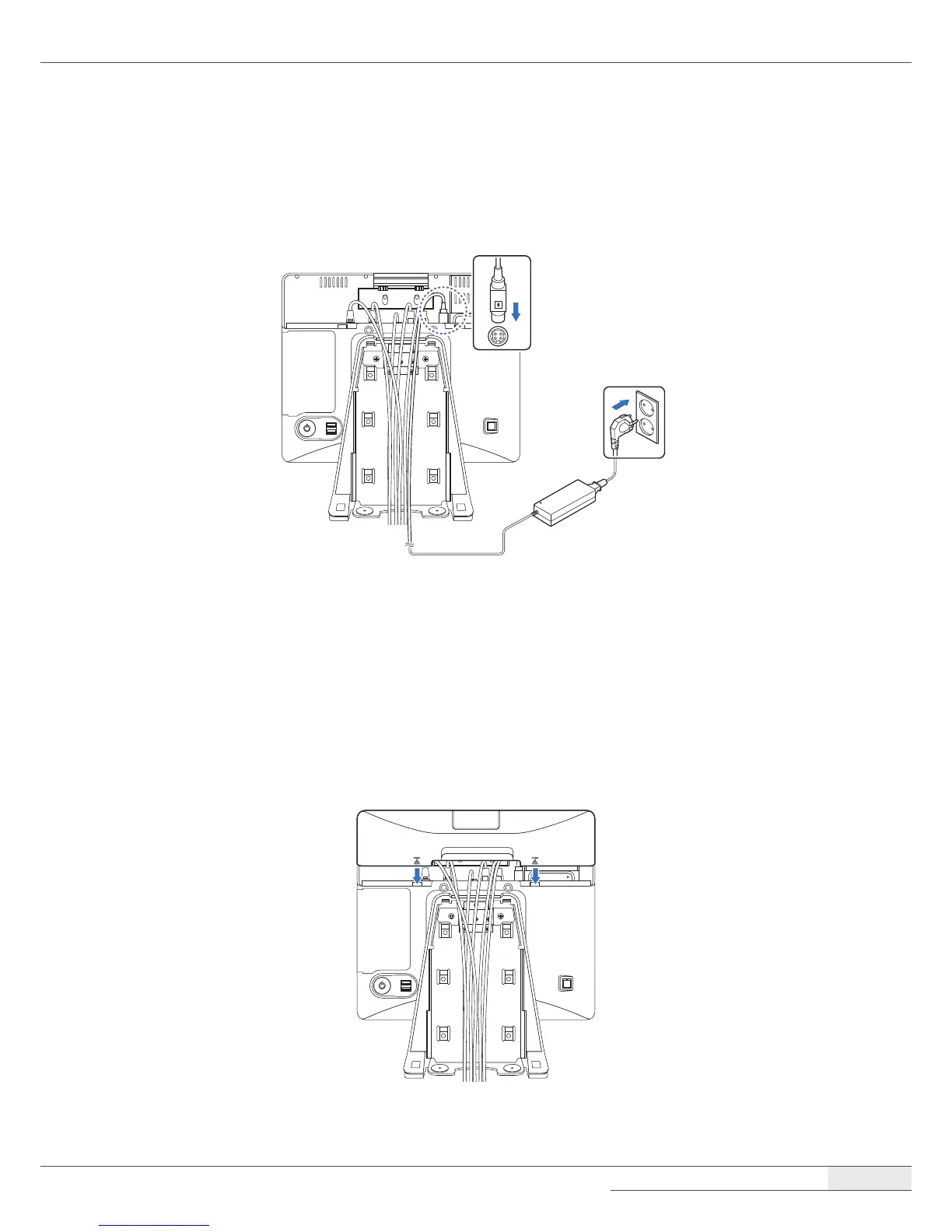
Connecting the power cord
Plug the power cord into the power jack on the I/O panel and then plug the other end of the power
cord into an appropriately grounded electrical outlet.
Replacing the I/O port cover
1.
Make sure that all of the connected cables are arranged through the cable hole position of the
I/O port cover so that they will not be pinched when you replace the cover.
2.
Align the I/O port cover, then rmly slide the I/O port cover down.



 To Next Page