System Disassembly
|
Components Replacement
34
Replacing the CMOS battery
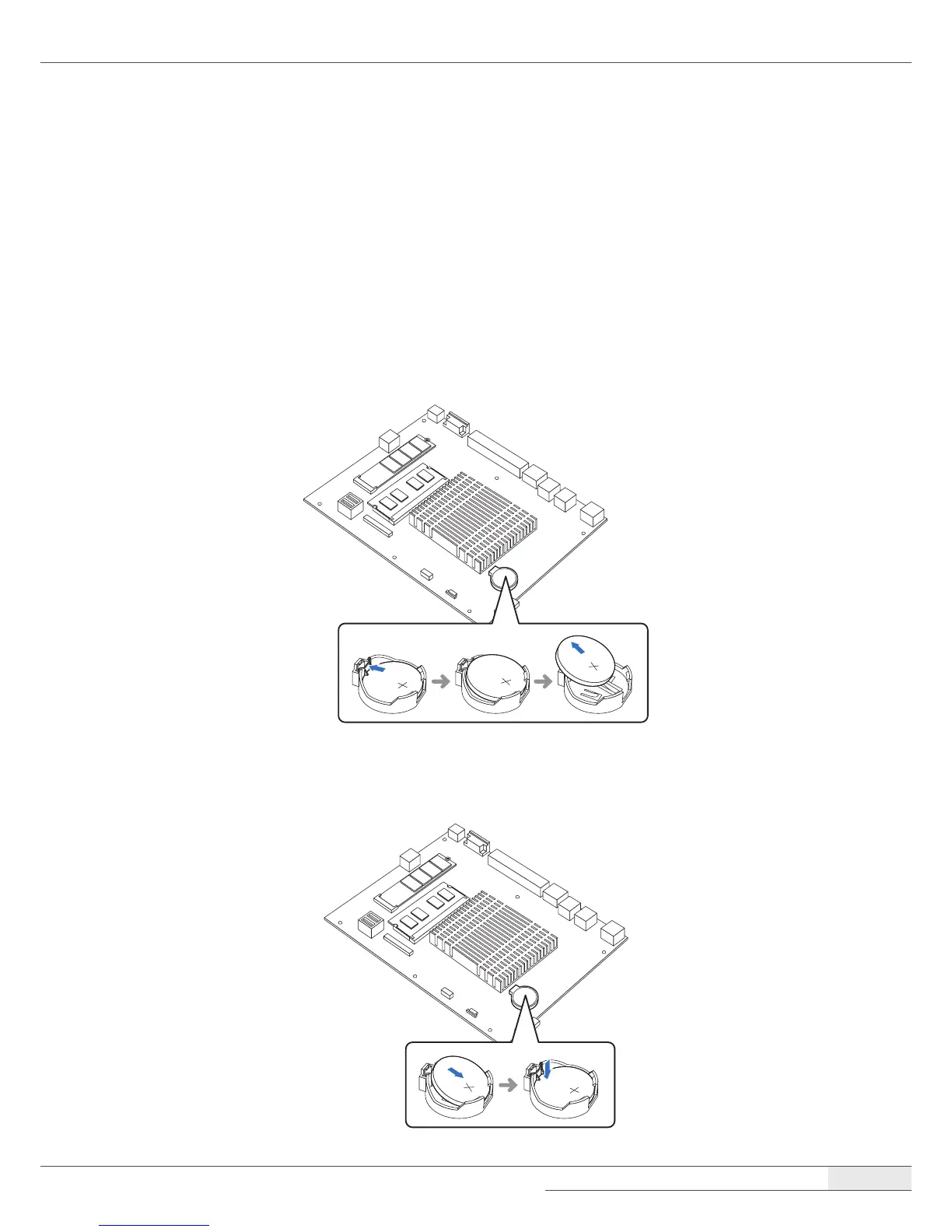
To replace the CMOS battery on the main board, follow these steps:
1.
Remove the system cover by following the instructions in “➊ Removing the cover“ on page 22.
2.
Locate the CMOS battery on the main board and gently press the retaining clip on the CMOS
battery socket.
3.
When one side of the CMOS battery pops up, grab on to the edge of the battery and pull it up
and out of the socket.
4.
Insert one side of the new battery into the socket and press it down until the clip engages and
clicks into place.



 To Next Page