System Disassembly
|
Disassembling the System
25
8.
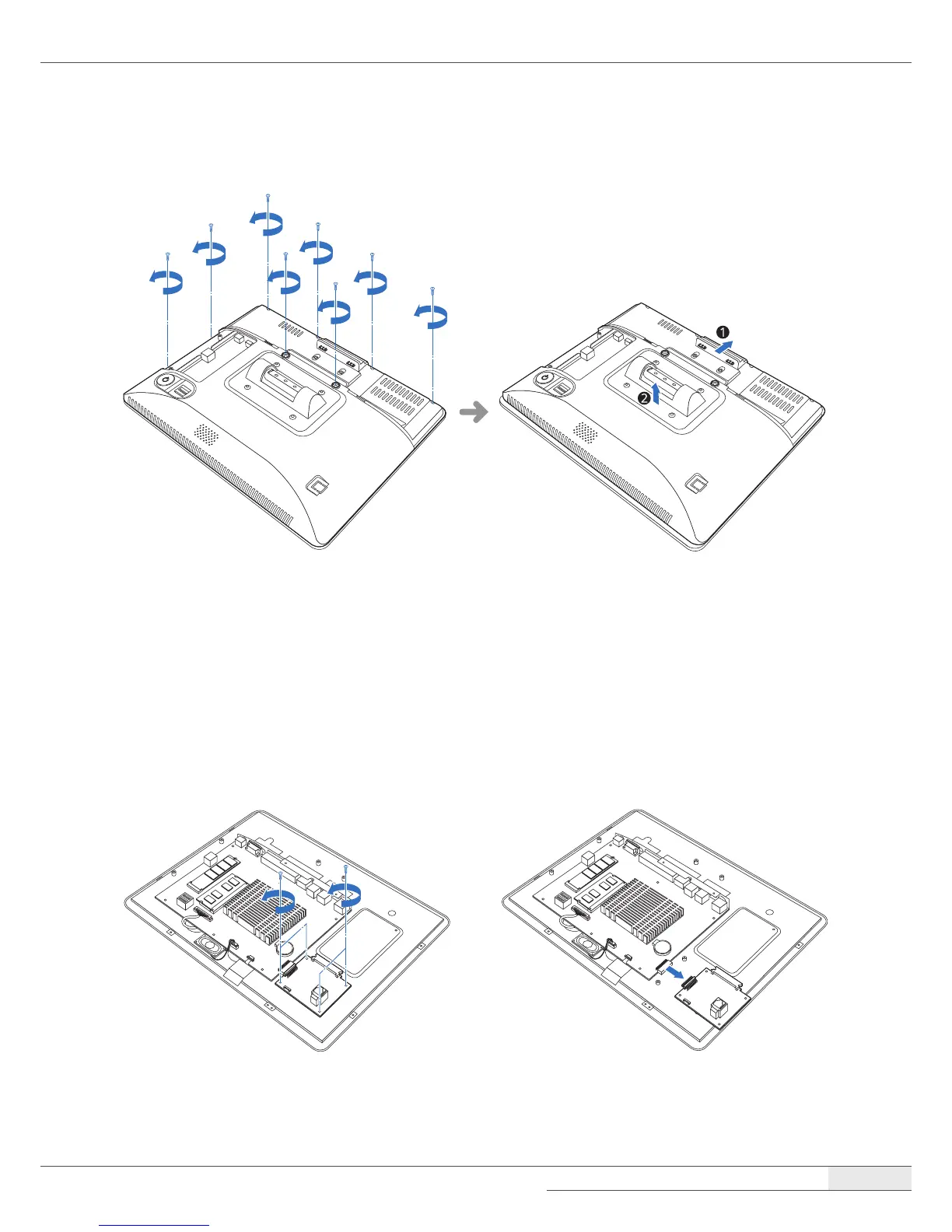
Remove the eight screws, slide the back cover slightly, and lift up the back cover.
➋ Removing the COM and SATA sub-board (optional)
To remove the optional COM and SATA sub-board, follow these steps:
1.
Remove the screws xing the COM and SATA sub-board.
2.
Remove the COM and SATA sub-board from the main board, and separate it from the chassis.



 To Next Page