System Disassembly
|
Components Replacement
35
5.
Replace the system cover by following the steps for removal in reverse order.
Replacing the SSD (optional)
To replace the optional SSD, follow these steps:
1.
Turn o the system and peripheral devices.
2.
Remove the I/O port cover by following the instructions in “Removing the I/O port cover“ on
page 10.
3.
Remove the stand rear cover by following the instructions in “Removing the stand’s rear cover“
on page 11.
4.
Remove the power cord and all cables from the system.
5.
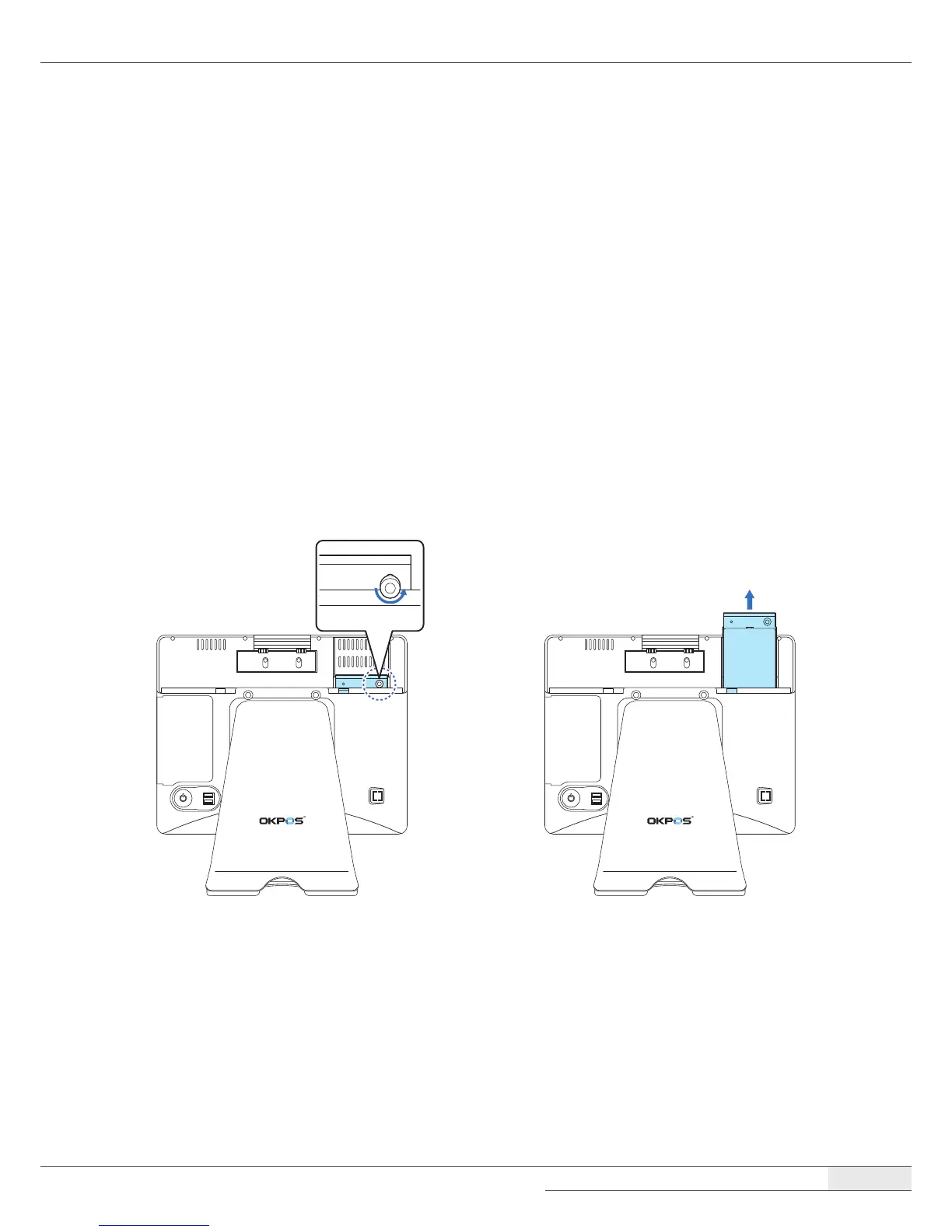
Unscrew the thumbscrew and pull out the SSD module by holding the thumbscrew.



 To Next Page