System Disassembly
|
Disassembling the System
26
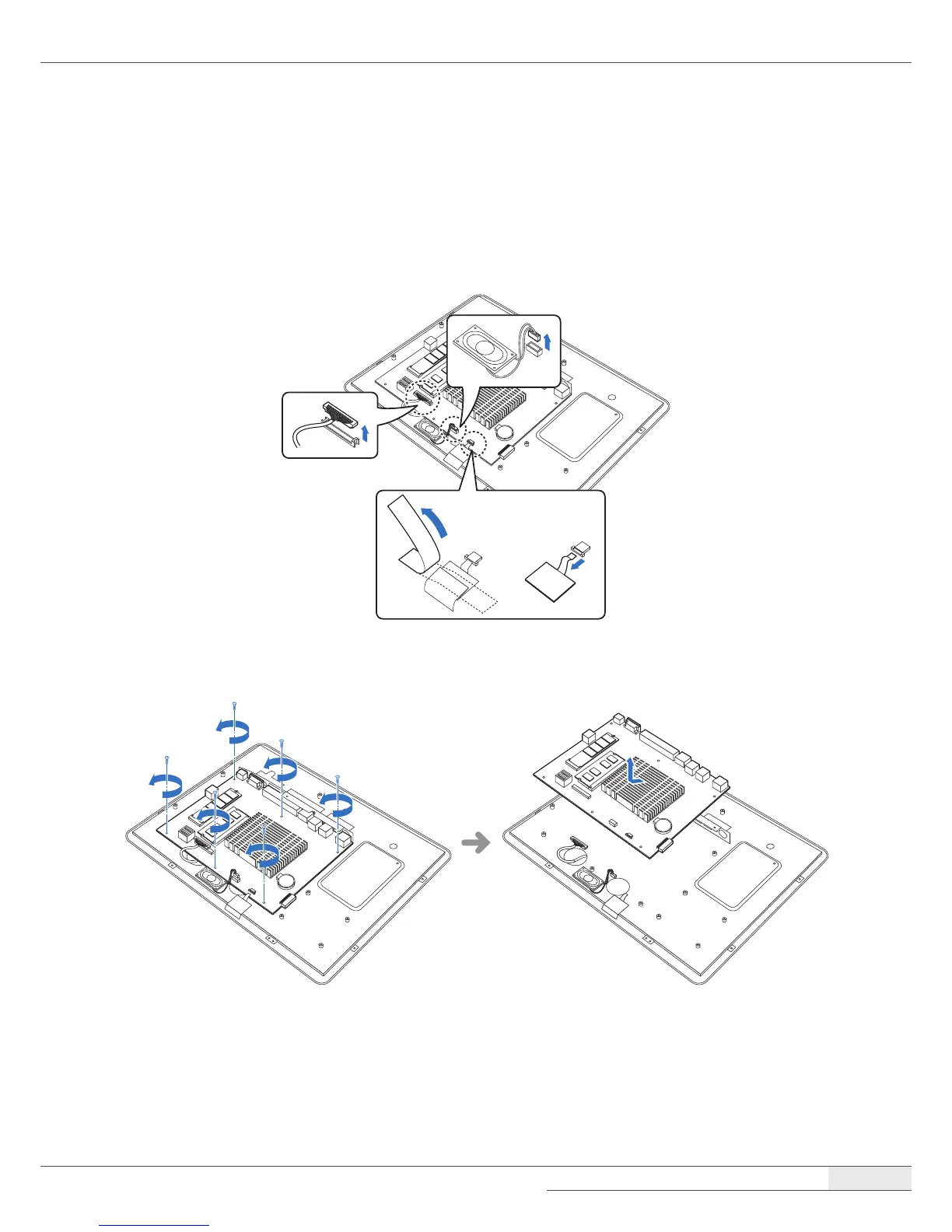
➌ Removing the main board
To remove the main board, follow these steps:
1.
Remove all cables (LVDS, speaker, touch cable, etc.) from the main board.
2.
Remove the screws and separate the main board from the chassis.



 To Next Page