Application Programs
|
Setting Up the Card Reader
42
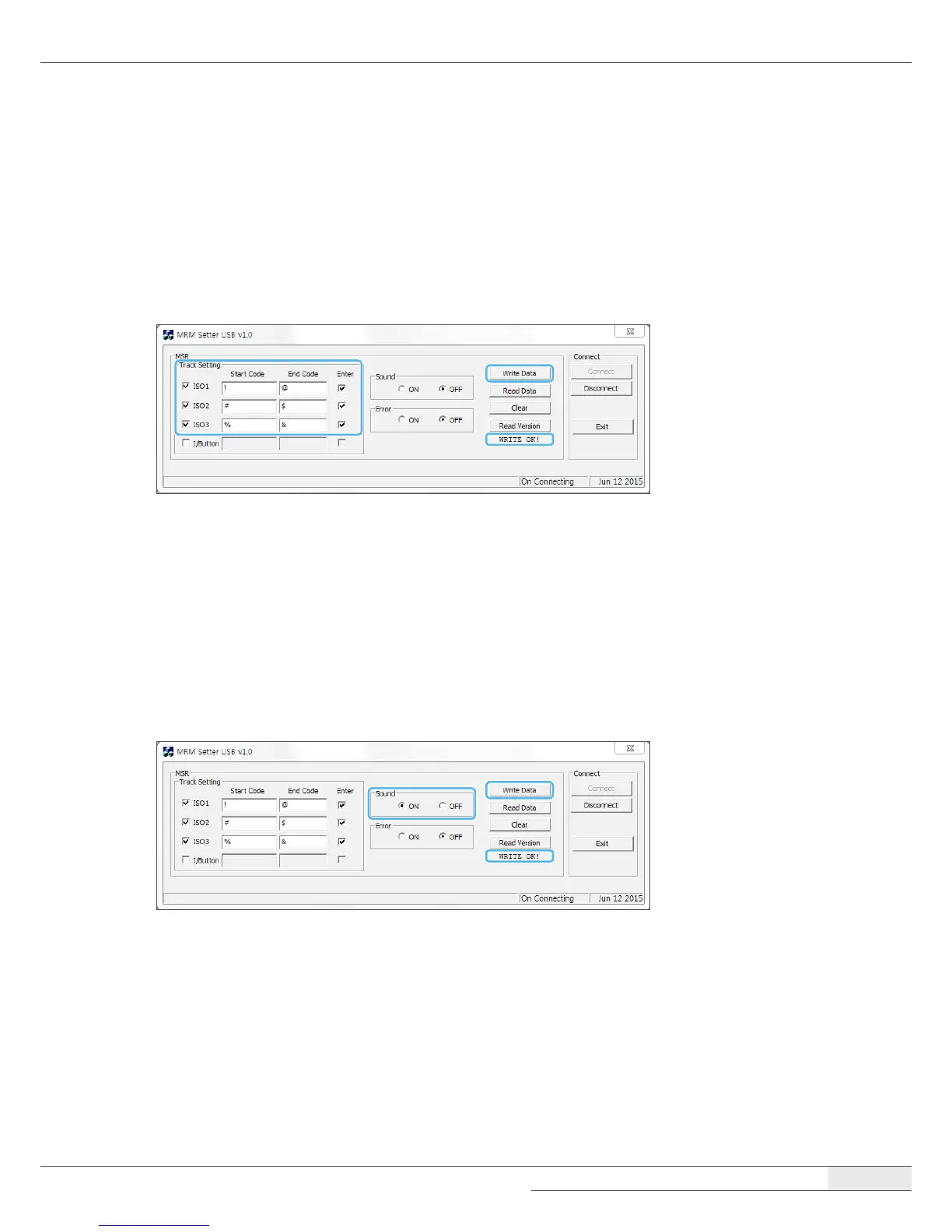
Track setting
You can set the track.
1.
Select the track, input Start Code and End Code, and select Enter.
2.
Click Write Data and check the WRITE OK! message.
Sound setting
You can set the alarm for the card reading failure.
1.
Click the ON button for Sound.
2.
Click Write Data and conrm that the WRITE OK! message appears.


 To Next Page